
9 Best Zen Browser Alternatives in 2026 for AI Workflows and Privacy
Best Zen Browser alternatives for AI, privacy, productivity, and daily browsing.

Zen Browser has quickly become one of the most interesting new browsers for people who want something calmer, more customizable, and less traditional than Chrome. It is Firefox-based and privacy-focused, with modern browsing features like vertical tabs, Workspaces, Compact Mode, Split View, and a cleaner UI for users who keep too many tabs open. But Zen is not perfect for every workflow. Some users eventually run into practical limits: they need stronger AI features, better Chrome extension support, native ad blocking, smoother work-app compatibility, or better support for everyday media and entertainment sites. That is why many users start looking for the best Zen Browser alternatives - not because Zen is bad, but because different workflows need different browsers.
Why Users Look for Zen Browser Alternatives
Zen Browser stands out because it takes the Firefox foundation and adds a more modern workflow on top. For users who like vertical tabs, cleaner browsing, and a less cluttered interface, Zen is often more enjoyable to use than stock Firefox. It gives the browser a calmer, more focused feeling without forcing users into the Chrome ecosystem.
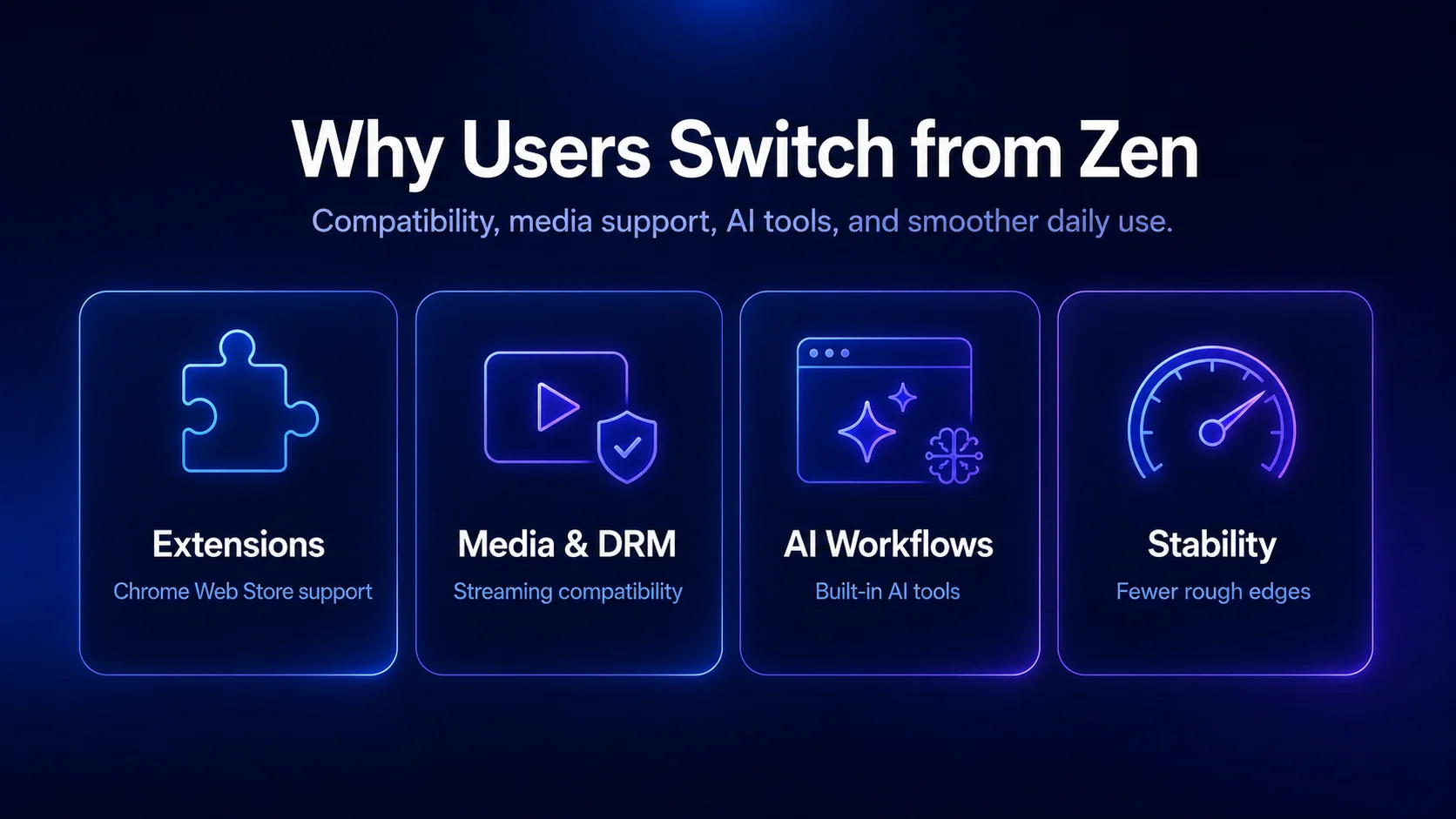
The main issue is that Zen still feels like a young browser in some areas. Some features can be rough around the edges, and the lack of DRM support can become a major downside in daily use. Zen’s own FAQ says the browser currently does not support DRM-protected media because it does not have a Widevine license. That means some protected content from services like Netflix, Spotify, Disney+, Amazon Prime Video, Apple Music, and other streaming platforms may not work in Zen Browser.
Another reason users compare Zen with other browsers is compatibility. Zen is Firefox-based, which is great for users who want a non-Chromium browser and more control over their setup. But a Chromium-based browser can still be more practical for Chrome extensions, SEO tools, work apps, AI tools, and websites that are mostly tested around Chrome.
What Makes a Good Zen Browser Alternative?
A good Zen Browser alternative does not have to copy Zen feature for feature. It just needs to solve the thing Zen does not solve for your workflow: AI support, stronger ad blocking, smoother media playback, more stable performance, or better extension compatibility. Some users want a privacy-focused browser. Others want an Arc-style browser with workspaces and vertical tabs. Some just want the best browser for daily work, with fewer bugs and better support for modern web apps.
The best choice depends on why Zen did not fully work for you. If you like Zen’s interface but need more AI tools, Sigma Browser or Dia may fit better. If you like Zen because it is Firefox-based but want something more stable, Firefox is the safest alternative. If you want stronger ad blocking, Brave is the obvious pick. And if you want a browser you can tweak endlessly, Vivaldi is probably the closest match.
Best Zen Browser Alternatives Compared
Sigma Browser: Best Zen Browser Alternative for AI Workflows
Sigma Browser makes the most sense if you like Zen’s focused browsing idea, but your daily work needs more than a clean tab setup. If you research, write, compare sources, jump between dashboards, or use AI tools throughout the day, Sigma works more like a real work browser than a minimal browsing shell.
Because Sigma is a Chromium-based browser, it also supports Chrome extensions and works smoothly with many modern web apps. That matters if you rely on SEO tools, productivity extensions, writing assistants, dashboards, or business platforms every day. Zen’s Firefox-based foundation is appealing, but Chromium compatibility can be more convenient for work-heavy browsing.
Sigma has a clear reason to be first in this list: it is not just another browser alternative, but a better match for users who want AI tools built closer to the browsing experience. It works especially well for people who use the browser as a real workspace, not just a place to open websites.
Why Zen Users May Choose Sigma Browser
Zen is great if you want a calmer Firefox-based browser. Sigma makes more sense if you want AI features, multitasking, workspaces, and Chrome extension support in one browser. For users who spend hours researching, writing, comparing sources, or managing projects online, Sigma is more practical as a daily work browser.
Arc Browser: Best Alternative for Visual Workspace Organization
Arc Browser is one of the most natural Zen Browser alternatives because both browsers appeal to users who are tired of traditional tab layouts. Arc helped popularize a more visual workspace style with Spaces, sidebar tabs, pinned tabs, and a cleaner way to organize browsing sessions. Zen has a similar appeal, but Arc gives users a more polished workspace structure out of the box.
The Zen Browser vs Arc comparison usually comes down to polish versus flexibility. Arc is more visual and design-led, while Zen is more flexible and Firefox-based. If you want a browser that already feels like a finished workspace system, Arc is still worth considering. Zen gives you more room to customize, but Arc can be easier to understand if you want a ready-made visual setup instead of building your own.
Another reason Arc is not automatically the best Zen Browser alternative is its current product direction. In May 2025, TechCrunch reported that The Browser Company had stopped developing Arc and adding new features while shifting resources toward its AI-powered browser, Dia.
Why Zen Users May Choose Arc Browser
Arc is a good choice if you like Zen’s sidebar-style workflow but want a more polished visual experience. It is less about privacy and more about design, organization, and making tabs feel easier to manage.
Firefox: Best Stable Firefox-Based Zen Browser Alternative
Firefox is the most obvious Zen Browser alternative for users who like Zen because it is Firefox-based. Zen gives Firefox a more modern interface, but Firefox itself is still more stable, mature, and widely supported. If Zen seems exciting but slightly too experimental, Firefox is the safer version of that same foundation.
The Zen Browser vs Firefox comparison is mostly about freshness versus reliability. Zen is better if you want a modern UI, vertical workflows, and a browser that feels built around focus. Firefox is better if you want long-term support, extension stability, and fewer surprises in daily browsing. Zen is newer and more experimental, but Firefox is easier to trust as a default browser.
Firefox also has a strong argument for users who care about extensions and ad blocking. Mozilla says Firefox supports both Manifest V2 and Manifest V3, which matters for users who rely on powerful browser extensions and privacy tools.
Why Zen Users May Choose Firefox
Firefox is the right choice if Zen feels too experimental. You still get the Firefox foundation, strong extension support, and good privacy controls, but with a more dependable daily browser experience.
Brave Browser: Best Zen Alternative for Privacy and Ad Blocking
Brave Browser is one of the best Zen Browser alternatives for users who want privacy protections without much setup. Unlike Zen, Brave is Chromium-based, so it supports Chrome extensions while still offering built-in blocking for ads, trackers, cross-site cookies, phishing, and fingerprinting through Brave Shields.
The Zen Browser vs Brave comparison is mostly about privacy style. Zen gives users a Firefox-based, customizable browser with a calmer interface. Brave gives users stronger default blocking and Chromium compatibility from the start. If you want privacy with less setup, Brave is easier. Zen gives you more interface flexibility, but Brave is usually more practical if your main goal is blocking ads and trackers right away.
Brave is not the strongest option for every Zen user, though. It is excellent for cleaner browsing and ad blocking, but users who care more about AI-supported work, research, writing, or multitasking may find Sigma Browser more useful as a daily productivity browser.
Why Zen Users May Choose Brave Browser
Brave is a better option if you want stronger default blocking, Chrome extension support, and fewer ads across the web. It is not as calm as Zen, but it is very practical for everyday private browsing.
Vivaldi Browser: Best Zen Alternative for Power Users
Vivaldi is the Zen Browser alternative for users who want control over almost every part of the browser. It offers tab stacks, side panels, workspaces, keyboard shortcuts, themes, commands, and deep UI customization. Zen is calmer and more focused, while Vivaldi works more like a full browser control panel.
Vivaldi’s biggest advantage is tab management. Its Tab Stacks let users group related tabs together, which is useful if your browser is full of dashboards, documents, research pages, and references. Zen is cleaner and easier to understand, while Vivaldi is better for users who want to build their own workflow in detail.
The trade-off is complexity. Vivaldi can be overwhelming if you want a simple default browser. But for power users who enjoy customization, it is one of the most logical Zen Browser alternatives.
Why Zen Users May Choose Vivaldi
Vivaldi is a strong pick if you like Zen’s productivity direction but want more control, more settings, and more advanced tab tools. It works best for users who enjoy shaping their browser around their exact workflow.
Microsoft Edge: Best Zen Alternative for Windows Productivity
Microsoft Edge is a practical Zen Browser alternative for Windows users. It is Chromium-based, fast, stable, and deeply connected to Microsoft tools like Copilot, Microsoft 365, Outlook, Teams, and OneDrive. If your work already happens inside Microsoft’s ecosystem, Edge can be more useful than it first appears.
Edge also has a real performance angle for heavy tab users. Microsoft says each sleeping tab saves 85% of memory and 99% of CPU on average, which is useful if your browser often turns into a tab graveyard.
The downside is that Edge can look overly busy. Microsoft keeps adding features, prompts, and AI tools, which some users find distracting. It is not the cleanest or most privacy focused browser, but it is very practical for people who want strong compatibility and built-in productivity features.
Why Zen Users May Choose Microsoft Edge
Edge makes sense if you use Windows and want a browser with strong compatibility, built-in AI tools, and solid productivity features without installing too much extra software.
Opera Browser: Best Zen Alternative with Built-In Tools
Opera Browser is a good Zen alternative for users who want convenience more than deep customization. It includes sidebar apps, AI tools, ad blocking, messaging integrations, media features, and VPN-style browsing tools. Instead of asking users to build their own setup through extensions, Opera gives them many everyday tools by default.
Because Opera uses Chromium, most websites and extensions feel familiar if you are coming from Chrome or another Chromium-based browser. Compared with Zen, Opera is busier and less focused, but it can be more convenient for casual browsing, quick messaging, media, and everyday web use.
Opera is not the best choice if you want the calmest interface or the strongest privacy story. But if you like having built-in tools ready immediately, it can be a useful Zen alternative.
Why Zen Users May Choose Opera Browser
Opera is a good fit if you want convenience over minimalism. It works well for casual browsing, media, sidebar apps, and users who like having many tools ready without much setup.
Safari: Most Practical Zen Alternative for Mac Users
Safari is the most practical Zen Browser alternative for users who live inside the Apple ecosystem. It is fast, energy-efficient, and deeply integrated with macOS, iPhone, iPad, iCloud, Apple Pay, and Apple Passwords. It is not trying to be an Arc-style browser or an AI browser, and that is exactly why many Apple users like it.
Safari’s strength is simplicity. On Mac, it usually runs very smoothly because it is built specifically for Apple devices. It is not the best choice if you want Chrome extensions, AI workflows, or advanced tab management, but it is excellent if you want a browser that stays out of the way.
The main downside is the smaller extension ecosystem. If you rely on SEO tools, productivity extensions, or advanced browser customization, Safari may feel limited compared with Chromium-based browsers. But for Mac users who care most about battery life, speed, and ecosystem integration, Safari is still a practical alternative.
Why Zen Users May Choose Safari
Safari is the right choice if you want a simple, stable, battery-friendly browser for macOS. It is not the most powerful Zen alternative, but it is one of the easiest browsers to use every day on Apple devices.
Dia Browser: Best AI-First Browser to Watch
Dia Browser is another interesting Zen Browser alternative, especially for users who are curious about AI-first browsing. It comes from The Browser Company, the same team behind Arc, but it is more focused on AI assistance and contextual browsing than classic tab organization.
Dia is different from Zen. Zen is about a calmer Firefox-based browser with modern tab workflows. Dia is about making AI part of the browsing experience itself. It is more experimental, but also more aligned with where browsers may be heading.
For now, Dia is best for users who like trying new browser ideas. If you want a practical AI browser for daily work, Sigma may be more useful for daily work. If you want to test the next stage of Arc-like browsing, Dia is worth watching.
Why Zen Users May Choose Dia Browser
Dia is a good option if you liked Arc and want something more AI-focused. It is not the safest default browser yet, but it is one of the most relevant new browsers in the AI browsing space.
Firefox-Based vs Chromium-Based Zen Alternatives
One of the biggest decisions is whether you want a Firefox-based browser or a Chromium-based browser. Firefox-based browsers like Zen and Firefox are good for users who care about customization, privacy, and alternatives to the Chrome ecosystem. They often feel more independent and more flexible for people who do not want every browser to be another version of Chrome.
Chromium-based browsers like Sigma, Brave, Vivaldi, Edge, Opera, Arc, and Dia are often better for Chrome extensions, work apps, AI tools, and website compatibility. There is no perfect answer. If you want independence and customization, Firefox-based browsers are attractive. If you want productivity, extensions, and fewer compatibility issues, Chromium-based browsers are usually easier.
Which Zen Browser Alternative Is Best for You?
How to Choose the Right Zen Browser Alternative
Zen Browser is one of the most interesting new browser projects because it makes Firefox feel more modern, focused, and workspace-friendly. For users who want vertical tabs, a cleaner UI, and a privacy-focused browser, Zen is absolutely worth trying.
But if Zen does not fully fit your daily workflow, there are better options depending on what you need. Sigma Browser is the strongest choice for AI workflows, multitasking, and productivity. Brave is better for privacy and ad blocking. Firefox is the safest Firefox-based fallback. Arc works well for visual workspaces, Vivaldi is stronger for customization, and Dia is worth watching if you are curious about AI-first browsing.
The best browser is not the one with the longest feature list. It is the one that actually fits how you browse, work, research, and switch between tasks every day.
More articles

.webp)

Download Sigma Browser
Questions & Answers
reach out to us on X at @Sigma_Browser
Get Sigma on Android


