
9 Best Arc Browser Alternatives in 2026: Full Review & Comparison
Best Arc Browser alternatives for AI, privacy, tabs, and productivity.

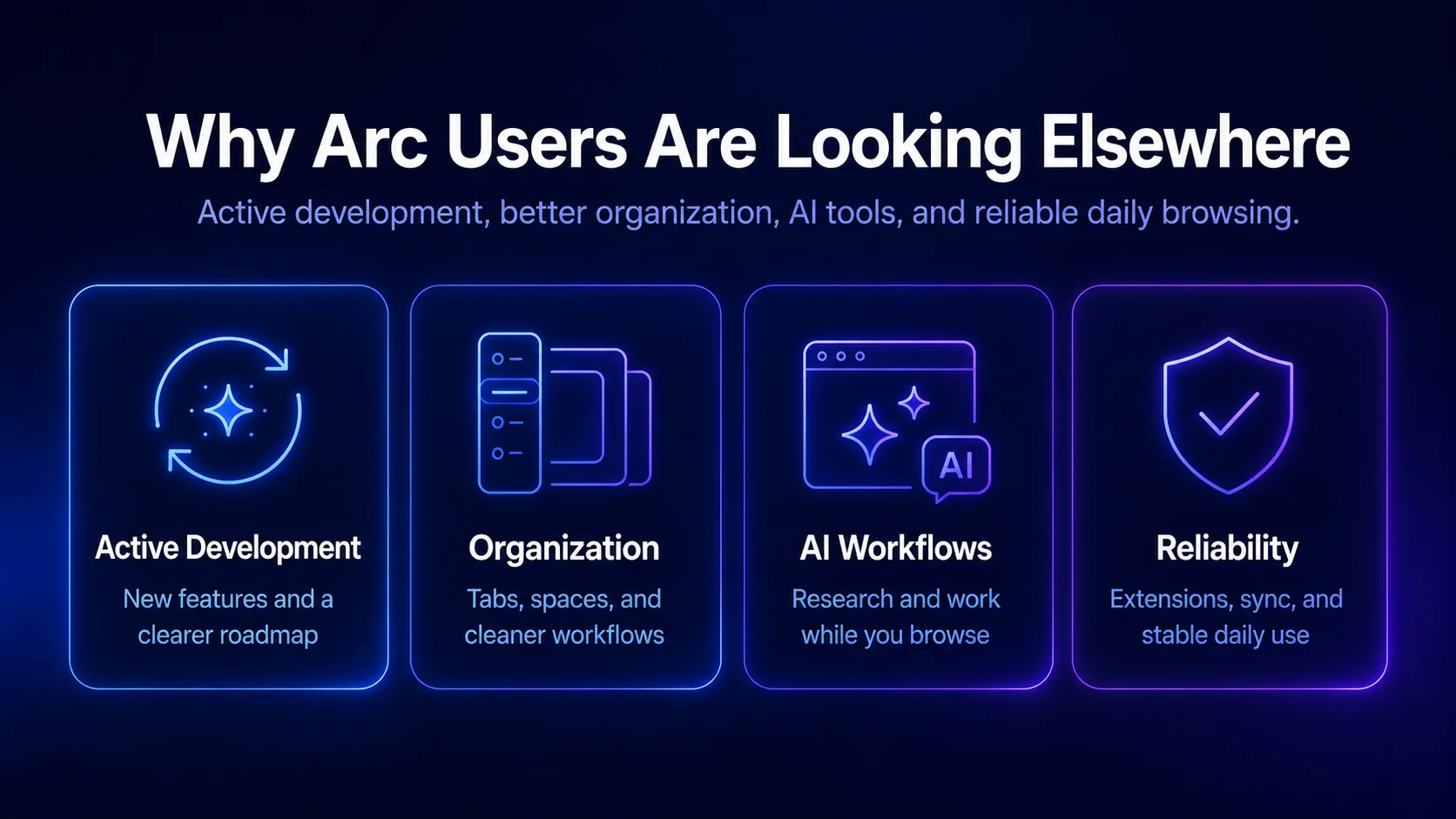
Arc Browser changed how many people thought a modern browser could work. Rather than just another Chrome clone, Arc brought a cleaner workspace, vertical tabs, pinned tabs, Spaces, a command palette, and a more personal browsing experience for people who spend all day working inside browser tabs. But in 2026, many who loved it are now looking for an arc browser alternative because Arc has effectively stalled, The Browser Company has shifted its focus to Dia, and users want a browser with more active development, stronger AI tools, and a clearer path forward. The good news is there are plenty of modern browsers that help with tab management, multitasking, privacy, productivity, and customization without forcing traditional browser limits.
Why Arc Users Want an Arc Browser Alternative
Arc Browser still has loyal users, especially Mac fans who loved its interface, quick commands, Spaces, and cleaner way to manage open tabs. But many users now want more than a nice-looking interface. They want a browser that helps them search, organize information, compare pages, multitask, and reduce the mental clutter that comes with too many tabs.
Part of this shift comes from The Browser Company focusing more on Dia, its newer AI-powered browser. For some Arc users, that makes Arc feel less future-proof, especially if they are waiting for new features or many Arc features to keep evolving.
That does not mean Arc is no good. Arc still gets security and Chromium updates, especially on Windows. But if you want active development, stronger AI tools, plenty of extension options, or an experience that feels similar to the Arc experience, it makes sense to compare other browsers in 2026.
Is Arc Browser Stalled? Why Users Are Migrating in 2026
Arc Browser is still available, but the momentum that once drove it forward has been lost. In May 2025, The Browser Company confirmed that it had stopped developing major new features for Arc, while keeping the browser available with stability fixes, Chromium updates, and security patches. The company has also shifted its priorities to Dia, its new AI-driven browser.
And for those who made the leap to Arc in the first place - it's worth noting that many of the big features they loved may not get as much attention anymore, including Spaces, pinned tabs, vertical tabs, command palette, and the other ideas that won users over. Arc may still function as a browser, but it'll feel very different from the fast-moving product that first won users over.
There have been some discussions about opening up Arc to the wider community, but The Browser Company has explained that Arc runs on custom infrastructure called ADK, which makes open sourcing Arc more complicated. This doesn't mean every Arc user needs to leave right now, but if you're looking for ongoing development, new features, stronger AI integration, or a clearer path forward - it makes sense to consider other options.
What Makes a Good Arc Browser Alternative?
A good Arc Browser alternative should solve the same problems Arc solved: too many open tabs, messy workflows, weak organization, and the feeling that traditional browsers were not built for modern work.
If you loved Arc’s vertical tabs and clean workspaces, Zen Browser or Microsoft Edge may feel familiar. Vertical tabs usually work best in a sidebar format because they reduce horizontal clutter and make large browsing sessions easier to navigate. If privacy matters more, Brave Browser or Firefox may be a better fit, while Sigma Browser is stronger for AI-powered productivity and multitasking.
A good replacement also needs reliable basic functionality. Browser extensions, bookmarks, sync, security patches, and Chromium updates should work without friction. Privacy matters too: many modern browsers do not require mandatory accounts for basic functionality, and privacy-focused browsers like Firefox, Brave, and Vivaldi can be used without mandatory sign-in.
Best Arc Browser Alternatives: Quick Comparison
Sigma Browser: Arc Browser Alternative for AI Workflows
Sigma Browser is one of the best options for anyone who fell in love with the organizational feel of Arc, but now wants something that's even more geared up for handling the AI tools and daily workflows they rely on. For people who spend most of their time researching, writing, comparing info, managing projects, or just juggling multiple browser tabs - Sigma makes a great arc browser alternative.
Unlike a typical browser, which mostly just gives you tabs, bookmarks and an address bar, Sigma is all about making the browser a tool that helps get the job done. That makes it useful for people who constantly find themselves switching between searching, chatting, content, tools, dashboards and documents.
For Arc users, Sigma is worth a look because it keeps the same modern, user-friendly vibe while taking things a step further in terms of how it helps with multitasking, AI, and everyday productivity.
Why Arc Users Choose Sigma
Sigma is a strong alternative to Arc because it's been designed to tackle the same old browser chaos problems - too many tabs, too many tools, too much switching, and not enough organization.
While Arc tried to tame browser tabs and make them more manageable, Sigma takes a more workflow-focused approach. It's a practical choice if your browser is more than just for personal browsing - if it's a vital part of your work in marketing, product management, writing, studying or any number of other online tools.
And because Sigma is built on top of Chromium, you'll find that Chrome extensions still work perfectly, which is one of the main reasons some people stick with their old browsers even if they're not exactly the most exciting.
Zen Browser: Firefox-Based Arc-Like Browser
Zen Browser is basically the most direct arc browser alternative out there because it uses many of the same visual and workflow ideas front and center. It's got vertical tabs, a clean interface, plenty of customization options, and a layout that's instantly familiar to anyone who fell for Arc's sidebar-first design.
But the key difference here is that Zen Browser is built on the Firefox engine, which makes it appealing for anyone who wants that Arc-like experience but isn't willing to go down the Chromium route. Plus, it's great for anyone who cares about the open web and wants to tap into the world of Firefox extensions.
If you're after a middle ground between modern design and Firefox-style flexibility, Zen Browser is a great choice. It's not going to be exactly the same as Arc - and it may not have all the polish that Arc users have come to expect - but it's probably the closest you'll get to Arc's vertical tabs and clean interface.
Who Should Use Zen Browser?
Zen Browser is a top pick if you're after a free arc browser alternative that's got all the customization and modern interface you could want. It's a great choice for anyone who loves experimenting with browser setups and isn't too concerned if their browser is still a work in progress.
It's also a great fit for anyone who wants to break free from the Chromium cycle and join the Firefox community instead. If your main concern with Arc is the long-term direction of the product, you might find that Zen Browser is a more reassuring choice because its appeal comes from being totally open, highly customizable and built on a community that's clearly passionate about what they're doing.
Brave Browser: Privacy-Focused Arc Browser Alternative
Brave Browser isn't necessarily the most Arc-like browser visually, but when it comes to privacy, it's one of the top options out there. It comes with built-in ad blocking, tracker protection and a browser that's totally geared up for private browsing - without requiring much setup.
For Arc users, Brave might feel a bit more old-school at first - it doesn't try to recreate the same level of sidebar-first design or workflow personality that Arc is known for. But don't be fooled - pages load quickly, Chrome extensions work smoothly, and it has strong privacy protections built in from the start.
Where Brave Falls Short
Brave is strong on the privacy front, but a bit weaker when it comes to creative workflow design. If you fell for features like Arc's spaces, pinned tabs and command palette-style workflow, you might find that Brave feels a bit too... Chrome-like.
So what does that mean for users who care most about ad blocking, speed and safety over having an Arc-like interface? Brave is probably one of the safest choices - but it might not be the most exciting option.
Vivaldi: Browser for Power Users
Vivaldi is basically the ultimate browser for power users who want total control over every aspect of their browsing experience. It's got advanced tab stacking, customizable side panels, multi-page tiling, built-in notes, keyboard shortcuts, and plenty of customization options for users who want full control over their setup.
For users who are leaving Arc behind, Vivaldi can be a good replacement. It does not look exactly like Arc, but it offers many Arc-like features in a different package. You can manage browser tabs, create workflows, use panels, organize bookmarks, and build a browsing setup that feels personal.
Vivaldi's biggest advantage is its flexibility, but that flexibility can also feel overwhelming. Arc offers a simpler and more streamlined browsing experience, while Vivaldi gives users a larger toolbox that takes more time to explore and set up.
Is Vivaldi a Good Arc Replacement?
Vivaldi is a good choice if you really want to be able to customize almost every part of your browser. Arc on the other hand is a better bet if you want a more polished and 'opinionated' browser straight out of the box.
If you're one of those people who enjoys adjusting every part of their browser setup, then Vivaldi is probably one of your top choices in 2026. But if you're after something clean and easy to set up, then Sigma, Zen or Edge might be a better option.
Microsoft Edge: Arc Alternative for Windows
Microsoft Edge has become a surprisingly strong contender when it comes to productivity browsers, especially for Windows users. It's got vertical tabs, tab groups, Collections, a sidebar with useful tools, great performance, and plenty of built-in AI features thanks to Microsoft's ecosystem.
With some manual tweaking, Edge can also adapt surprisingly well to an Arc-like setup, especially for users who want vertical tabs, tab groups, and sidebar tools in one place.
For Arc users who are based on Windows, Edge might be one of the most sensible alternatives because it already supports Chrome extensions and integrates well with Microsoft 365, Copilot and all the standard Windows workflows. It's not as stylish as Arc, but it's practical and still getting updates all the time.
Edge also handles the basic stuff very well - sync, bookmarks, profiles, browser extensions, security updates and enterprise support are all rock solid. If reliability is more important to you than novelty then that counts for a lot.
Where Microsoft Edge Falls Short
Edge can sometimes feel overwhelming. Microsoft is always adding new features, shopping tools, sidebars, and AI elements that not every user wants to see. Arc's clean and intentional design made it feel calm and easy to use. Edge can sometimes feel like a browser that's trying to do too much.
Still if you want vertical tabs, strong Windows support, and access to useful AI tools then Microsoft Edge is a very reasonable alternative to Arc.
Dia Browser: AI-First Browser by The Browser Company
Dia is not a direct replacement for Arc, but it is worth mentioning because The Browser Company introduced Dia as its newer AI-centric browser and shifted its main product focus in that direction.
Dia is designed to help you work more closely with the information in front of you and can even assist with things like outputs, context and tasks. This makes it interesting for Arc users who aren't just after the same old features but want the next-generation browser experience.
The thing to bear in mind is that Dia is still a relatively new product and may not be ready for prime time yet. Arc users who liked the unique interface might be a bit hesitant to try something new.
Should Arc Users Switch to Dia?
If you're willing to trust The Browser Company and are interested in their new AI-first direction then Dia might be worth a look. On the other hand, if what you're after is just 'Arc but forever maintained' then Dia might not be the best option.
For users who want an AI browser and are comfortable with something new and still a bit rough around the edges then Dia is probably worth watching - but for users who want stability, extension support, or a more mature browsing setup then Sigma, Edge, Brave or Firefox might be a safer bet.
Orion Browser: WebKit Browser for Mac
Orion Browser is worth checking out for Mac users who want a lightweight browser that's based on the Safari engine but with a bit more flexibility. It is not the same as using Firefox or Chrome but if you want the Safari experience with a bit more tweaking room then Orion is worth a look.
Orion's performance is probably one of its main selling points, especially if you're a Mac user who needs a fast WebKit browser that uses up less battery power. It also does a good job of supporting Chrome and Firefox extensions - although you may run into compatibility issues some of the time.
Orion isn't a direct Arc replacement because it doesn't have the same workflow and design style but for Mac users who want something fast, minimal and different from Chrome then it's worth considering.
Who Should Use Orion Browser?
Orion is probably best for users who want a browser that's easy on the system and can keep up with their needs without being too bloated. It's not the best choice if you need heavy AI workflows or complex tab management though.
If your main issue with Arc is that you're not sure what the future holds for it then Orion might be an interesting option. If what you're after is something that can keep up with your productivity needs then it might be too minimal.
Firefox: Gecko Engine Alternative to Arc
Firefox is not trying to be Arc and it's certainly not new but it's still one of the best options for people who need a lot of control over their browser - especially when it comes to things like privacy and security. Firefox has strong extension support, some useful privacy tools, different profiles, Firefox Containers and a highly flexible browsing environment.
It's also worth noting that Firefox uses the Gecko engine, which means it's a real alternative to all the Chromium-based browsers out there.
Is Firefox a Good Arc Replacement?
Firefox is probably a good choice if you're really after control, privacy and openness but it's not the best option if what you're after is an Arc-like design.
Firefox is just one of those browsers that's been around for ages and has earned a reputation as a browser that you can trust. It might not be the flashiest option but it's a solid choice for users who value their freedom to customize.
Opera Browser: Arc Alternative with Built-In Tools
Opera Browser is another Chromium-based browser with a long list of built-in features, and many of them are genuinely useful. The Opera Browser includes stuff like sidebar apps, workspaces, instant messengers, ad blocking, and VPN-style tools - plus some productivity features that go beyond the basic browser experience.
Opera can actually serve as a pretty decent arc browser alternative for users who liked having all that extra functionality at their fingertips. The sidebar really makes it easy to access your apps and features without constantly flipping between tabs - that can be super helpful to people who want instant access to their messenger, music, notes, or any other AI tools they need.
However, Opera does not quite have the same refined feel that Arc had - it's more "feature-heavy than design-led", and that may appeal to some users more than others. Some users will like that approach, while others may find it too cluttered.
Who Should Use Opera Browser?
Opera is best for users who want a browser that comes with a wide set of built-in tools and don't want to have to install a ton of extra browser extensions to get what they need. If you're looking for a clean, minimal Arc-like interface, though, this isn't your best bet.
If you like having convenience features and don't mind a browser that's a bit busier looking, Opera is a practical option.
Best Free Arc Browser Alternative
If you're looking for a free arc browser alternative, your options are basically Sigma Browser, Zen Browser, Brave Browser, Microsoft Edge, Firefox, and Opera - each one gives you a slightly different take on what Arc users might be looking for.
Sigma is a strong option if you want AI workflows and multitasking. Zen is the closest to Arc in terms of feel, with vertical tabs and a Firefox-based architecture. If you want a browser with stronger privacy protections, Brave is the one to choose - and if you're on Windows, Edge is the way to go for Windows productivity. Firefox is great if you like having control over your browser, and Opera is perfect if you want built-in convenience tools.

Best Arc Browser Alternative by User Type
For AI-heavy workflows, Sigma Browser is one of the strongest options because it helps users research, write, compare, and manage work directly inside the browser.
If you want an arc browser alternative with a modern feel, Zen Browser is a strong choice. It has vertical tabs, Firefox-based architecture, and a familiar interface, while Zen, Vivaldi, and Edge are also good options for better tab management.
For privacy, Brave Browser and Firefox are the safest picks. Brave is simpler to start with, while Firefox gives users more control and independence.
For Windows users, Microsoft Edge is a practical choice because it works well with Microsoft productivity tools and still offers vertical tabs, tab groups, and strong everyday performance.
For Mac users who want a lightweight WebKit browser, Orion Browser is worth considering, especially if performance and battery life matter.
Final Verdict: Best Arc Browser Alternative
The best arc browser alternative in 2026 is simply the one that matches the reason you used Arc in the first place. Arc never was just another browser - it made browsing feel calmer, more organized, and more personal, and that's what replacements need to capture if they want to be successful. Sigma is a strong place to start if you want a browser focused on AI workflows and multitasking - and if you want the closest thing to Arc's feel, Zen is the way to go. Just remember - the best alternative is the one that's not trying to be a copy of Arc, but taking that same idea and running with it in a completely new direction.
More articles

.webp)

Download Sigma Browser
Questions & Answers
reach out to us on X at @Sigma_Browser
Get Sigma on Android


