


Best AI
Promo Code Finder
An AI agent finds, tests, and applies the best Amazon promo codes.


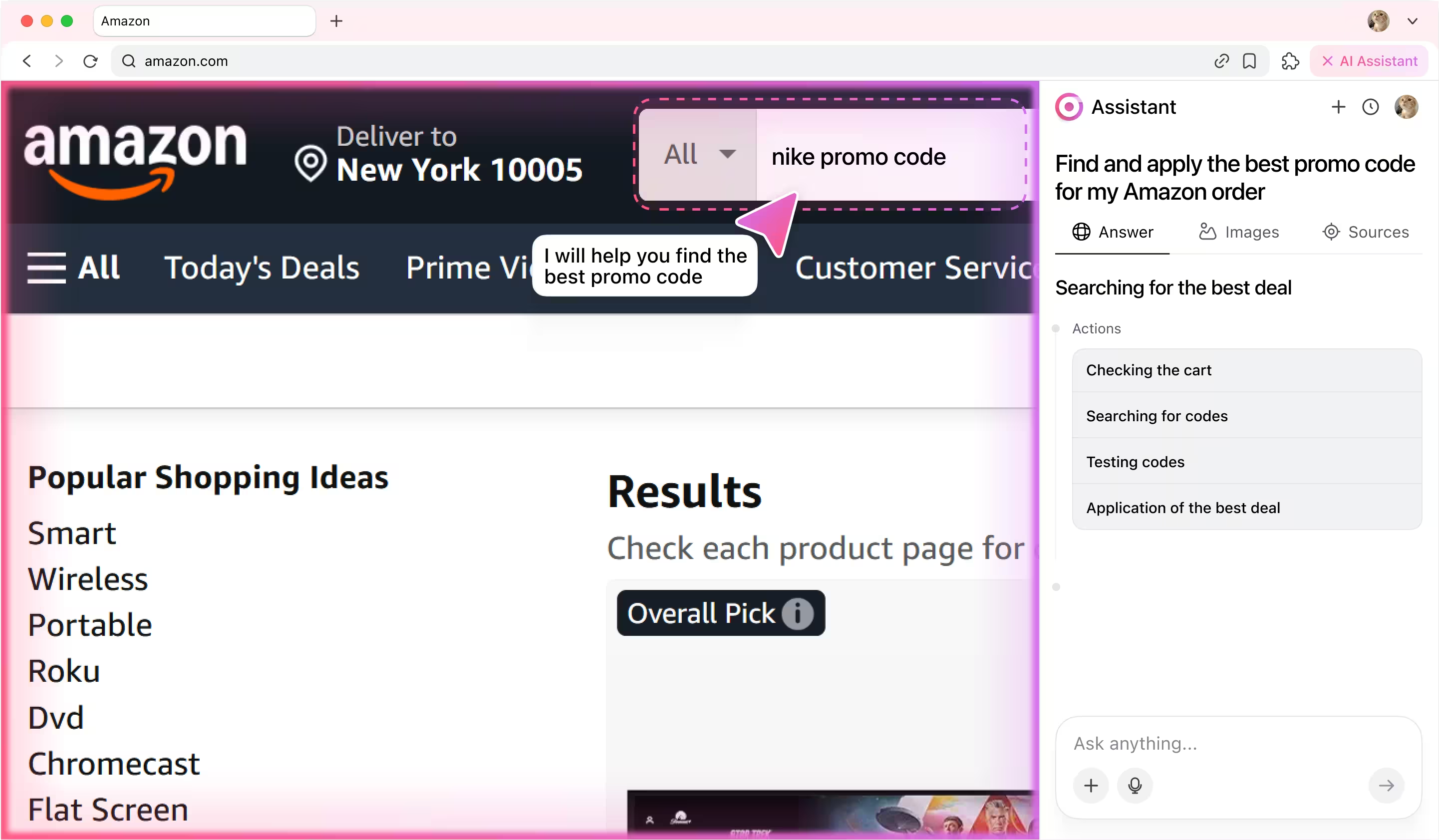

How it works
You start by giving the agent a simple instruction:
💬 Check tasks in Jira marked "In Review". If everything is done, close them.
And then the magic starts:
1) The agent’s categorizer first analyzes the prompt to understand the intent: it's a Jira workflow task involving review and resolution. Then, it identifies the key subtasks.
2) Next, the agent’s planner breaks subtasks into actions: logging into Jira, navigating to the project, finding tickets and interpreting content, testing task, reviewing code and finally resolving task.
3) The executor agent then steps in, performing each of these actions in your browser — just like a human would, but faster.
What looks like a single sentence is actually an orchestrated sequence of decisions and actions. The agent reads it, understands it, and gets it done.
💬 Check tasks in Jira marked "In Review". If everything is done, close them.
And then the magic starts:
1) The agent’s categorizer first analyzes the prompt to understand the intent: it's a Jira workflow task involving review and resolution. Then, it identifies the key subtasks.
2) Next, the agent’s planner breaks subtasks into actions: logging into Jira, navigating to the project, finding tickets and interpreting content, testing task, reviewing code and finally resolving task.
3) The executor agent then steps in, performing each of these actions in your browser — just like a human would, but faster.
What looks like a single sentence is actually an orchestrated sequence of decisions and actions. The agent reads it, understands it, and gets it done.
Agent actions step by step
1. Planning workflow
The agent analyzes users prompt and breaks it into subtasks, then transforms every subtask into action.

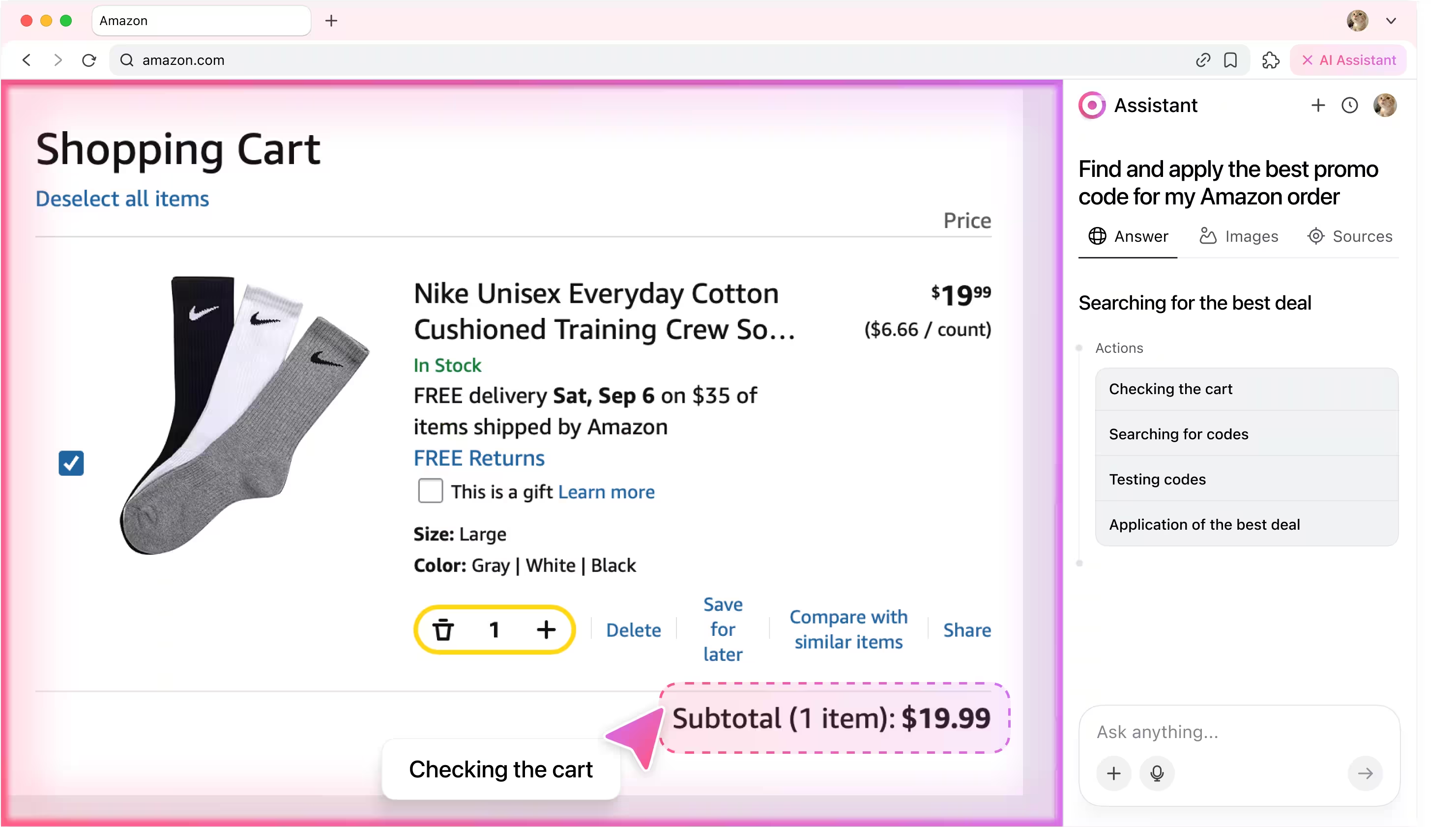
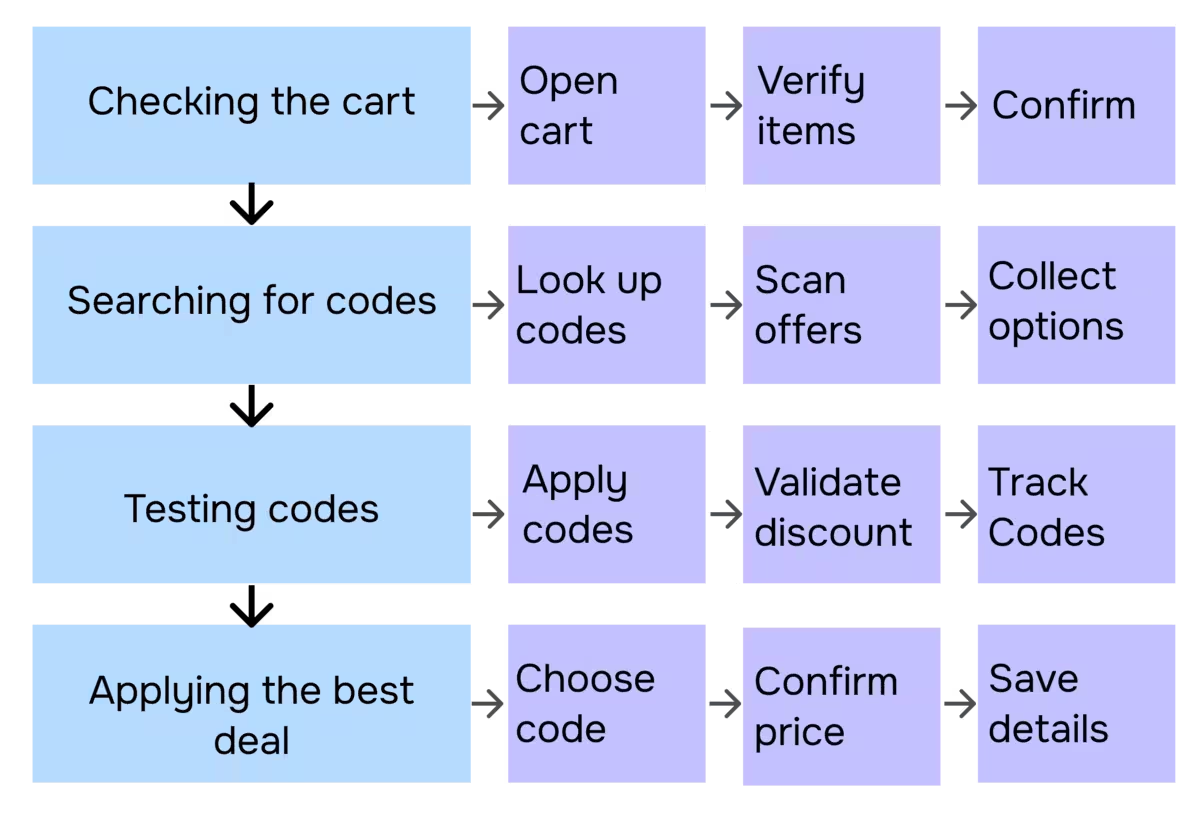
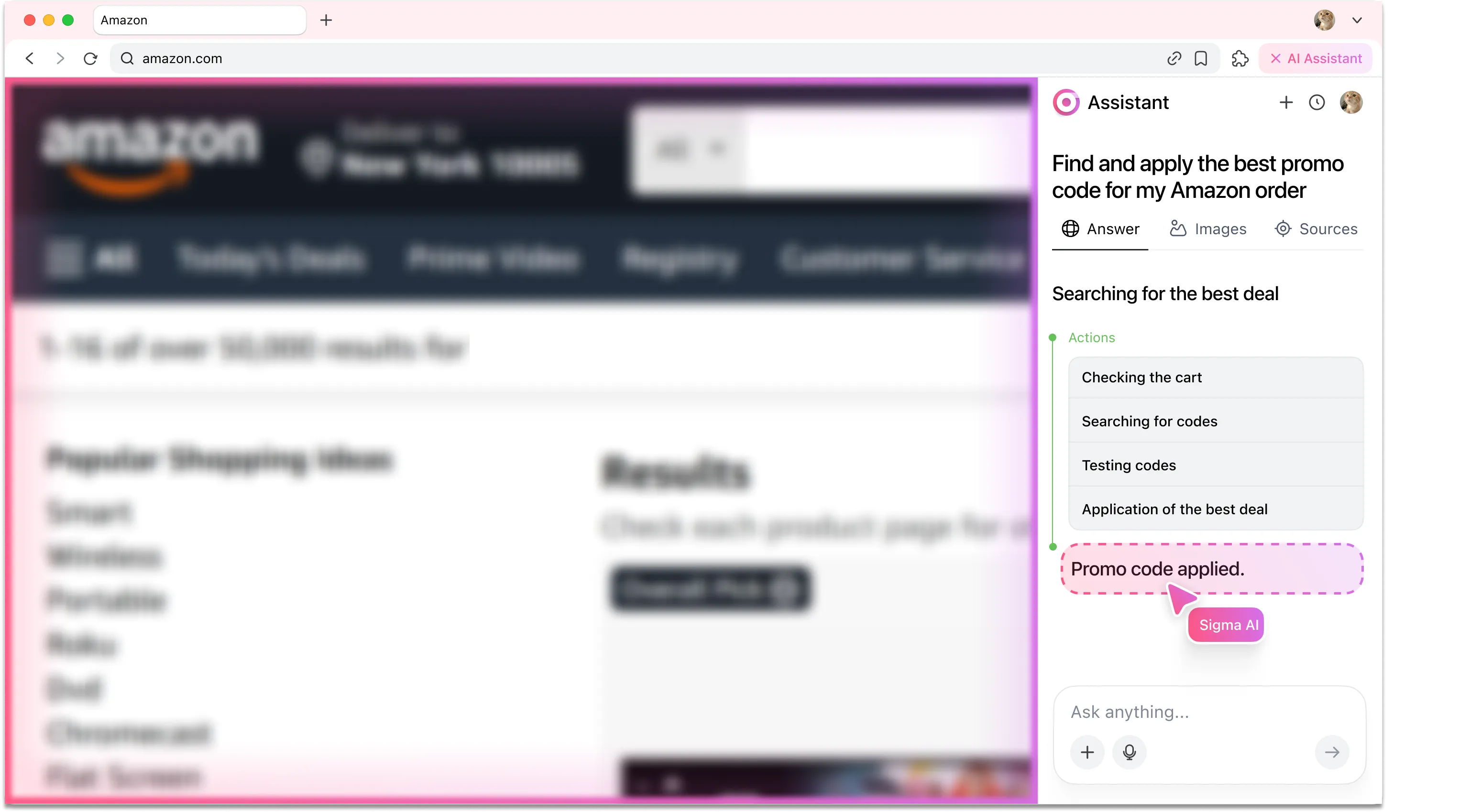
2. Checking the cart
The AI agent scans your Amazon cart through an encrypted session, checks item details, and confirms the total amount.
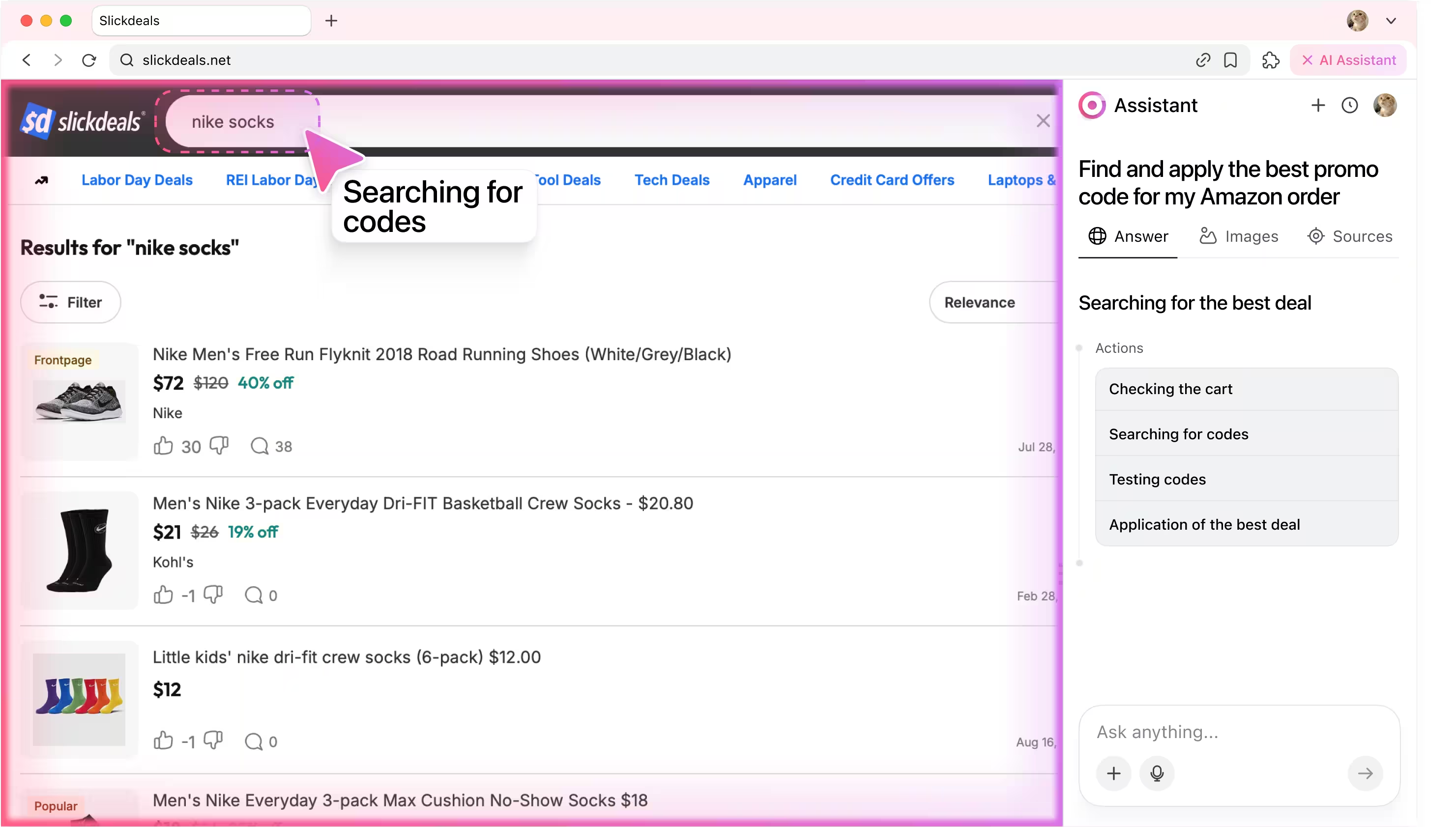
3. Searching for promo codes
Using secure search automation, the agent browses trusted coupon sites and Amazon deals, collecting available promo codes while keeping your browsing activity protected.
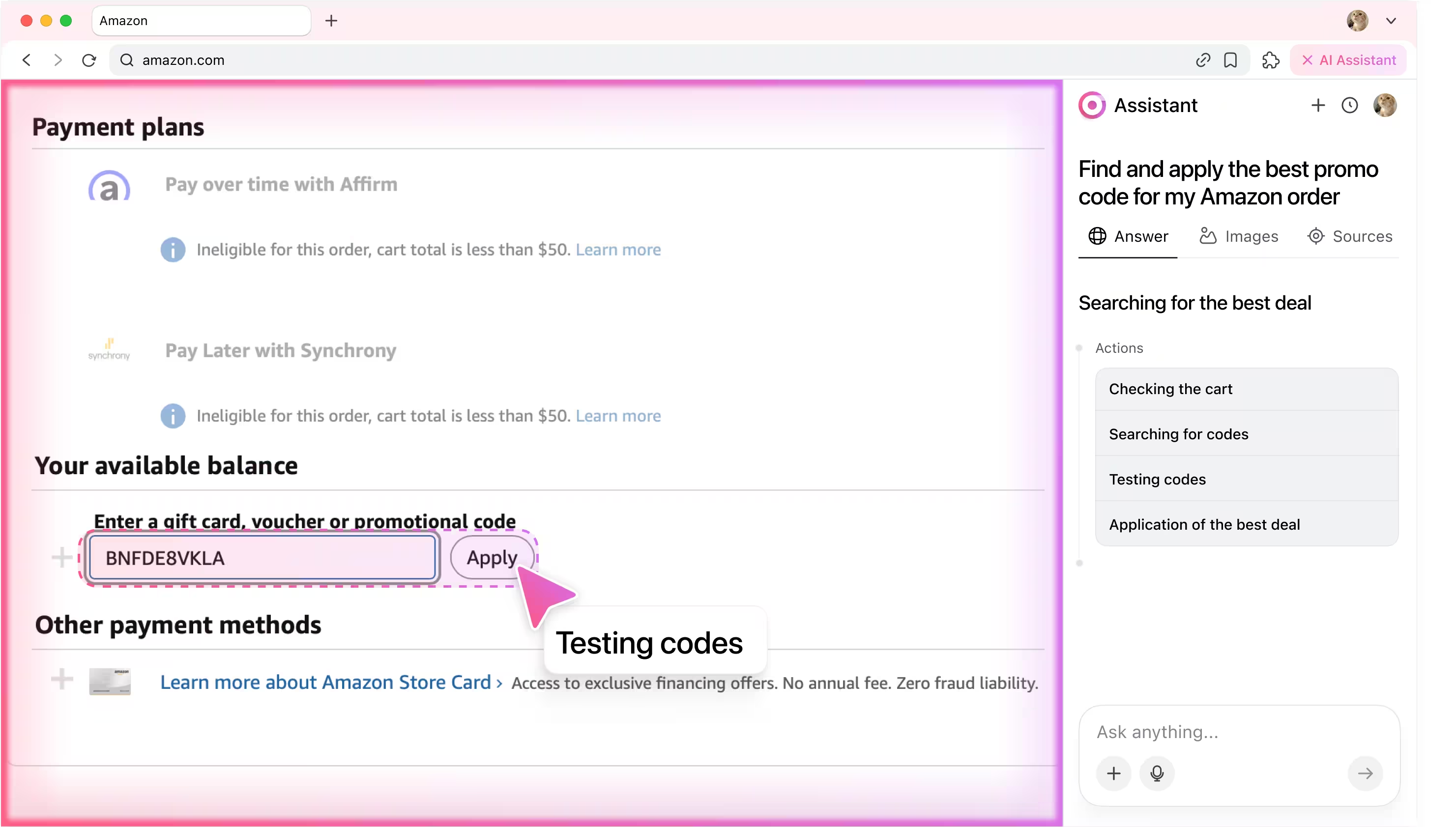
4. Testing promo codes
The agent applies each promo code one by one, verifying eligibility and calculating savings in real time.
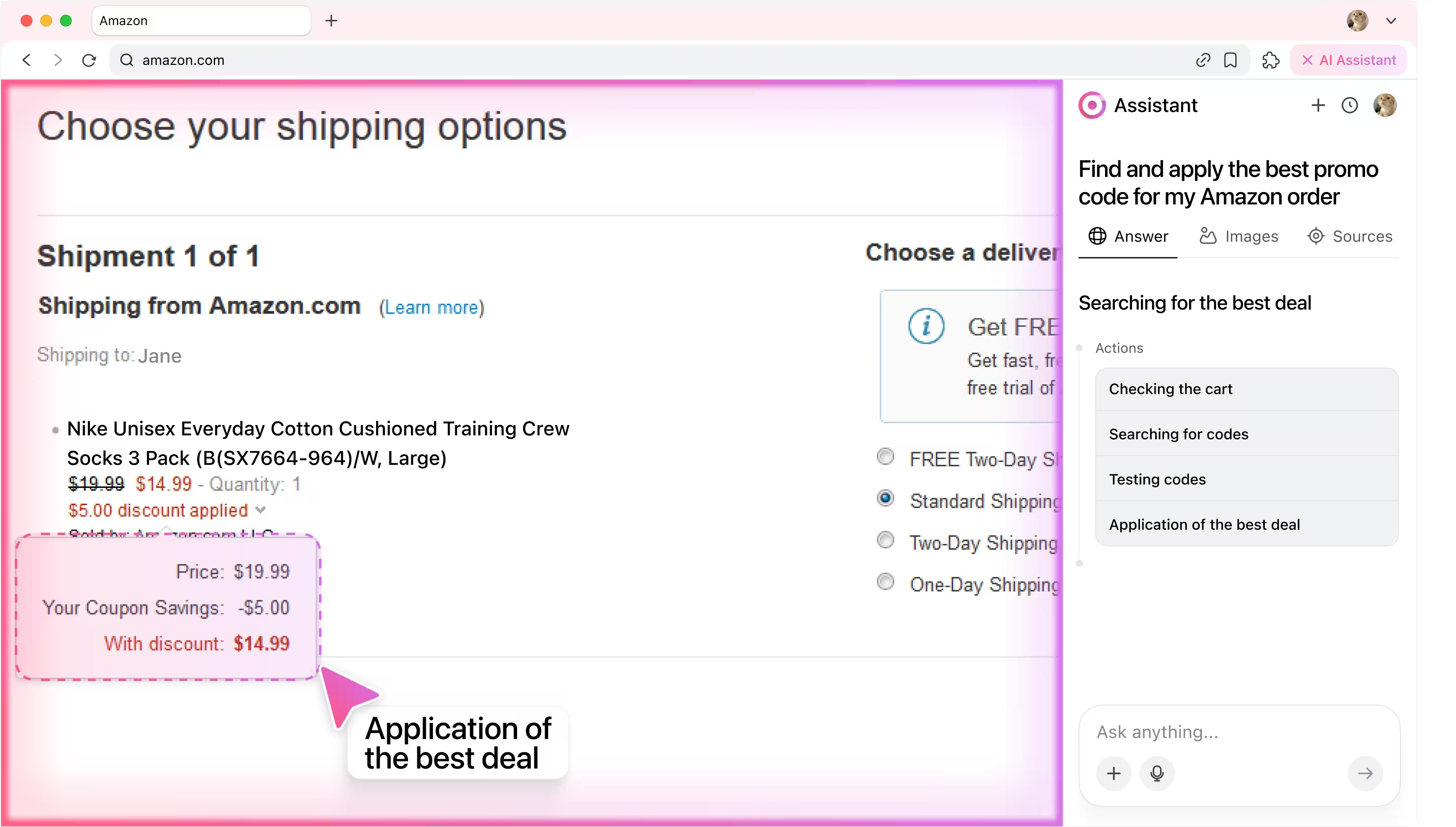
5. Applying the best deal
The agentic AI chooses the promo code with the biggest discount, updates your checkout total, and confirms the savings for you.
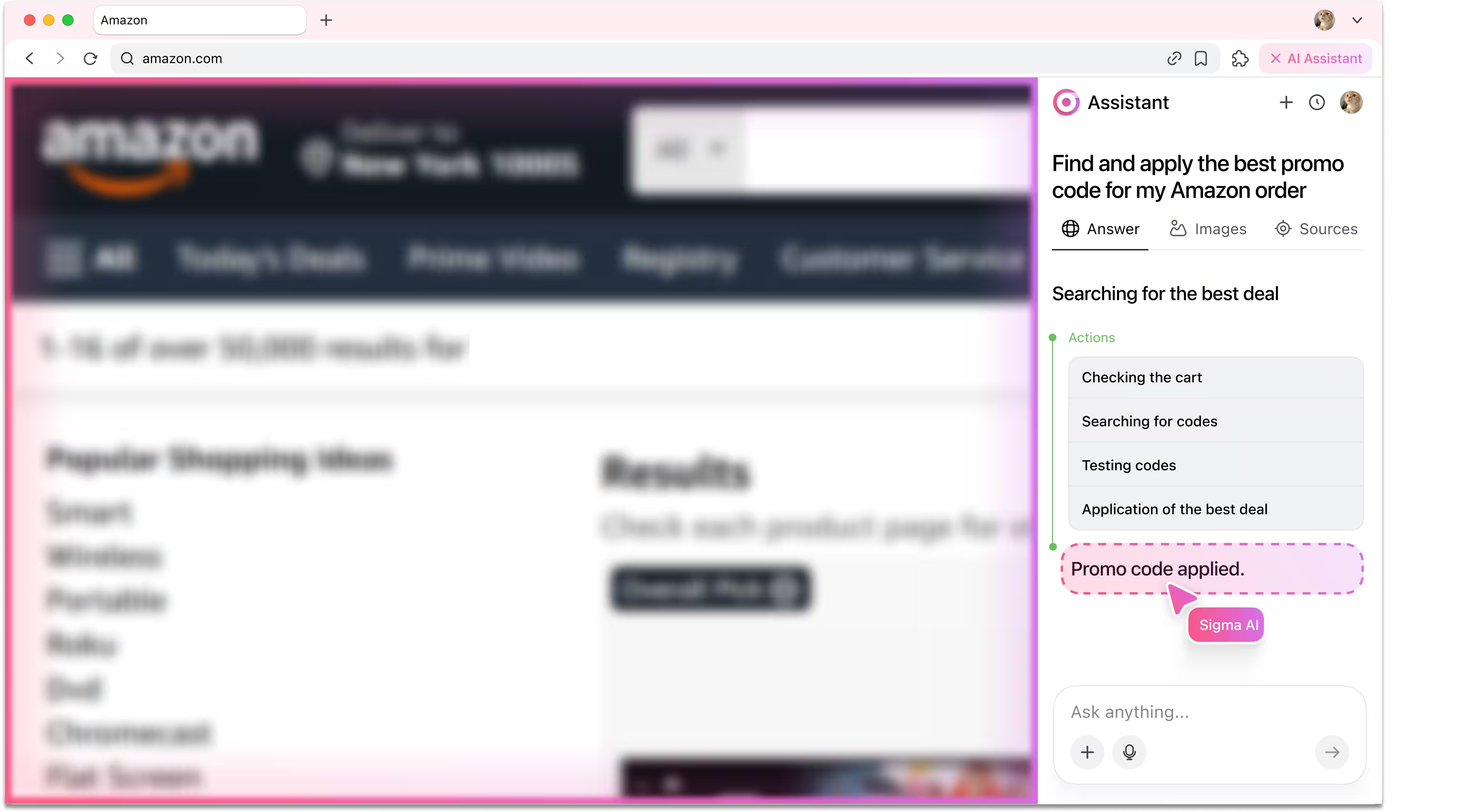
6. Reporting back
After finishing, the agent writes back to the user in the chat window and confirms that the task is completed, with the entire workflow handled securely and privately on your machine.
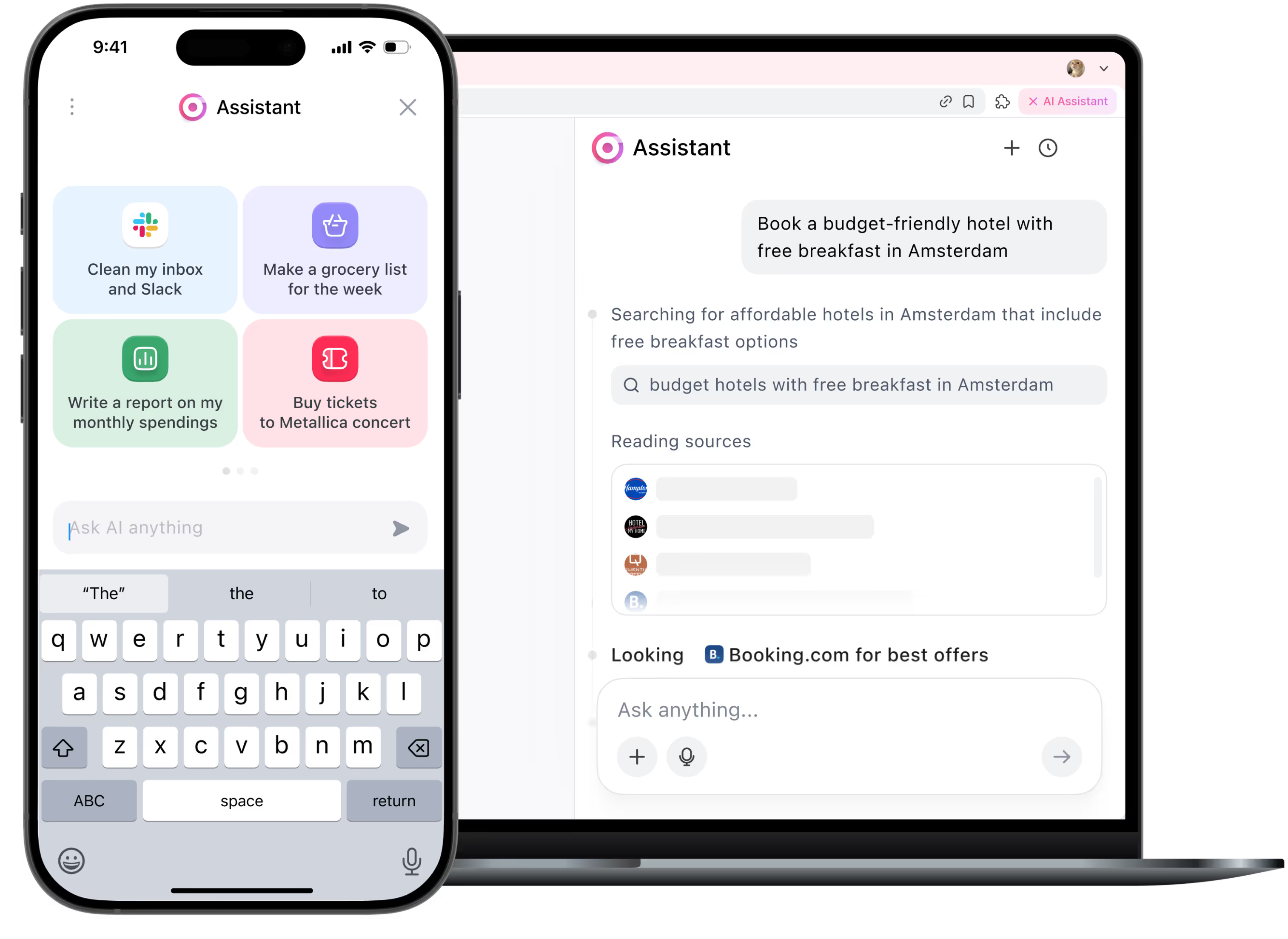
Be the first to try Sigma
We’re rolling out early access now. Join the waitlist and get notified as soon as your spot is ready.
Useful for:

New Amazon Users
Not sure where to start with promo codes? The agent takes care of it for you.
1

Busy Shoppers
Don’t waste hours hunting discounts and let the agent apply the best promo in seconds.
2

Smart Savers
Let Sigma Agent make sure you never miss out on hidden savings.
3
How it works
User enters the prompt.

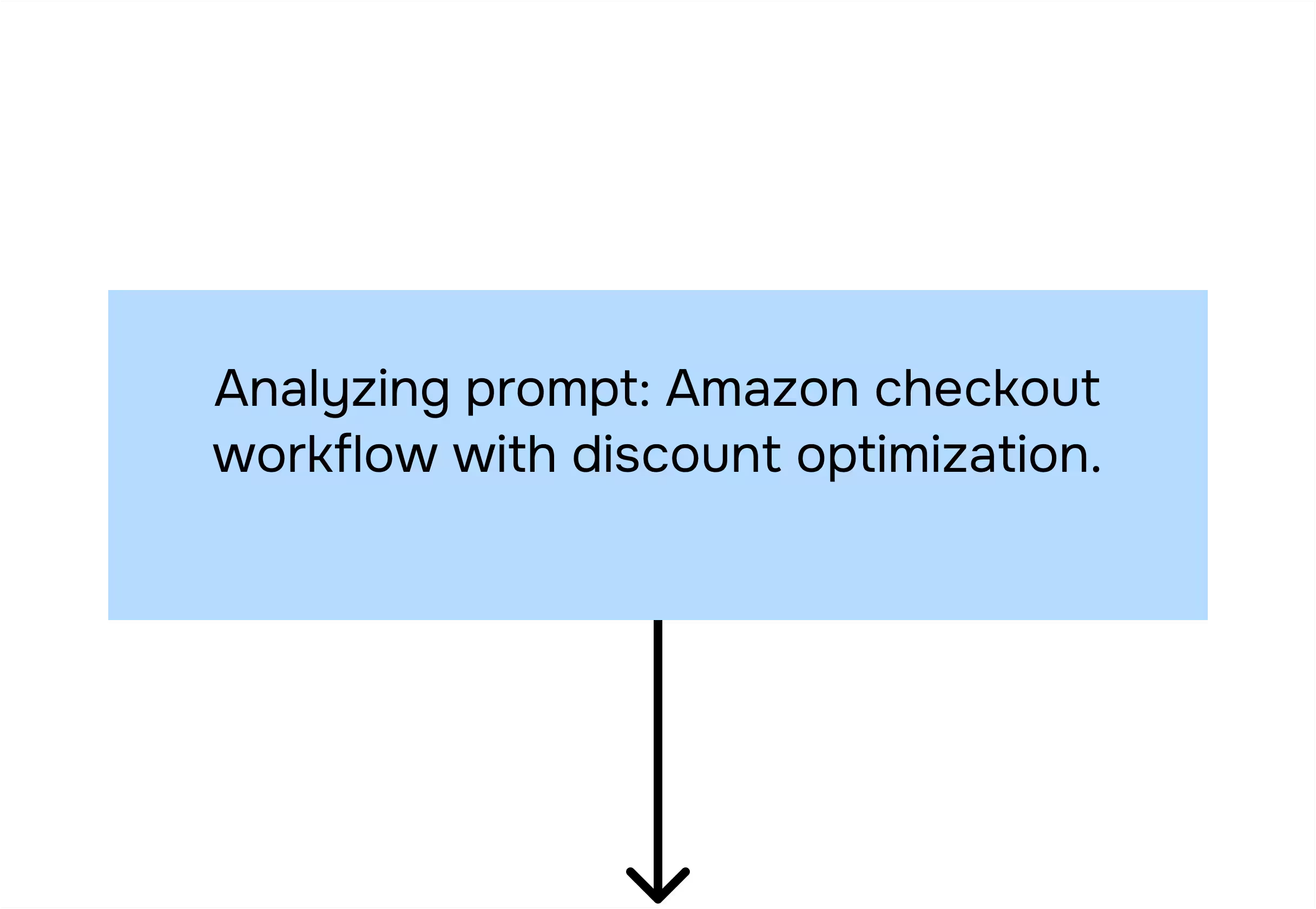
Categorizer agent analyzes the prompt.

Planner agent breaks subtasks into actions.
Executor agent performs these actions in your browser.
Task completed.
.avif)
Read more in our blog

Your security is our priority

End-to-end encryption
All AI Agent interactions are end-to-end encrypted, preventing third-party access or interception

No Tracking
Sigma AI Browser doesn’t track users, create profiles, or use data for ads or commercial purposes

Online protection
Sigma AI Browser detects phishing sites and warns you of threats for a safer browsing experience

GPDR and CCPA compliant
Sigma AI Browser complies with GDPR, ensuring your data follows European privacy laws
.avif)
FAQ
How does Sigma Agent help with Amazon shopping?


Does Sigma Agent only work with Amazon, or other stores too?
Is it safe to let Sigma Agent handle my Amazon account?
Can Sigma Agent place my Amazon order after applying the promo code?
How long does it take to search and test promo codes?
.svg)


© 2026 Sigmabrowser OÜ
Kesklinna linnaosa, Vana-Posti tn 2, Tallinn, Estonia
Kesklinna linnaosa, Vana-Posti tn 2, Tallinn, Estonia


