
How Does an AI Browser Understand the Page You're Reading?
AI browsers can work directly with the page you have open. See how they capture webpage context, interpret its structure, and use it to answer questions about what you're reading.

When you ask an AI browser a question about the page in front of you, the model needs more than the URL. The browser first has to capture useful page context, preserve the structure that gives the content meaning, and prepare that information for the AI model.
What the AI receives depends on the browser, the page, and the task. It may include rendered text, headings, links, metadata, selected content, or visual information from the page.
Once that context reaches the model, it can answer questions, explain details, extract information, compare claims, or summarize the page without requiring you to manually move the content into another chat.
This guide explains what page-aware AI can actually see, how browsers turn webpages into model-ready context, what happens with long or dynamic pages, and how local and cloud processing differ.
How Does an AI Browser Get Context From the Current Page?
Before an AI assistant can answer a question about a webpage, the browser needs to give it a usable representation of that page. Depending on the implementation, this can include rendered text, headings, links, metadata, selected content, and information about how different elements relate to each other.
The browser can also remove navigation, advertisements, cookie banners, and other interface elements that are not useful for the task. The resulting page context is then passed to the AI model for analysis.
In Sigma Browser, Chat with Page works with the webpage that is already open, allowing you to ask questions about its content without manually copying it into a separate chatbot.
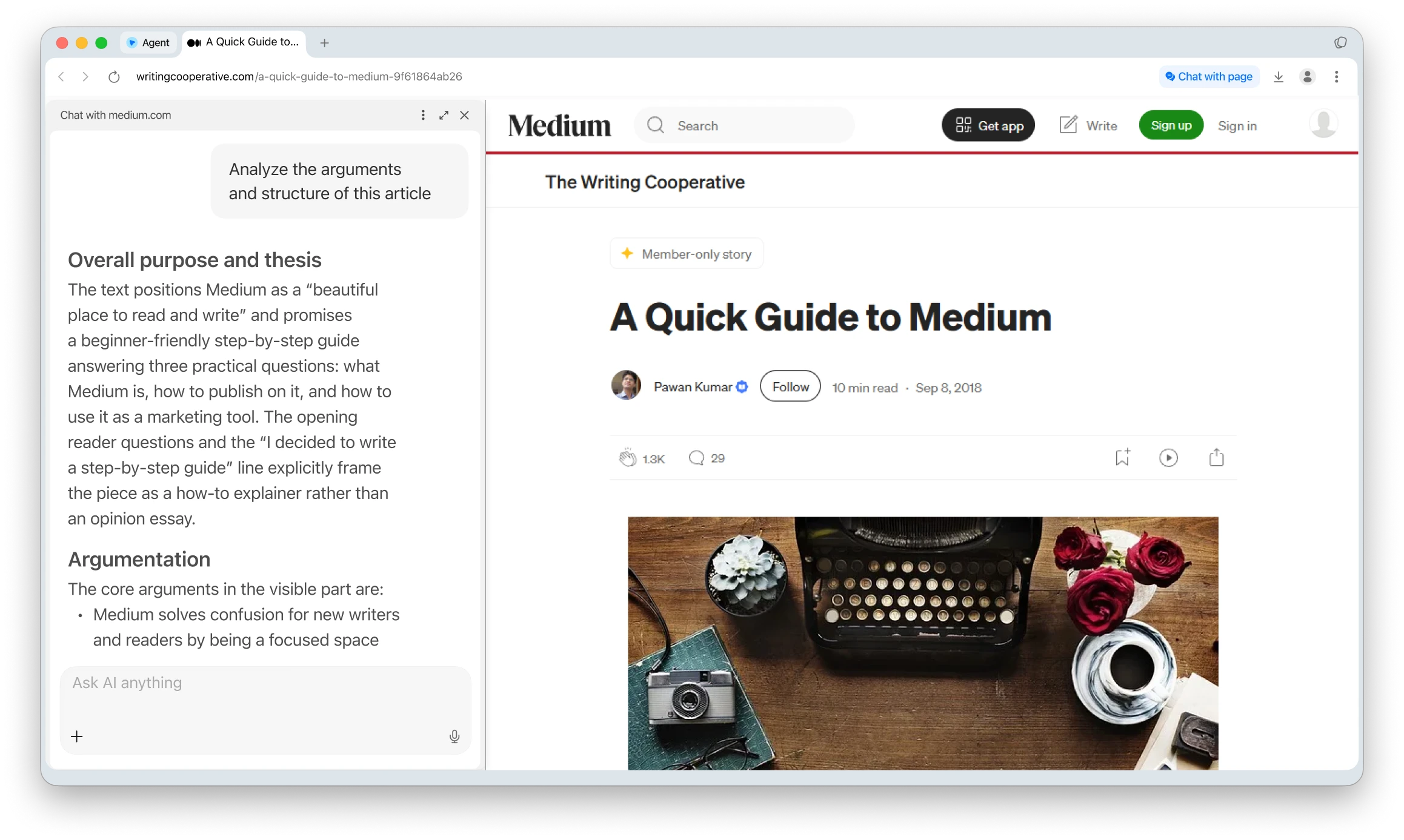
A basic prompt such as “Summarize this page in five key points” is usually enough for a quick overview. For research, you can be more specific: “Summarize the main argument, supporting evidence, and conclusion. Flag any claims that need independent verification.”
Other AI browsers offer similar workflows. Gemini in Chrome, for example, can work with content from the current tab and with additional tabs that the user chooses to share.
How Can AI Get Access to Webpage Context?
AI tools can receive webpage context in several ways. The difference is mainly how closely the AI is integrated with the browser and how the page content reaches the model.
Best for frequent use: Page-aware AI removes the most friction because the webpage is already part of the workflow.
What Does an AI Browser Actually See?
There is no single answer that applies to every AI browser. Depending on the product, permissions, and task, the AI may receive rendered text, headings, links, metadata, selected text, content from shared tabs, or images and screenshots for multimodal analysis.
The important distinction is between the webpage itself and the representation of that page given to the model. An AI model does not necessarily receive the raw website exactly as the browser downloaded it. For summarization, menus, cookie banners, advertisements, navigation elements, and other unnecessary content can be removed so the model receives a cleaner version of the information that matters.
How an AI Browser Turns a Page Into an Answer
Extracting the page is only the first step. The browser also needs to preserve enough structure for the information to make sense. A model should understand, for example, that $19/month belongs to a price field and 1 TB belongs to storage rather than receiving those values as unrelated pieces of text. Headings, sections, lists, and tables can therefore matter just as much as the words themselves.
Long pages create another challenge because models can only process a limited amount of information at once. Depending on the page and model, content may need to be reduced, divided into sections, or summarized in stages before the final answer is generated. This is one reason two AI tools can produce noticeably different summaries of the same long document.
Once useful context has been prepared, the final step becomes much closer to a normal language-model task. The model can turn that context into a TL;DR, key points, a beginner-friendly explanation, a list of claims, or a structured research note depending on what the user asks for.
What Makes Page-Aware AI Different From a Normal Chatbot?
The biggest difference is not necessarily the model itself. It is how close the model is to the page you are already reading.
With a separate chatbot, you may need to copy text, switch tabs, paste it into a conversation, and provide the source again when you want to work with another section. Page-aware AI can keep the webpage as part of the working context, reducing much of that friction.
This becomes especially useful after the first summary. If the answer mentions an interesting claim, you can ask what evidence supports it, whether the article mentions limitations, or how its conclusions could be turned into a checklist. You do not need to start again because the page remains the common source for the conversation.
Summarization is therefore only one use case. The same page context can be used to extract statistics, explain unfamiliar terminology, separate facts from opinions, identify claims worth verifying, or turn a report into action items.
The difference here is context, not just convenience.
Can AI Understand the Entire Webpage?
Sometimes, but it depends heavily on the page. Text-heavy articles, blog posts, documentation, reports, and product descriptions are usually easier because most of the important information exists as accessible text.
Interactive dashboards, dynamically loaded content, embedded applications, charts without useful labels, videos without transcripts, and information hidden behind user interaction are harder. Multimodal AI can help when important information is visual because it can analyze images or screenshots in addition to extracted text, but the quality of the answer still depends on what information actually reaches the model.
Page-aware access should also not be interpreted as unlimited access to everything in your browser. What the assistant can see depends on its permissions and implementation. Some systems allow users to explicitly choose which tabs are shared with AI and remove them from context later.
Is the Current Webpage Sent to the Cloud?
That depends on the browser and the model being used. In a cloud workflow, relevant page content is sent to remote infrastructure for processing. This can provide access to larger models and online services, but it also means the information leaves the device as part of the request.
Local AI works differently because the supported model runs on the user's device. Chrome provides built-in AI APIs that can perform supported tasks such as summarization with on-device models, while Sigma supports local AI for selected browser workflows. That does not mean every feature or every request automatically runs locally, so the active model and processing mode still matter.
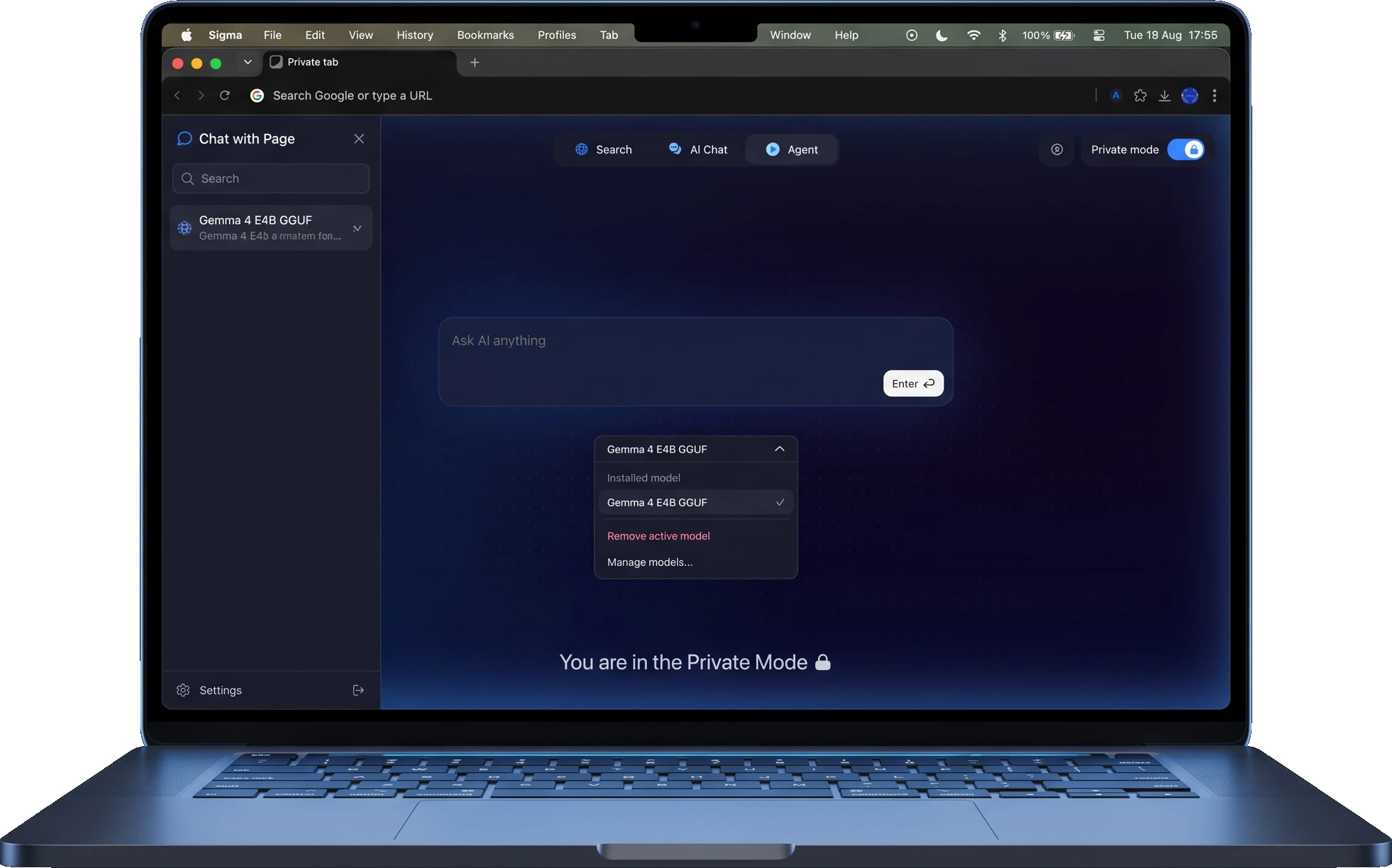
For ordinary public articles, cloud processing may be perfectly reasonable. Private documents, internal dashboards, account pages, and confidential research deserve more care. Private or Incognito mode alone does not turn a cloud AI request into local processing.
Browser AI vs Copying the Page Into ChatGPT
Both approaches have advantages. Copying text manually gives you precise control over what enters the conversation because you choose exactly what to paste. For a short passage or sensitive information, that control can be useful.
Page-aware browser AI reduces friction instead. The page is already available, long content can be prepared automatically, and follow-up questions can continue without repeatedly supplying the source. This becomes especially useful when you regularly summarize, question, or compare information while browsing.
Copy and paste gives you tighter control over the exact input, while browser-native AI becomes more convenient when page-based work happens repeatedly throughout the day.
Summarizing one page and comparing several sources are also different workflows. A single-page task is mainly about understanding one source; multi-page research requires the same criteria to be applied consistently across several pages before comparing the results. For that workflow, see our guide to summarizing and comparing multiple web pages with AI.
Why Can AI Give Different Answers About the Same Page?
Two AI tools can interpret the same webpage differently because they may not receive exactly the same context. One browser might extract the full rendered text and preserve headings and tables, while another may reduce or split the page before sending it to the model.
Context limits, extraction methods, the model itself, and the user's instruction can all affect the answer. This is especially noticeable on long pages, complex layouts, or websites where important information is loaded dynamically.
Can You Trust an AI Browser's Understanding of a Page?
Page-aware AI can miss context, misunderstand relationships between parts of a page, overlook dynamically loaded information, or occasionally make an inference that the source does not support.
For casual browsing, that may be a manageable limitation. For research, financial information, academic work, or anything you plan to cite, important claims, numbers, and wording should still be checked against the original page.
Final Takeaway
To summarize the current webpage with AI, a browser first needs useful context from the page. It extracts or prepares that information, gives it to a model, and turns the result into a summary or answer. What changes from browser to browser is how page access works, how much context can be retained, and whether processing happens locally or in the cloud.
For the user, the practical questions are simpler: can the AI understand the page without copy-paste, can you continue with useful follow-up questions, can you control what it accesses, and do you know where your data is processed?
Sigma's Chat with Page is built around working with the page that is already open, while local AI is available for supported workflows. The larger idea is not simply to make articles shorter, but to let the browser treat the webpage as context you can continue working with.
More articles
.webp)

Download Sigma Browser
Questions & Answers
reach out to us on X at @Sigma_Browser
Get Sigma on Android


