
Vivaldi vs Brave in 2026: Privacy, Speed & Productivity Compared
Compare Vivaldi and Brave for privacy, speed, productivity, and daily browsing.

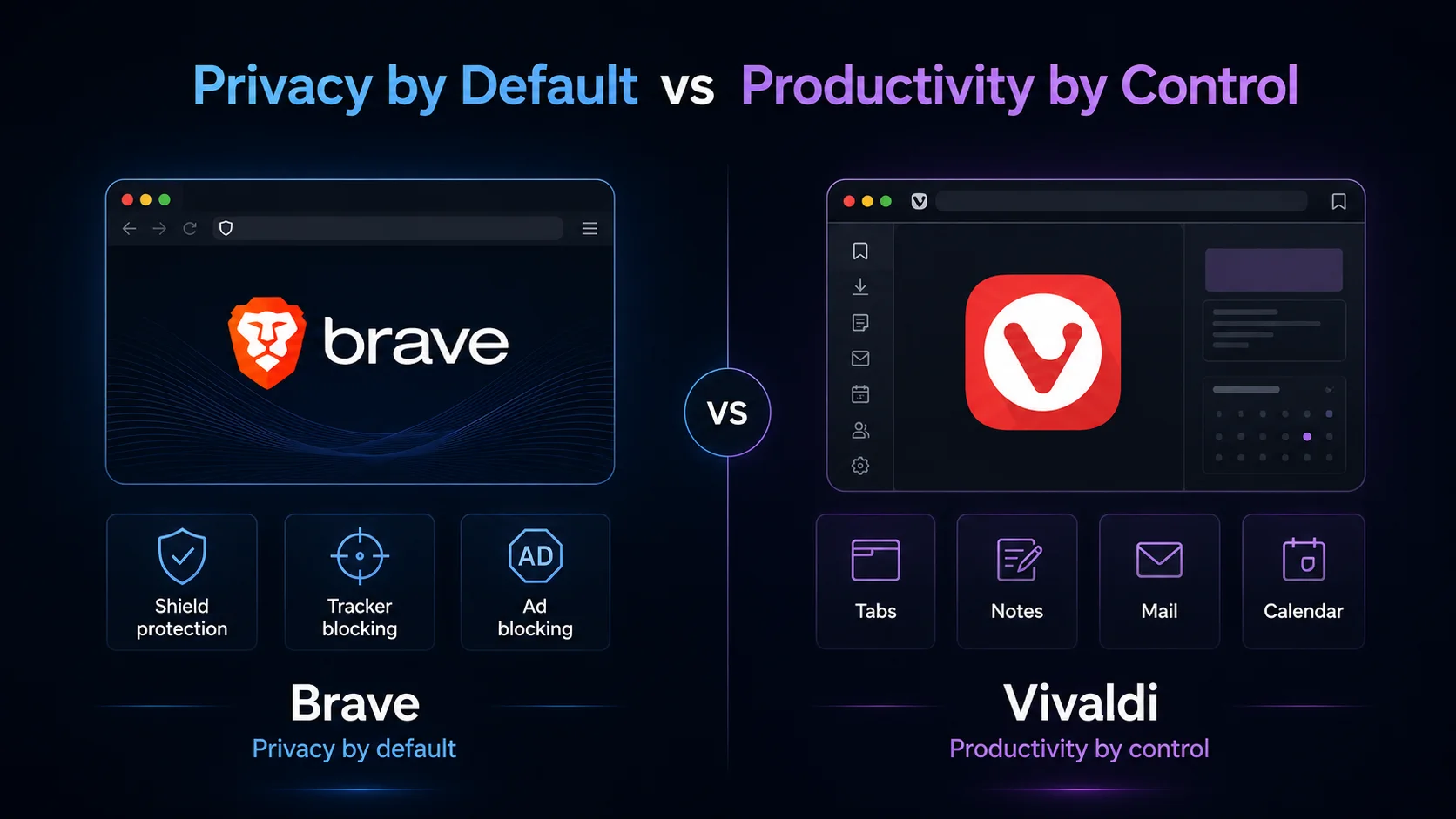
The real Vivaldi vs Brave choice is not just about which browser has more features. It is about which philosophy you want from a Chromium-based browser. Brave is privacy by default. It tries to block ads, trackers, cross-site cookies, fingerprinting, phishing, and other unwanted behavior before you think about settings. Vivaldi is productivity by control. It gives power users deep customization, tab management, workspaces, mail, calendar, notes, tasks, feeds, panels, and a browser interface they can shape around their workflow.
That difference matters because both browsers attract people who are tired of Chrome. Both are Chromium-based, both support Chrome extensions, and both can be stronger privacy choices than Chrome for many users. Brave is easier to recommend if you want a private browser that works well with minimal setup. Vivaldi is easier to recommend if you want a browser you can turn into a personal productivity system.
Brave is the better browser for most privacy-first users in 2026 because Brave Shields work by default and block common tracking behaviors across the web. Vivaldi is better for power users who want deep customization, advanced tab workflows, built-in mail, calendar, notes, tasks, feed reading, and a browser that can be tuned around projects. The real decision is not “which browser is objectively better for everyone?” It is whether you want privacy that works immediately or productivity that you can control in detail.
What is Vivaldi?
Vivaldi is a Chromium-based browser built for people who want control over the browsing experience. Its official feature set includes tab management, workspaces, panels, mail, calendar, notes, tasks, feed reading, sync, custom shortcuts, and deep interface customization. People often choose it when Chrome feels too plain and Brave feels too focused on privacy alone.
Privacy tools are included too. Its tracker and ad blocker can be set to No Blocking, Block Trackers, or Block Trackers and Ads, and users can change blocking levels globally or per site. That makes Vivaldi privacy-friendly, but also configurable. The browser gives you knobs and switches rather than making every privacy choice for you.
The trade-off is complexity. For someone who only wants a simple browser, Vivaldi can feel like a cockpit. The same controls that power users love can make the browser feel heavy for someone who just wants privacy, extensions, and a familiar Chrome-like experience.
What is Brave?
Brave is a Chromium-based browser built around privacy, ad blocking, tracker blocking, and a cleaner default web experience. Its main privacy feature is Brave Shields, which Brave says blocks trackers, cross-site cookies, phishing, fingerprinting, and more across every page you visit. Brave also has Brave Search, Brave Leo AI, Rewards, a crypto wallet, and optional paid privacy services such as VPN.
The Brave pitch is easier to understand than Vivaldi’s. Install it, browse normally, and the browser starts blocking many privacy-invasive elements by default. That is the appeal. You do not need to build a privacy setup from scratch or configure dozens of browser panels to feel the difference.
The trade-off is ecosystem clutter. Some users like Brave Rewards, Brave Search, Leo, Wallet, and other built-in services. Others want the privacy browser but do not care for the crypto-adjacent or product-ecosystem layer. For most users, Brave is still simpler than Vivaldi, but it is not a perfectly minimal browser either.
Vivaldi vs Brave at a glance
Fast verdict: should you use Vivaldi or Brave?
Use Brave if you want privacy and ad blocking to work immediately. Choose Brave if you want a familiar Chromium browser with strong default protections, tracker blocking, fingerprinting protections, private search options, and fewer decisions before the browser feels private.
Use Vivaldi if you want the browser to become a personal workspace. Choose Vivaldi if you care about tab stacks, workspaces, web panels, sessions, notes, feeds, built-in mail, calendar, tasks, custom shortcuts, mouse gestures, and detailed control over how the browser behaves.
Consider Sigma Browser if your real reason for comparing browsers is AI work. Vivaldi and Brave are both good privacy/productivity browsers, but Sigma is a better third option if you want private AI browsing, Deep Research, AI Chat, local AI, page summaries, source comparison, or browser-based AI workflows.
Vivaldi vs Brave for privacy
Brave wins privacy for most users because its privacy protections are stronger out of the box. Brave Shields are enabled by default and are designed to block trackers, cross-site cookies, fingerprinting, phishing, and other privacy threats across the web. That gives Brave a clear advantage for users who do not want to configure much.
Vivaldi is still privacy-friendly, and its browser privacy policy is useful for checking what data the browser handles. The browser has tracker and ad blocking, does not try to turn itself into a Google-style data machine, and gives users more control over blocking behavior. The important difference is that Vivaldi’s privacy model is more configurable. Users can choose no blocking, tracker blocking, or tracker-and-ad blocking, then tune behavior per site. That is excellent for power users, but less automatic than Brave.
The fairest privacy verdict is this: Brave is better if you want protection by default, while Vivaldi is better if you want privacy controls you can tune. For a broader privacy comparison, see our guide to Brave alternatives and our Brave vs DuckDuckGo browser comparison.
Vivaldi vs Brave for productivity and customization
Vivaldi wins productivity because it is built for people who use the browser as a workspace. Its official site describes built-in tools such as Mail, Calendar, Notes, Tasks, Feed Reader, widgets, panels, and sessions. That is not just decoration. These tools change how the browser feels when you work with many tabs, projects, sources, dashboards, and tasks.
For tab-heavy users, Vivaldi is especially strong. Workspaces, tab stacks, tab tiling, sessions, panels, and custom shortcuts can turn a messy browser into a structured work environment. If you research topics, manage dashboards, compare pages, keep multiple projects open, or constantly switch between contexts, Vivaldi can feel more productive than Brave.
The Brave productivity angle is different. It removes distractions by blocking ads and trackers, loads cleaner pages, and gives users a simpler privacy-first browser. That can make everyday browsing feel faster and calmer. But Brave is not trying to be a full browser workspace. It is closer to a privacy browser with useful extras than a power-user productivity cockpit.
Vivaldi vs Brave speed and RAM usage
Speed and RAM are the easiest categories to overstate. Both Vivaldi and Brave are Chromium-based, so performance depends on open tabs, extensions, sites, settings, background processes, and hardware. There is no honest universal answer that says Vivaldi always uses less RAM than Brave or Brave is always faster than Vivaldi.
Many users feel Brave is faster because it blocks ads, trackers, and unwanted scripts before they load. Cleaner pages can mean less visual clutter, fewer network requests, and a smoother browsing experience. Brave’s simpler default interface may also feel lighter for users who do not need many built-in tools.
A heavily customized Vivaldi setup can feel heavier if you enable and use many productivity features, but that does not make it inefficient. Built-in mail, notes, calendar, feeds, panels, and tab tools may replace extensions that would otherwise add memory overhead in another browser. The practical verdict is that Brave wins simple speed and lightness for many users, while Vivaldi wins workflow speed when you manage lots of tabs and projects.
Vivaldi vs Brave for security
Security is not the same as privacy. The stronger default protection story belongs to Brave because Shields block several categories of unwanted web behavior and make the protection visible on every site. That helps ordinary users stay safer without building their own setup.
The Chromium security base also helps Vivaldi and includes its own tracker and ad blocking controls. It is not an unsafe browser. The main difference is that Vivaldi exposes more knobs, settings, panels, and optional built-in tools. Power users may like that control, but it also means the browser depends more on how the user configures it.
For most people, Brave is the safer privacy/security default. For advanced users, Vivaldi can be configured into a strong and private browsing setup. Neither browser is a magic shield. Updates, extension hygiene, account security, and careful browsing habits still matter.
Vivaldi vs Brave for extensions and compatibility
Both Vivaldi and Brave are Chromium-based, which means both can use Chrome extensions. This is one reason the comparison is interesting: you do not have to choose between privacy/productivity features and the broader Chrome extension ecosystem. Password managers, productivity tools, SEO extensions, note tools, developer tools, and meeting extensions usually work in both.
For most users, Brave feels closer to Chrome. The interface is simpler, and the browser does not ask you to rethink your tab and panel workflow. That makes Brave easier for people switching from Chrome who want more privacy without changing too much.
The Vivaldi experience is more different. It can run the same extension ecosystem, but its real value comes from built-in workflows that may reduce your need for extensions. Users comparing productivity browsers can also look at Opera vs Chrome, Chrome alternatives, and Firefox alternatives.
Vivaldi vs Brave on Android and mobile
On Android, the same pattern mostly holds. Brave is better if you want private mobile browsing with less setup. Its mobile browser keeps the privacy-first identity: blocking ads and trackers, offering Brave Search, and adding Brave Leo in the browser experience.
Vivaldi is better if you want mobile browsing to feel connected to the Vivaldi workflow. Vivaldi on mobile appeals to users who already like the desktop browser’s tab behavior, sync, customization, and power-user feel. It is not just a privacy browser; it is a mobile extension of the Vivaldi system.
Choose Brave on Android if you want the simpler private mobile browser. Choose Vivaldi on Android if you like Vivaldi’s desktop workflow and want the same philosophy across devices.
Vivaldi vs Brave for AI
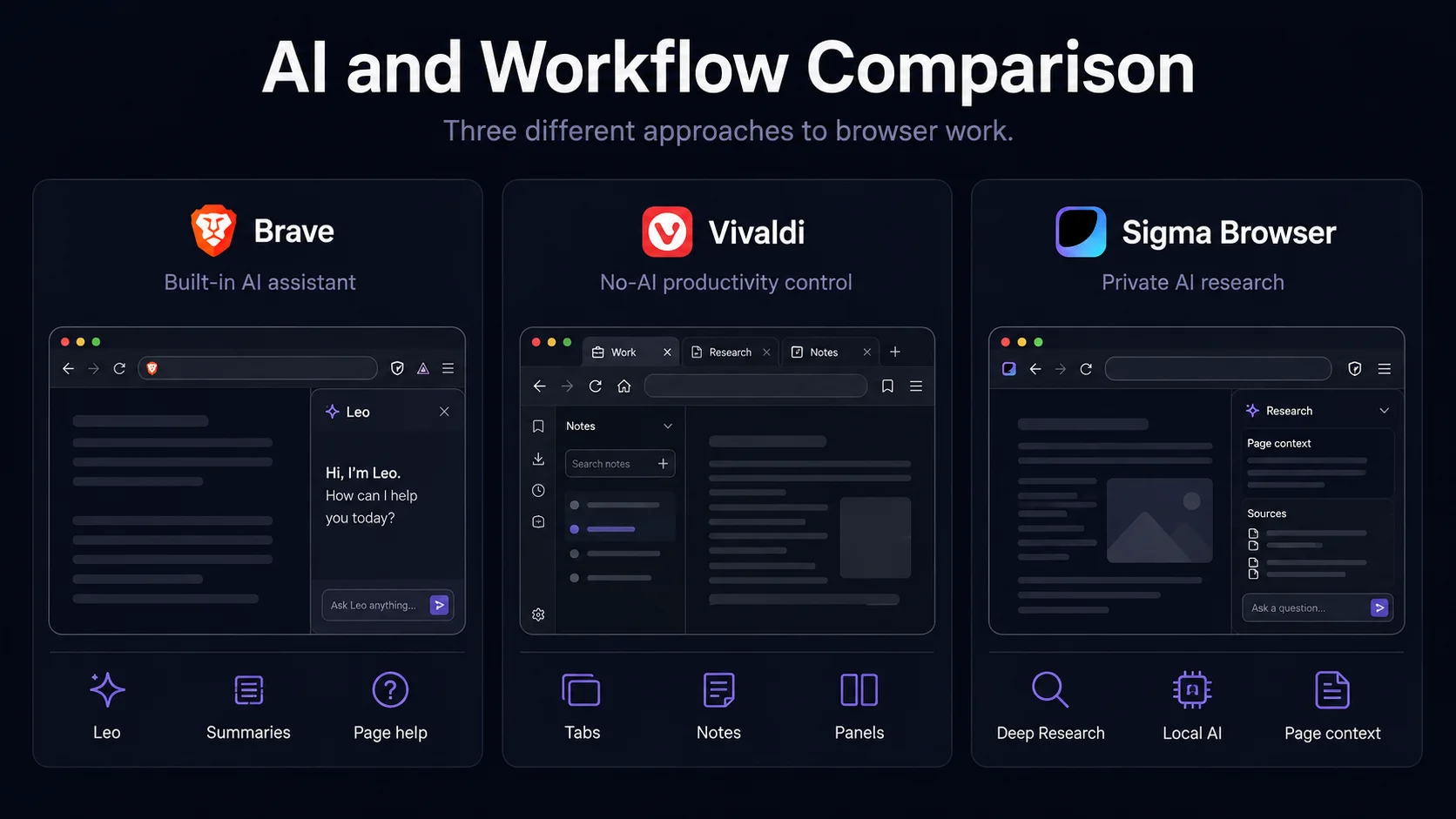
For a built-in AI assistant, Brave wins. Brave Leo is built into the browser and can answer questions, summarize pages, write, translate, and help with web content. Brave’s help center says Leo combines free AI access with Brave’s privacy focus, and that chats are private, anonymous, and secure, with no account or login required.
The Vivaldi position is very different. Instead of pushing a browser AI assistant, Vivaldi has leaned into the idea of powerful features without AI hype. That is attractive if you want a customizable browser that does not keep nudging you toward an AI assistant. Some users want AI in the browser. Others want the browser to stay a browser.
If your real need is private AI research rather than a normal browser assistant, Sigma Browser is the more relevant third option. Sigma is built around AI Chat, Deep Research, local AI, page context, and AI workflows inside the browser. For more on that category, see our guides to best AI browsers and agentic browsers.
Which browser should you choose?
Brave vs Vivaldi trade-offs
The strongest Vivaldi vs Brave article should not pretend that one browser wins everything. Each browser has a trade-off. Brave asks you to accept its privacy ecosystem: Shields, Search, Rewards, Leo, Wallet, and optional services. Vivaldi asks you to accept complexity: more settings, more panels, more interface control, and more decisions.
For many users, Brave is the better recommendation because privacy starts working immediately. For power users, Vivaldi may be more valuable because it can become the center of a personal browsing workflow. The browser you will actually enjoy using every day depends on whether simplicity or control matters more.
Image 4 · Decision flowchartFlowchart: choose Brave for default privacy, Vivaldi for productivity control, Sigma for private AI research, and other browsers for specific needs.Filename: vivaldi-vs-brave-decision-flowchart.png · 1920x1080 · Alt: “Decision flowchart for choosing Vivaldi Brave or Sigma Browser in 2026”
Vivaldi vs Brave: final verdict
For most people who want privacy without much setup, Brave is the better choice. Shields work by default, the interface feels familiar, and the browser is easier to recommend to users who want to leave Chrome without rebuilding their workflow. Brave is especially strong if you want tracker blocking, ad blocking, private search, and a built-in AI assistant in a browser that still feels simple.
For people who want control, Vivaldi is better. Its value shows up when you manage many tabs, organize research, use panels, build workflows, rely on notes or feeds, or want mail and calendar inside the browser. Vivaldi is not the simplest browser in this comparison, but it is the more powerful productivity environment.
The final answer is simple: choose Brave for privacy by default and Vivaldi for productivity by control. If your real need is private AI browsing, page summaries, source comparison, local AI, or AI-assisted research, Sigma Browser is the more relevant third option.
More articles


Download Sigma Browser
Questions & Answers
reach out to us on X at @Sigma_Browser
Get Sigma on Android


