
Brave Browser vs DuckDuckGo: Which Private Browser Is Better in 2026?
Brave vs DuckDuckGo browser comparison for privacy, search, ads, AI, and everyday use.

Brave and DuckDuckGo often land in the same privacy-browser conversation. Both promise a cleaner web than Chrome. Both block trackers. Both talk about private search. Both now include optional AI features. And both are common recommendations when someone asks, “What should I use if I do not want Google watching everything?”
But Brave Browser vs DuckDuckGo is not a one-to-one comparison. Brave is a full Chromium-based browser that tries to replace Chrome for power users. DuckDuckGo is a simpler privacy browser built around private search, tracker blocking, email protection, and fewer decisions. One gives you more control. The other gives you less to configure.
That difference shapes the whole answer. If you want Chrome extensions, stronger ad blocking, deeper fingerprinting protection, and a full desktop browser, Brave is the better choice. If you want a calmer privacy browser that gets out of the way, DuckDuckGo is easier to recommend.
Disclosure: Sigma Browser is our product. This comparison focuses on Brave Browser and DuckDuckGo Browser. Sigma is mentioned only where AI-assisted browsing and research workflows are relevant.
What is the difference between Brave Browser and DuckDuckGo Browser?
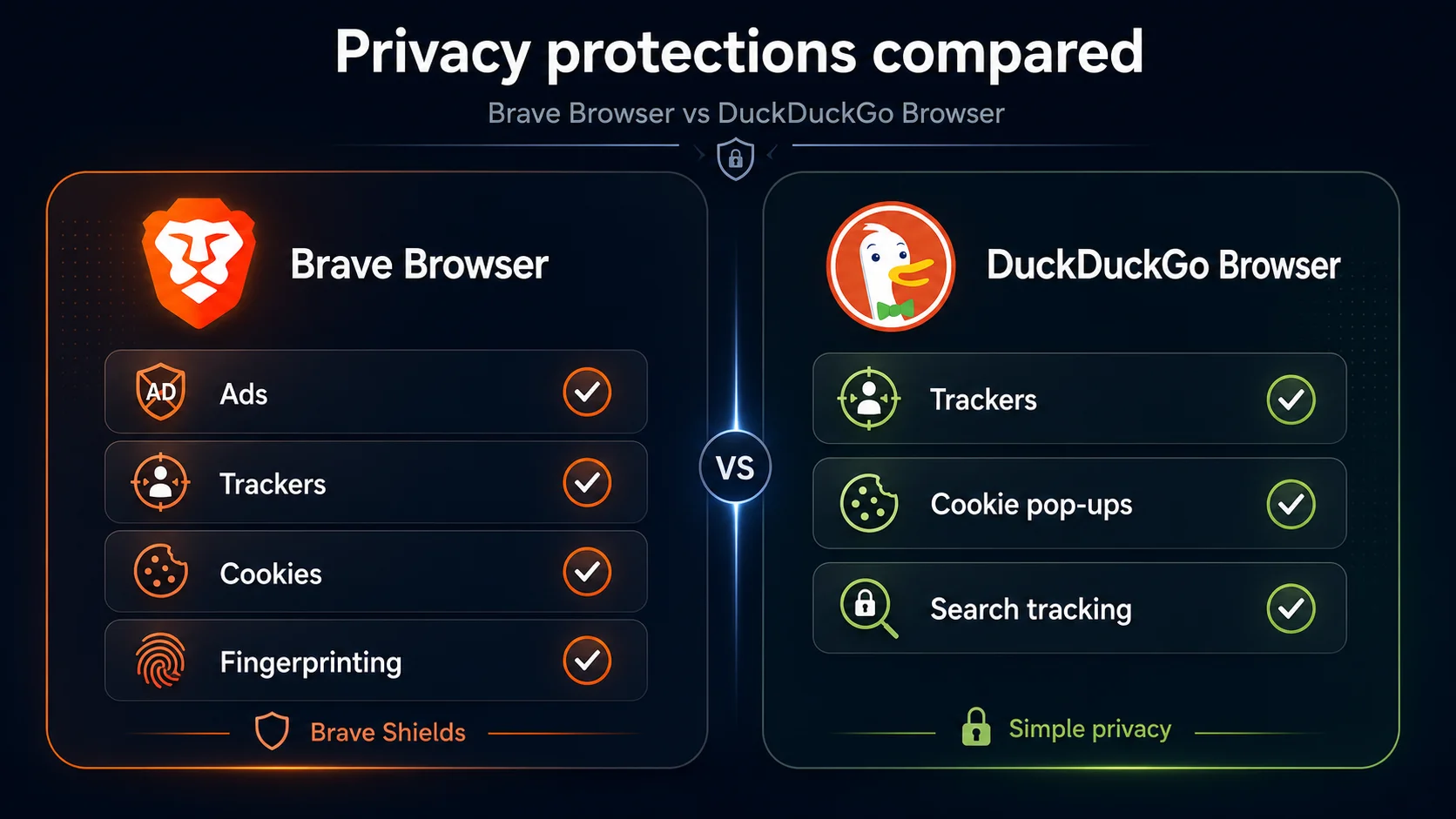
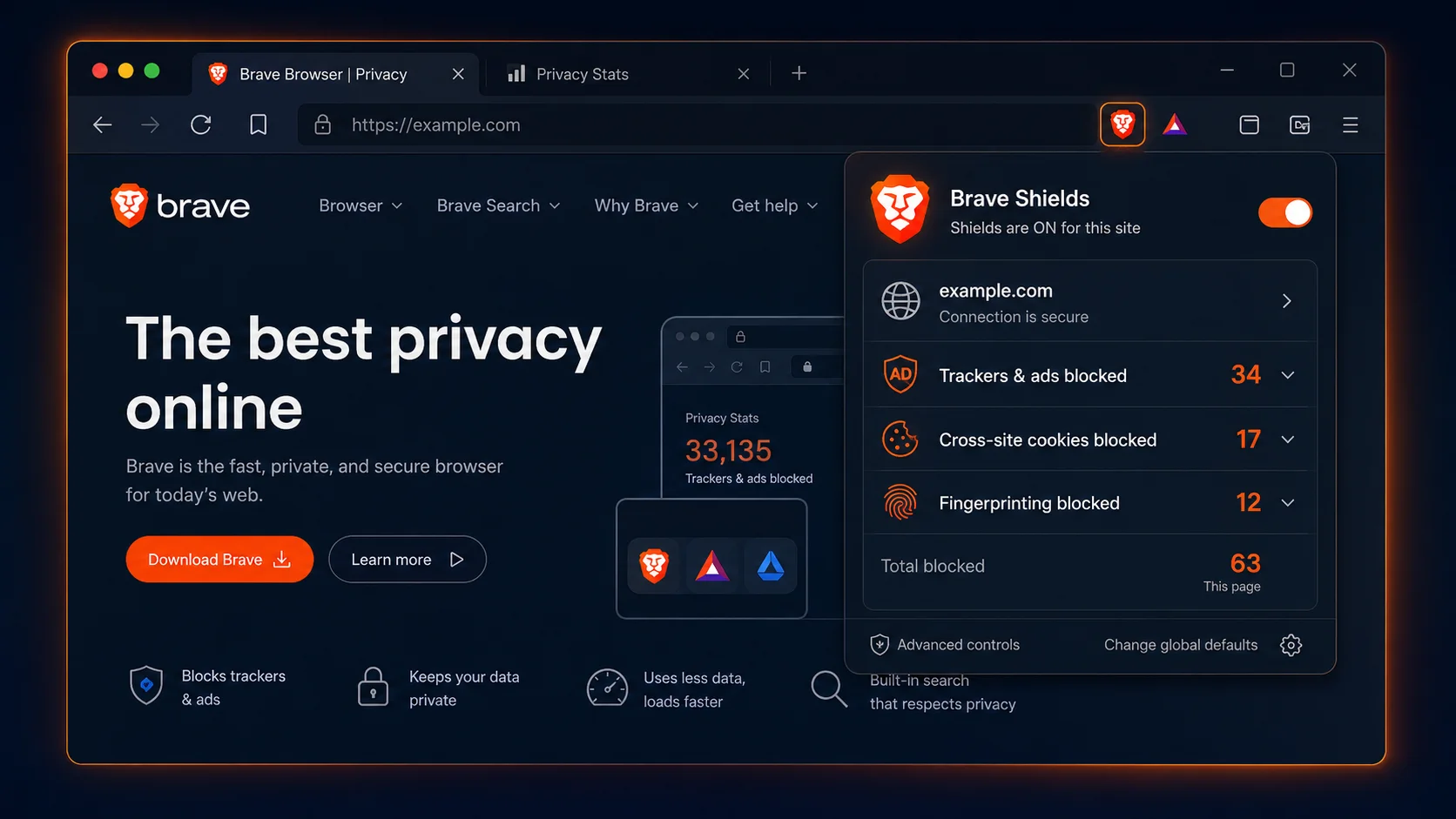
Brave Browser is a privacy-focused browser built on the open-source Chromium web core. Its privacy feature documentation says Brave Shields block trackers, cross-site cookie tracking, fingerprinting, and more. Brave also supports Chrome extensions, Brave Search, Brave Leo AI, Brave Rewards, Brave Wallet, Sync, and a paid Firewall + VPN.
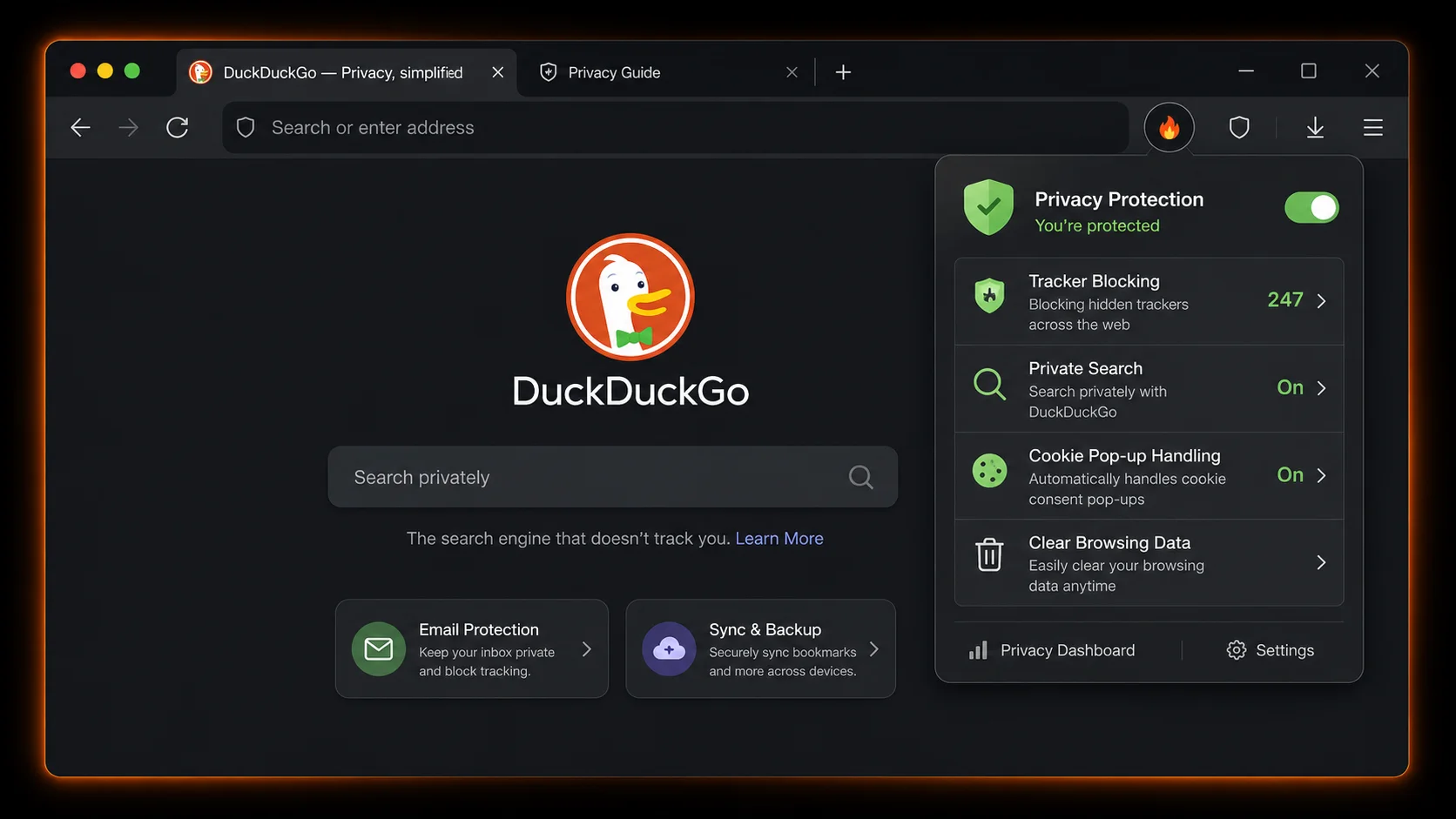
DuckDuckGo Browser is a privacy-focused browser available for Windows, macOS, iOS, and Android. The DuckDuckGo browser page says its browser blocks ads, trackers, and cookies that collect your data, and it uses DuckDuckGo Search by default. The ecosystem also includes Email Protection, Duck Player, Sync & Backup, App Tracking Protection on Android, and optional Duck.ai features.
Both browsers are free. The real difference is direction: Brave is a private Chrome replacement, while DuckDuckGo is a simple privacy browser.
Brave Browser vs DuckDuckGo at a glance
Before the details, here is the practical version. If you are choosing a daily browser in 2026, the biggest dividing line is not “which company says privacy more often.” It is whether you need a full Chrome-style browser or a simple privacy app.
TL;DR
Choose Brave if you want a private browser that can realistically replace Chrome, especially on desktop.
Choose DuckDuckGo if you want a simple private browser with private search, tracker blocking, and fewer distractions.
Choose neither as your only tool if your main workflow is AI research, writing, summarizing, and browser-based productivity. That is where AI-first browsers can make more sense.
Privacy: which browser protects you better by default?
Both browsers are more privacy-focused than mainstream browsers that rely heavily on advertising ecosystems. But their privacy models are not the same.
Brave protects privacy through browser-level controls. Brave Shields are designed to block trackers, ads, cookie tracking, fingerprinting, and unwanted scripts. The important part is visibility: Brave lets you see and adjust Shields behavior from the address bar, so you can make protections stricter or loosen them if a site breaks.
DuckDuckGo protects privacy through simplicity. Its browser is built around private search, tracker blocking, cookie pop-up handling, Email Protection, and easy data clearing. It does not ask the average user to manage dozens of settings before getting value.
For advanced users, Brave has the edge because it gives more knobs to turn. For normal users, that can be a downside. A privacy setting you do not understand is not always better than a privacy default that quietly works.
Bottom line: Brave is stronger for advanced privacy controls. DuckDuckGo is better if you want simple default privacy with less setup.
For a broader view of this category, see our guide to the most private browsers.
Search privacy: Brave Search vs DuckDuckGo Search
This is where many comparisons get tangled. Brave Browser vs DuckDuckGo Browser is the browser question. Brave Search vs DuckDuckGo Search is the search question. They overlap, but they are not the same thing.
DuckDuckGo is still better known as a private search engine than as a browser. DuckDuckGo says it does not track your searches or browsing history, and its browser builds around that search experience. For people leaving Google Search, that makes the product easy to understand.
Brave Search is also privacy-focused and fits naturally inside Brave Browser. It makes the most sense if you want one privacy ecosystem: Brave Browser, Brave Search, Brave Leo, Shields, Sync, and optional VPN.
For most people, search quality will vary by query. DuckDuckGo often feels familiar as the classic private-search alternative. Brave Search makes more sense if you are already committed to Brave as your browser.
Bottom line: DuckDuckGo wins on private-search familiarity. Brave Search is a strong fit for people already using Brave Browser.
Ad blocking and tracker blocking
Brave is stronger if ad blocking is one of your top reasons for switching browsers.
Brave Shields are built to block privacy-invasive ads and trackers by default. That gives Brave a cleaner feel on ad-heavy websites and reduces the need for a separate ad-blocking extension. It also makes Brave feel closer to a privacy browser and content blocker in one package.
DuckDuckGo also blocks trackers and many ads that depend on trackers. DuckDuckGo describes this as blocking ads, trackers, and cookies that collect your data. That is useful, especially for casual browsing.
The difference is depth. Brave is more aggressive and configurable. DuckDuckGo is simpler and less intimidating.
Bottom line: Brave is the better choice for built-in ad blocking. DuckDuckGo is good for simple tracking protection, but Brave is stronger for ad-heavy browsing.
If you are researching other options in this category, read our guide to Brave browser alternatives.
Fingerprinting protection
Cookies are not the only way websites track users. Browser fingerprinting can combine signals like device type, browser version, screen size, fonts, language settings, graphics behavior, and other details to identify a user even without traditional cookies.
This is one of Brave’s clearest advantages. Brave includes fingerprinting protections inside Shields, and its privacy documentation treats fingerprinting as a core tracking threat. DuckDuckGo is still privacy-focused, but it does not give users the same level of visible browser-level fingerprinting control as Brave.
For many users, DuckDuckGo’s simpler approach is enough. For people who specifically care about fingerprinting, Brave is the more serious option.
Bottom line: Brave is the safer pick if fingerprinting protection is one of your main reasons for switching browsers.
Extensions and Chrome compatibility
This is the category that decides the comparison for many work users.
Brave supports Chrome extensions. Because it is Chromium-based, it can work with Chrome Web Store extensions. That matters for password managers, SEO tools, writing assistants, screenshot tools, developer utilities, CRM plugins, analytics helpers, and countless niche work extensions.
DuckDuckGo Browser is not a full Chrome-extension browser. It is designed to be private and simple out of the box, not to become a heavily customized extension platform.
If you mostly search, read, shop, and browse, DuckDuckGo can be enough. But if your browser is part of your job, missing extensions can turn from a tiny annoyance into a blocker.
Bottom line: If you need Chrome extensions, choose Brave.
If your main reason for leaving Chrome is privacy but you still want a familiar browser ecosystem, our guide to Chrome alternatives is a useful next read.
Desktop and mobile: power browser vs simple privacy app
Brave feels like a full desktop browser. It has familiar Chromium behavior, tabs, bookmarks, profiles, private windows, extensions, built-in privacy controls, optional AI, and deeper settings. If you are replacing Chrome on a laptop or desktop, Brave is easier to adopt without changing your whole workflow.
DuckDuckGo feels lighter. Its browser experience is built around search, browsing, tracker blocking, Email Protection, and the Fire Button for clearing data. On mobile, that simplicity works especially well. You do not need to explain DuckDuckGo to someone for twenty minutes; they can open it and understand the pitch almost immediately.
Sync and account requirements
Sync is one area where both browsers try to avoid the heavy account model associated with Chrome.
Brave Sync uses a Sync chain rather than a traditional Brave account. Brave’s Sync FAQ says the browser uses client-side encryption to keep synced data safe. It is designed for syncing browsing data between devices without signing into a Chrome-style account.
DuckDuckGo Sync & Backup lets users sync bookmarks, passwords, and Duck.ai chats between devices. DuckDuckGo says synced data is end-to-end encrypted, so DuckDuckGo never has access to synced data or the encryption key.
The privacy story is strong on both sides. The practical difference is workflow: Brave Sync makes more sense if Brave is your main full browser. DuckDuckGo Sync makes more sense if you want a simpler private browsing setup across devices.
Bottom line: Sync is close. Pick based on which browser you want to use every day.
AI features: Brave Leo vs Duck.ai
Both browsers now include AI features, but neither is primarily an AI-workflow browser.
Brave Leo is built into Brave Browser. Brave describes Leo as an AI assistant built into the browser for asking questions and getting answers while browsing. It fits users who want AI inside their existing browser workflow.
Duck.ai is DuckDuckGo’s private AI chat feature. DuckDuckGo says Duck.ai chats are anonymized and designed around privacy. It is more like private AI chat next to search than a browser-wide workflow layer.
If you only need casual AI help, both are useful. If your actual job is research, writing, summarizing pages, comparing sources, and working with AI while browsing, neither Brave nor DuckDuckGo is the strongest dedicated option.
Bottom line: Brave and DuckDuckGo are both useful for casual AI. For serious AI research workflows, look at dedicated AI browsers.
For that use case, see our guide to the best AI browsers.
VPN features
A browser VPN can be useful, but it is easy to misunderstand. A VPN can hide traffic from some networks and reduce exposure on public Wi-Fi. It does not make you magically anonymous, and it does not replace careful privacy habits, separate accounts, or Tor for high-risk anonymity.
Brave offers a paid Firewall + VPN product that is positioned as device-level protection across desktop and mobile. It fits Brave’s broader pattern: the browser can become a full privacy and security suite if you want that.
DuckDuckGo has also expanded into broader privacy tools beyond search and browsing, but its strongest browser pitch remains private search, tracker blocking, Email Protection, and a simple browsing experience. If a VPN is a deciding feature, verify current DuckDuckGo subscription availability in your region before publishing or buying.
Bottom line: Brave is the safer recommendation if built-in VPN is part of the browser decision. DuckDuckGo remains stronger as a simple private browser.
Brave Rewards, crypto, and trust
Brave has one feature DuckDuckGo deliberately avoids: crypto.
Brave Rewards lets users opt into privacy-preserving ads and earn Basic Attention Token (BAT). Some users like this because it tries to rethink online advertising. Others dislike it because they do not want tokens, wallets, or ad rewards inside a browser at all.
This is not a simple “good” or “bad” feature. It is a preference filter. If you like Brave’s model, Rewards can be part of the appeal. If you want the quietest possible privacy browser, it may feel like extra baggage.
DuckDuckGo wins for users who want no crypto layer, no wallet, and no rewards system. The product story is cleaner: private search and browsing without tracking.
Bottom line: DuckDuckGo is the cleaner choice if you want privacy without crypto. Brave is better if optional Web3 features are a plus for you.
The DuckDuckGo Microsoft tracking controversy: does it still matter?
DuckDuckGo faced criticism in 2022 when researchers found that its browser allowed some Microsoft tracking scripts because of a search syndication agreement. That mattered because DuckDuckGo’s brand is built around privacy.
DuckDuckGo later expanded third-party tracking script blocking to include Microsoft scripts. TechCrunch reported the change in August 2022, quoting DuckDuckGo’s explanation that the expanded protection would include third-party Microsoft tracking scripts. DuckDuckGo also maintains a clarification page saying it does not share users’ search or browsing history with Microsoft.
So the honest 2026 answer is not “DuckDuckGo is fake privacy.” That is too blunt and not accurate. The better takeaway is that privacy brands should be judged by technical details, not vibes. DuckDuckGo remains a strong privacy choice, but the Microsoft episode is useful context for anyone comparing trust claims.
Bottom line: The controversy is still relevant context, but it should not automatically disqualify DuckDuckGo.
Where Brave beats DuckDuckGo
Brave is the better browser if you want power, flexibility, and a realistic Chrome replacement.
- Chrome extension support. This is Brave’s biggest practical advantage.
- Built-in ad blocking. Brave Shields are stronger for users who want visible blocking controls.
- Fingerprinting protection. Brave gives stronger browser-level protection against fingerprinting.
- Desktop productivity. Brave behaves more like a full work browser.
- Optional AI inside the browser. Brave Leo is integrated into the browser experience.
- Optional VPN. Brave Firewall + VPN fits users who want a broader privacy suite.
- Web3 features. Rewards and Wallet are available for users who want them.
Brave is not perfect. It has more features than some users want, and its crypto-related options can be polarizing. But if you want a private browser that can replace Chrome, Brave is the stronger pick.
Where DuckDuckGo beats Brave
DuckDuckGo is better when simplicity matters more than control.
- Private search is the center of the product. DuckDuckGo Search is the clearest part of the ecosystem.
- Less setup. You do not need to configure many privacy settings.
- No crypto layer. There is no Brave Rewards equivalent.
- Easy data clearing. The Fire Button makes clearing browsing data obvious.
- Email Protection. DuckDuckGo email aliases are useful for reducing email tracking.
- Mobile simplicity. DuckDuckGo is especially easy to use on phones.
- Beginner-friendly privacy. It is easier to recommend to someone who does not want to learn browser settings.
DuckDuckGo is not the best browser for every workflow. It lacks Brave’s extension ecosystem and deeper controls. But for people who want privacy without turning their browser into a project, it works well.
Who should choose Brave Browser?
Choose Brave Browser if:
- You are leaving Chrome but still need Chrome extensions.
- You want privacy protections without giving up a full desktop browser.
- You care about ad blocking and fingerprinting protection.
- You use browser extensions for work.
- You want optional AI inside the browser.
- You want optional VPN protection.
- You do not mind ignoring or disabling Rewards if you do not use crypto.
- You want one browser for work, browsing, research, and media.
Brave is the better daily driver for power users. It is also the better pick for people who work in SEO, marketing, development, content, analytics, or any browser-heavy job where extensions matter.
Who should choose DuckDuckGo Browser?
Choose DuckDuckGo Browser if:
- You want private search and simple browsing.
- You do not care about Chrome extensions.
- You want fewer settings and fewer distractions.
- You want a private mobile browser.
- You like the Fire Button and simple data clearing.
- You want Email Protection built into your privacy routine.
- You dislike crypto, rewards systems, and Web3 features.
- You are recommending a privacy browser to a beginner.
DuckDuckGo is the calmer choice. It is not as powerful as Brave, but that is part of the appeal.
When neither Brave nor DuckDuckGo is the best option
Brave and DuckDuckGo are privacy browsers first. They are not built primarily for AI research, multi-step browsing workflows, writing, or content production.
If your browser is just where you search, read, and open websites, either one can work. But if your browser is where you research topics, compare sources, summarize pages, write content, and use AI constantly, you may need something different.
That is where AI browsers become more relevant. Sigma Browser, for example, is positioned around AI-assisted browsing and research workflows rather than only tracker blocking or private search. It is not the winner of a Brave vs DuckDuckGo privacy comparison. It is a third option if your actual need is AI-powered productivity.
For related research workflows, see our guide to Perplexity AI alternatives. You can also compare Sigma AI Browser vs Brave Browser if you are specifically looking for an AI-first alternative to Brave.
Decision matrix: Brave vs DuckDuckGo
Brave Browser vs DuckDuckGo Browser: final verdict
The best choice depends on what you mean by “better.”
If better means more powerful, Brave wins. It is a stronger full-time browser, especially on desktop. It supports Chrome extensions, blocks ads aggressively, includes stronger fingerprinting protection, offers optional AI, and can realistically replace Chrome for many users.
If better means simpler and calmer, DuckDuckGo wins. It is easier for privacy beginners, cleaner on mobile, built around private search, and free from Brave’s extra crypto and rewards ecosystem.
So the final answer is straightforward: use Brave if you want a private browser that can replace Chrome. Use DuckDuckGo if you want a simple browser for private search and everyday browsing.
More articles



Download Sigma Browser
Questions & Answers
reach out to us on X at @Sigma_Browser
Get Sigma on Android


