
Opera vs Chrome in 2026: Speed, Privacy, RAM & Opera GX Compared
Compare Opera vs Chrome for speed, RAM, privacy, AI, and gaming.

This Opera vs Chrome comparison is not a simple speed test anymore. In 2026, the real comparison is between Chrome as the reliable default browser, Opera as the feature-rich alternative, and Opera GX as the version built for gamers who want more control over RAM, CPU, and network usage. For compatibility, Chrome still has the strongest story, the biggest extension ecosystem, deep Google account sync, and mainstream security. The feature-rich side of the comparison is Opera, especially if you want built-in tools like a browser VPN, ad blocking, sidebar apps, workspaces, and AI features without installing a stack of extensions.
The best choice depends on what you are trying to fix. If Chrome feels too plain, too Google-centered, or too extension-dependent, Opera may feel better immediately. If Opera feels too packed, too different, or less predictable for work and Google services, Chrome remains the safer daily default. If your real search is about gaming, Opera GX vs Chrome deserves its own answer because Opera GX adds resource controls that normal Opera and Chrome do not expose in the same way.
Chrome is still the better default browser for most people in 2026 because it has the strongest extension ecosystem, Google account sync, site compatibility, password tools, security updates, and cross-device reliability. Opera is better if you want more features built in from the start: ad blocking, a browser VPN, sidebar messengers, workspaces, split screen, Aria AI, and a more customizable interface. Opera GX is the better choice for gamers who want RAM, CPU, and network limiters while keeping a browser open during games or streams. Users comparing Opera and Chrome mainly because they want AI research, page summaries, local AI, or private browser-based workflows should also look at Sigma Browser as a third option built around private AI browsing.
What is Opera?
Opera is a Chromium-based browser that focuses on built-in features. The standard Opera browser includes tools such as ad blocking, a browser VPN, sidebar apps, workspaces, split-screen browsing, Flow, and Opera’s AI features. The browser also offers browser AI that can understand open-tab context, help with browsing tasks, analyze files, generate content, and provide access to ChatGPT and Gemini from the sidebar.
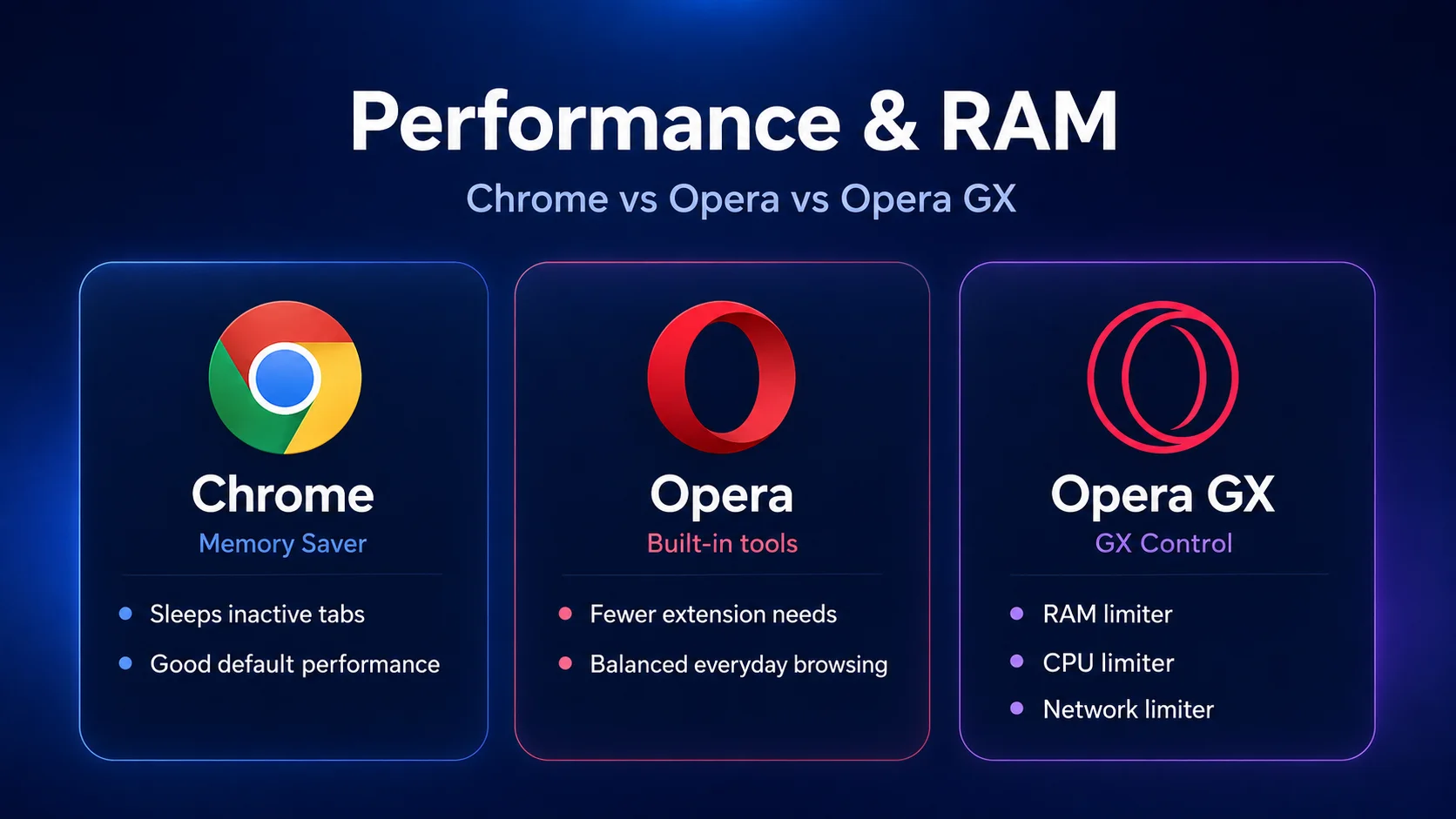
The other important product is Opera GX. It is Opera’s gaming-focused browser, and it matters for this comparison because many people searching for Opera vs Chrome are actually asking whether Opera GX is better than Chrome. Opera GX includes GX Control, which gives users access to RAM, CPU, and network limiters. That makes Opera GX more relevant for gaming and streaming setups than a normal browser comparison would suggest.
What is Chrome?
Google Chrome is the world’s most familiar mainstream browser. Its strength is not that it has every feature built in. Chrome wins because it works almost everywhere, syncs cleanly with Google accounts, supports the largest extension ecosystem, receives frequent updates, and fits tightly into Gmail, Google Docs, Google Drive, Google Password Manager, Android, and ChromeOS.
Older comparisons also miss how much Chrome has changed in areas where people used to criticize it. Google now gives users Memory Saver and performance controls, and Gemini in Chrome brings AI help to open tabs and web pages. Chrome is still the simpler, more default-looking browser, but it is no longer fair to describe it as only a fast shell around Google Search.
Opera vs Chrome at a glance
Fast verdict: should you use Opera or Chrome?
Use Chrome if you want the browser that works with the fewest surprises. Chrome is the safer pick for Google services, school or work accounts, extension-heavy workflows, password sync, web app compatibility, and anyone who does not want to think much about browser settings.
Use Opera if you want more tools built into the browser before installing extensions. Opera is a better fit if you want a sidebar, built-in ad blocking, a browser VPN, messaging apps, AI tools, workspaces, split screen, and a more customizable browsing experience.
Use Opera GX if the question is really about gaming. The GX version is not magically faster than Chrome on every system, but it gives you resource controls that Chrome does not present in the same gaming-focused way. If you keep Discord, Twitch, YouTube, music, guides, and many tabs open while gaming, Opera GX has a stronger reason to exist.
Consider Sigma Browser if your real reason for comparing browsers is AI. Opera and Chrome both add AI into classic browsing, but Sigma is built around private AI browsing, AI Chat, Deep Research, local AI, and page-aware workflows from the start. If you are comparing Opera and Chrome because you want better research, summaries, and AI help inside the browser, Sigma is a more relevant third option than another traditional browser.
Opera vs Chrome for speed and performance
Opera and Chrome are both Chromium-based, so the raw browsing engine is not the main difference. In everyday use, speed depends on your device, open tabs, extensions, background processes, websites, and how you use the browser. A clean Chrome installation can feel faster than a heavily customized Opera setup, while Opera can feel faster than Chrome if its built-in tools let you avoid several heavy extensions.
Chrome has improved its performance controls over time. Google’s Memory Saver can make inactive tabs sleep and let users choose how aggressively Chrome saves memory. Chrome can also show tab memory usage on hover, which makes it easier to see which tabs are causing problems. That means the old “Chrome always destroys RAM” complaint is too lazy for 2026.
Opera’s advantage is feature consolidation. If Opera’s built-in ad blocker, sidebar, AI, messenger integrations, and browser VPN replace several extensions, the browser may feel smoother in your actual workflow. The fair verdict is simple: Chrome is usually the safer performance default, while Opera can feel better if its built-in tools reduce extension clutter.
Opera vs Chrome RAM usage
RAM is one of the biggest Opera vs Chrome questions, but it is also one of the easiest to oversimplify. Chrome can use a lot of memory because modern websites use a lot of memory, each tab may run in a separate process, and extensions add overhead. Opera uses the same Chromium base, so it is not immune to the same pattern. Switching from Chrome to Opera will not automatically cut memory use in half.
The more accurate distinction is control. Chrome gives you Memory Saver, tab memory usage information, and performance settings. Opera GX gives you direct limiters through GX Control, including RAM and CPU controls. That does not make Opera GX faster in every benchmark, but it does make it more transparent and more adjustable for users who care about resource limits.
If you have a modern laptop or desktop with enough memory, Chrome’s Memory Saver may be enough. If you game, stream, or run heavy apps while keeping many browser tabs open, Opera GX gives you more hands-on control. For ordinary browsing, RAM should not be the only reason to switch; features, privacy, sync, and compatibility matter more.
Opera GX vs Chrome for gaming
Opera GX vs Chrome is almost a separate article because the user intent is different. Chrome is a general-purpose browser. Opera GX is a gaming browser with a gaming interface, integrations, and resource controls. Its strongest feature is not that every page loads faster. The stronger point is that you can limit how much browser activity competes with your game, stream, or recording setup.
Opera GX’s GX Control includes RAM and CPU limiters, and Opera’s Network Limiter lets users cap browser bandwidth. That matters if you keep YouTube, Twitch, Discord, gaming wikis, music, chats, and downloads open while playing. A standard Chrome setup can run all those things too, but it does not package the experience around gaming controls.
For simplicity and compatibility, Chrome still wins. If you only open a browser between games, Chrome is fine. If you use web apps, Google services, and Chrome extensions constantly, switching to Opera GX only for the gaming theme may not be worth it. Choose Opera GX when resource control and gaming convenience are the point. Choose Chrome when gaming is not the main browser job.
Opera vs Chrome for privacy
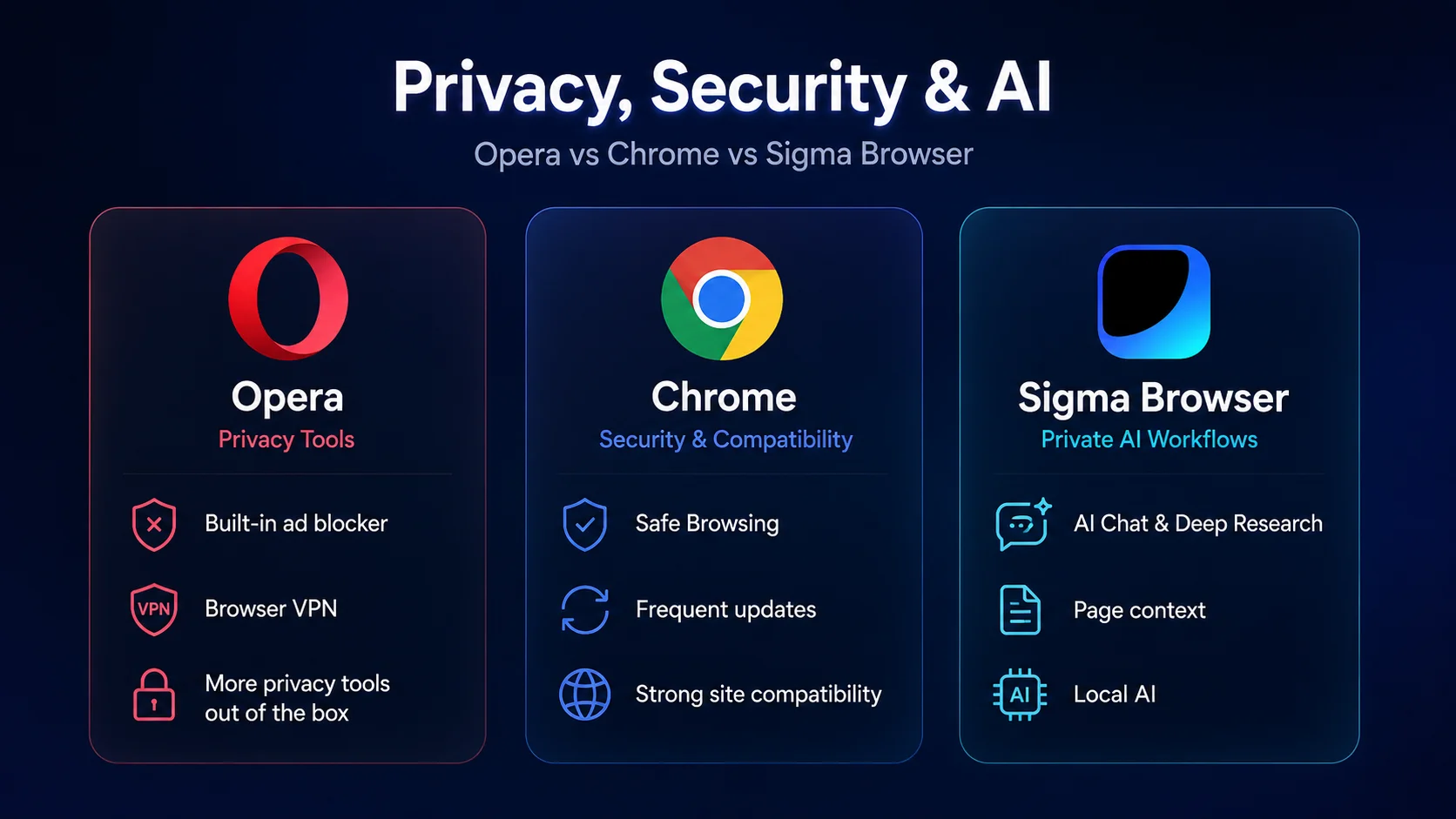
Out of the box, Opera feels more private because it includes privacy tools that Chrome users often add through extensions. Opera has a built-in ad blocker, tracker protection features, and a browser VPN. That makes Opera attractive if you want fewer ads, fewer interruptions, and a more privacy-focused default setup without building your own extension stack.
The browser VPN needs careful wording. Opera’s VPN is a browser-level privacy feature, not the same thing as a full-device VPN that protects every app on your computer. It can still be useful for browsing privacy, but it should not be described as a complete privacy shield for your entire device.
The Chrome trade-off is Google integration. That can be useful for sync, passwords, search, payments, Google services, and Android, but it is also the reason privacy-focused users often look at Opera, Brave, Firefox, DuckDuckGo, or other Chrome alternatives. If you want more privacy tools without configuring many extensions, Opera wins this category. If you want the browser that fits the Google ecosystem best, Chrome still wins.
Opera vs Chrome for security
Privacy and security are not the same thing. Out of the box, Opera may feel more private, but Chrome has the stronger mainstream security story. Google says Chrome receives automatic updates every four weeks, and Chrome’s safety features include protections around dangerous sites, downloads, extensions, phishing, and malware. Safe Browsing and Enhanced Protection are a major part of Chrome’s value for everyday users.
Opera benefits from Chromium’s security base, but Chrome is the reference browser for much of the web. Google has the larger security infrastructure, the larger ecosystem, and a very strong incentive to keep Chrome safe at scale. That matters for schools, businesses, families, and users who want the most boringly reliable browser possible.
Opera is not unsafe. Chrome is not automatically private. A fair verdict is that Chrome is the stronger mainstream security default, while Opera gives more privacy tools out of the box. Users who care about both privacy and AI workflows may also want to compare Brave alternatives and AI-first browsers rather than only Opera and Chrome.
Opera vs Chrome for extensions and compatibility
For extensions and compatibility, Chrome is the winner. The Chrome Web Store is the default extension ecosystem for Chromium-based browsing, and many websites, web apps, school tools, enterprise dashboards, and SaaS products are tested heavily in Chrome. Because it is Chromium-based, Opera can run many Chrome extensions because it is Chromium-based, but Chrome remains the safest choice when extension compatibility is mission-critical.
This matters more than people expect. If your daily browser depends on password managers, SEO tools, developer tools, ad tools, note-taking extensions, meeting extensions, AI extensions, or company-managed browser policies, Chrome gives you fewer unknowns. Opera can work well, but some workflows still assume Chrome first.
Use Opera if you want fewer extensions because more tools are already built in. Use Chrome if you depend on a large extension stack and want the default browser for compatibility. Users comparing browsers mainly for workflow and productivity can also compare Arc Browser alternatives, Firefox alternatives, and other productivity browsers.
Opera vs Chrome for AI features
AI is one of the biggest reasons an Opera vs Chrome article needs a 2026 update. Opera has made AI a visible browser feature through Aria and its browser AI tools. Opera says its AI can understand open-tab context, help with browsing, generate content, analyze PDFs, translate YouTube videos, and give users quick access to ChatGPT and Gemini from the sidebar. Opera feels more AI-forward if you want the browser interface itself to surface AI tools everywhere.
Chrome is catching up from the other direction. Gemini in Chrome brings AI assistance to open tabs, page understanding, comparisons, and browsing help. Chrome’s AI advantage is not that it looks more experimental than Opera. Its advantage is the Google ecosystem: Search, Gmail, Docs, Drive, Android, passwords, and account context.
Neither Opera nor Chrome is the best answer if your main need is private AI research. That is where Sigma Browser is a stronger third option. Sigma is built around AI Chat, Deep Research, page context, local AI, and private AI browsing. If your browser comparison started because you want summaries, research, source comparison, writing help, or AI workflows inside the browser, Sigma is more directly aligned with that job than a classic Opera vs Chrome choice.
Opera vs Chrome on Android and mobile
Chrome has the stronger mobile default story, especially on Android. It syncs easily with Google accounts, passwords, browsing history, tabs, payments, and Android settings. For people who use Gmail, Google Search, Google Maps, Google Drive, and Android daily, Chrome remains the path of least resistance.
Opera’s mobile browsers are more interesting if you want built-in privacy and browsing tools. Opera for Android emphasizes features such as ad blocking, fewer interruptions, privacy controls, and AI-related updates. Opera Mini and other Opera mobile products can also appeal to users who care about data savings or a less standard mobile browsing experience.
The practical answer is simple: choose Chrome mobile if you want the Google ecosystem to feel seamless across devices. Choose Opera mobile if you want more built-in browser tools and are less attached to Google sync. Choose neither as a default only if another browser better matches your privacy, AI, or device workflow.
Opera vs Chrome for customization and interface
Customization is where Opera wins. Its sidebar, workspaces, split screen, messenger shortcuts, music player, Flow, visual interface, and AI tools make it feel like a browser built for people who want more happening inside the browser window. The GX version goes further with gaming themes, sounds, visual effects, and resource-control panels.
Choose Chrome if you prefer a minimal browser that stays out of the way. The interface is familiar, clean, and predictable. For many users, that is a feature. A browser does not need to become a workspace, messenger hub, AI panel, and gaming control center if all you want is fast, reliable access to the web.
This is the category where personal preference matters most. A feature-heavy interface makes Opera feel richer. A quieter interface makes Chrome feel cleaner. The GX version feels more playful and gamer-focused. A plain Chrome setup feels more universal. None of those is objectively better for everyone.
Which browser should you choose by use case?
Opera vs Chrome: final verdict
For most people who want the safest default, Chrome is the better browser. It has stronger compatibility, better Google sync, the biggest extension ecosystem, reliable updates, and a familiar interface that works across work, school, personal browsing, Android, and Google services. If you do not want to think about your browser, Chrome is still hard to beat.
Choose Opera if Chrome feels too plain or too dependent on extensions. Built-in ad blocking, browser VPN, sidebar apps, workspaces, split screen, and AI tools make Opera feel more complete out of the box. For gamers, Opera GX is better than Chrome who specifically want RAM, CPU, and network controls, but it is not automatically the better everyday browser for everyone.
The biggest shift in 2026 is AI. Opera and Chrome now both compete as AI-assisted browsers, but they still feel like traditional browsers with AI added. If your real need is private AI research, page summaries, source comparison, local AI, or browser-based AI workflows, Sigma Browser is the more relevant third option. For a broader view of this category, see our guide to the best AI browsers and our comparison of Comet Browser alternatives.
More articles


Download Sigma Browser
Questions & Answers
reach out to us on X at @Sigma_Browser
Get Sigma on Android


