
DuckDuckGo vs Firefox: Which Private Browser Is Better in 2026?
Compare DuckDuckGo vs Firefox for privacy, search, tracker blocking, and daily browsing.

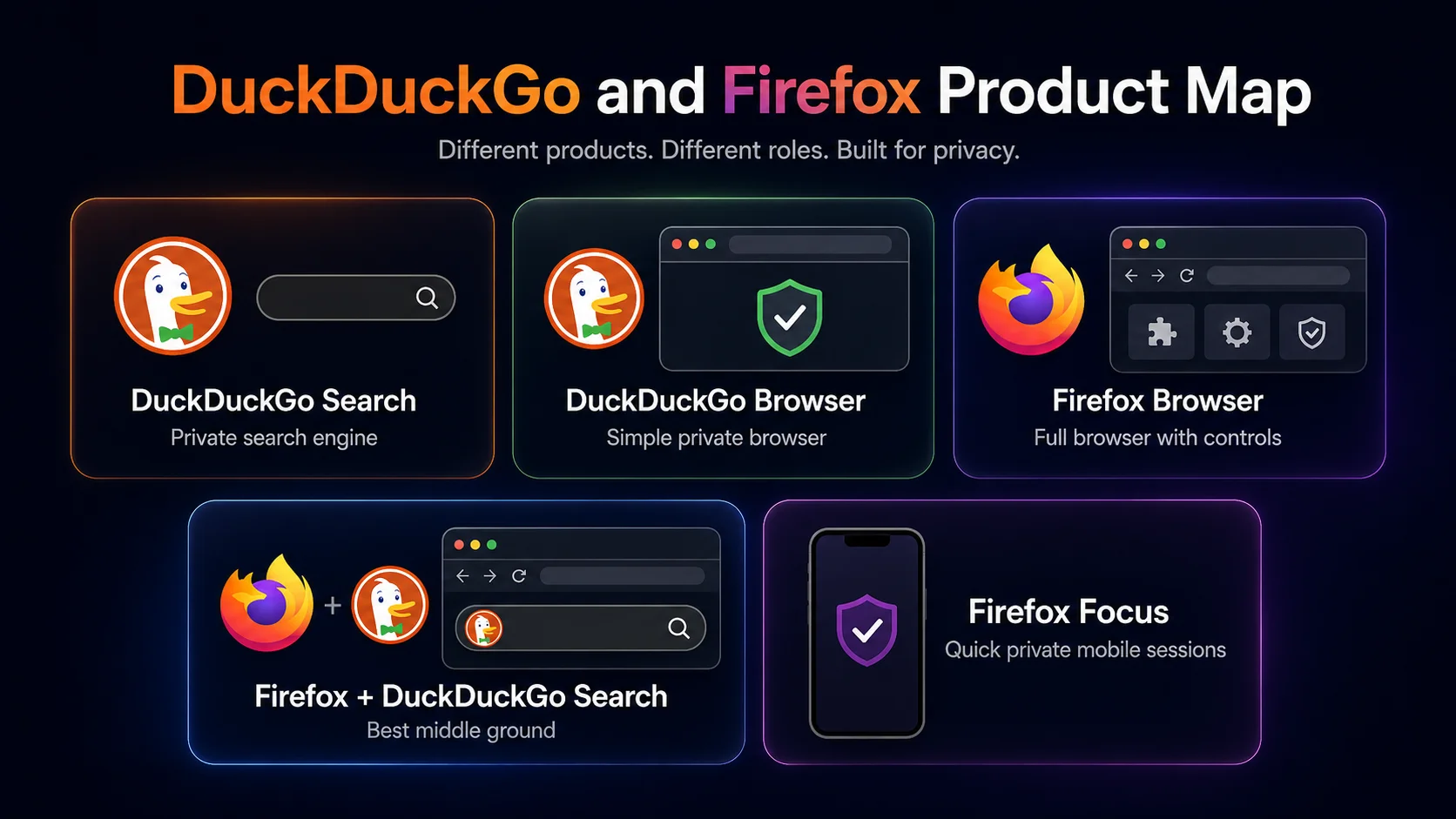
DuckDuckGo vs Firefox sounds like a simple private browser comparison until you notice the trap: people are often comparing different things. DuckDuckGo can mean the private search engine, the DuckDuckGo browser, the mobile app, or the browser extension. Firefox can mean the full Mozilla browser, Firefox with DuckDuckGo set as the default search engine, or Firefox Focus on mobile. If those lines blur, the comparison gets messy fast.
The clean answer is this: DuckDuckGo is better if you want privacy without homework. It gives you private search, tracker blocking, and a simpler browser experience with fewer settings to think about. Firefox is better if you want privacy with control. It is a full browser with extensions, sync, deeper settings, stronger customization, and more room to build a long-term daily setup. For many people, the smartest answer is not switching from Firefox to DuckDuckGo Browser at all. It is using Firefox with DuckDuckGo as the default search engine, which gives you Firefox’s browser power and DuckDuckGo’s cleaner search privacy in the same setup.
This article is not going to pretend that one product wins every category. DuckDuckGo and Firefox solve different privacy problems. One removes decisions. The other gives you better tools to make decisions. The right choice depends on whether you want a browser that handles privacy for you, or a browser you can shape into the way you already work online.
Start here: what are you actually comparing?
The biggest mistake in a DuckDuckGo vs Firefox comparison is treating every DuckDuckGo product as if it were the same thing. DuckDuckGo started as a private search engine, but it now also offers browsers for Mac, Windows, iOS, and Android, plus extensions for other browsers. Firefox, on the other hand, is a full web browser first. You can use it with Google, Bing, DuckDuckGo, or another search engine.
That means “DuckDuckGo vs Firefox” can mean at least six different setups. A casual user might only care about which app feels safer on a phone. A desktop power user might care about extensions. A privacy nerd might care about cookie isolation. A person leaving Chrome might only want to stop using Google Search. Those are different decisions, so let’s separate them before comparing features.
This table is the real comparison. DuckDuckGo Browser and Firefox are both private browsing options, but Firefox with DuckDuckGo Search may be the best answer for people who like Mozilla’s browser and only want to replace Google Search. That is why a straight “which browser is better?” answer can be misleading.
Privacy without homework vs privacy with control
DuckDuckGo has the easier privacy story. Its pitch is simple: search and browse with fewer companies collecting data about you. DuckDuckGo says its browser is available for Windows, Mac, iOS, and Android, and its app page describes built-in private search, tracker blocking, increased encryption, Email Protection, and other privacy features in one download. The company also says in its privacy policy that it does not save or share your search, chat, or browsing history when you use DuckDuckGo products. That is the point of DuckDuckGo: a user should not need to become a settings expert before getting a more private experience. You download the app, use DuckDuckGo Search, and get a privacy layer that is already turned on. For someone who wants to stop being followed around the web but does not want to spend Saturday afternoon reading browser forums, that is a strong advantage.
Firefox has a different kind of privacy strength. It is less about a single “install and forget” privacy package and more about giving you a serious browser with built-in protection and room to go deeper. Mozilla’s Firefox docs describe Enhanced Tracking Protection as automatic protection against trackers during normal browsing, and Mozilla also explains Total Cookie Protection as a way to keep cookies confined to the sites where they were created. That gives Firefox a stronger long-term ceiling for users who want control. You can change search engines, install add-ons, adjust settings, sync devices, manage tabs, and build a privacy setup that fits your habits instead of accepting one fixed package.
So the privacy winner depends on the user. DuckDuckGo is easier to hand to a friend who says, “I just want less tracking.” Firefox is easier to recommend to someone who wants to understand and tune the browser they use every day. If you are choosing from a broader privacy cluster, our guide to the most private browsers explains where both fit next to Brave, Tor Browser, LibreWolf, Mullvad Browser, and Sigma Browser.
Search privacy: DuckDuckGo has the cleaner story
Search is where DuckDuckGo has the clearest win. Firefox is a browser; DuckDuckGo is a search company and a privacy browser company. If your biggest problem with Chrome is really your relationship with Google Search, DuckDuckGo attacks that problem directly. It gives you private search by default, and DuckDuckGo’s privacy policy says it does not save or share your search history when you search with DuckDuckGo or use its apps and extensions.
That does not mean you have to abandon Firefox. You can set DuckDuckGo as the default search engine inside Firefox and keep the browser you already know. For a lot of people, that is the better move. You keep Firefox’s add-ons, sync, tab behavior, settings, and desktop maturity, while DuckDuckGo handles search. If the only thing you dislike is search tracking, switching browsers may be overkill.
DuckDuckGo also offers a browser extension for other browsers, including Firefox. DuckDuckGo’s extension help page says the extension adds privacy protection such as tracker blocking, cookie protection, private search, and email protection. That gives Firefox users a layered option: keep Firefox, use DuckDuckGo Search, and add DuckDuckGo’s extension if they want more of DuckDuckGo’s protection model inside the browser.
The best search setup for many users is not DuckDuckGo Browser vs Firefox. It is Firefox with DuckDuckGo Search. That setup keeps Firefox as the full browser while replacing Google-style search habits with a more private search engine.
Browser power: Firefox is still stronger as a full-time desktop browser
Firefox wins if the question is “Which one should be my main desktop browser?” DuckDuckGo Browser is improving, and it is available on desktop and mobile, but Firefox has the deeper browser ecosystem. It has stronger add-on support, more mature desktop workflows, broader customization, sync across devices, developer tools, themes, password manager compatibility, and years of normal browser muscle memory behind it.
This is where DuckDuckGo’s simplicity becomes a limit. Simple is great when you want fewer decisions. It is less great when you want to build a browser around your workflow. Firefox Add-ons are a major advantage because extensions can change how the browser handles privacy, passwords, productivity, screenshots, writing, tabs, video, and more. Mozilla’s add-ons page describes extensions as apps for Firefox that can add features, block ads, protect passwords, and change the browser experience.
If you work in the browser all day, Firefox is usually the safer long-term pick. It gives you more room to grow. You can start with standard privacy settings, switch your search engine to DuckDuckGo, install the add-ons you trust, and adjust the browser as your workflow changes. DuckDuckGo Browser is easier out of the box, but Firefox is easier to make your own. If you want more privacy-browser options in the same family, compare this with our guides to Firefox alternatives and Firefox vs Brave.
The best middle ground: Firefox with DuckDuckGo Search
The most practical answer for many people is not a full switch. It is Firefox with DuckDuckGo Search. That setup works because it separates the two jobs. Firefox handles the browser part: tabs, extensions, sync, passwords, settings, profiles, desktop reliability, and daily use. DuckDuckGo handles the search part: private search results without saving your search history. Instead of forcing one product to solve every problem, you let each one do the thing it is best at.
This is also the least disruptive switch. If you already use Firefox, changing the default search engine is much easier than moving bookmarks, passwords, extensions, and habits into a new browser. You can test DuckDuckGo Search for a week, see if the results feel good enough, and then decide whether you actually need the DuckDuckGo Browser. Many users will not. They will get the privacy upgrade they wanted without rebuilding their whole setup.
There is a trade-off, of course. Firefox with DuckDuckGo Search does not give you the exact same all-in-one simplicity as DuckDuckGo Browser. You still need to manage Firefox settings and add-ons. But for users who want both privacy and control, that trade-off is usually worth it.
Mobile: DuckDuckGo Browser vs Firefox vs Firefox Focus
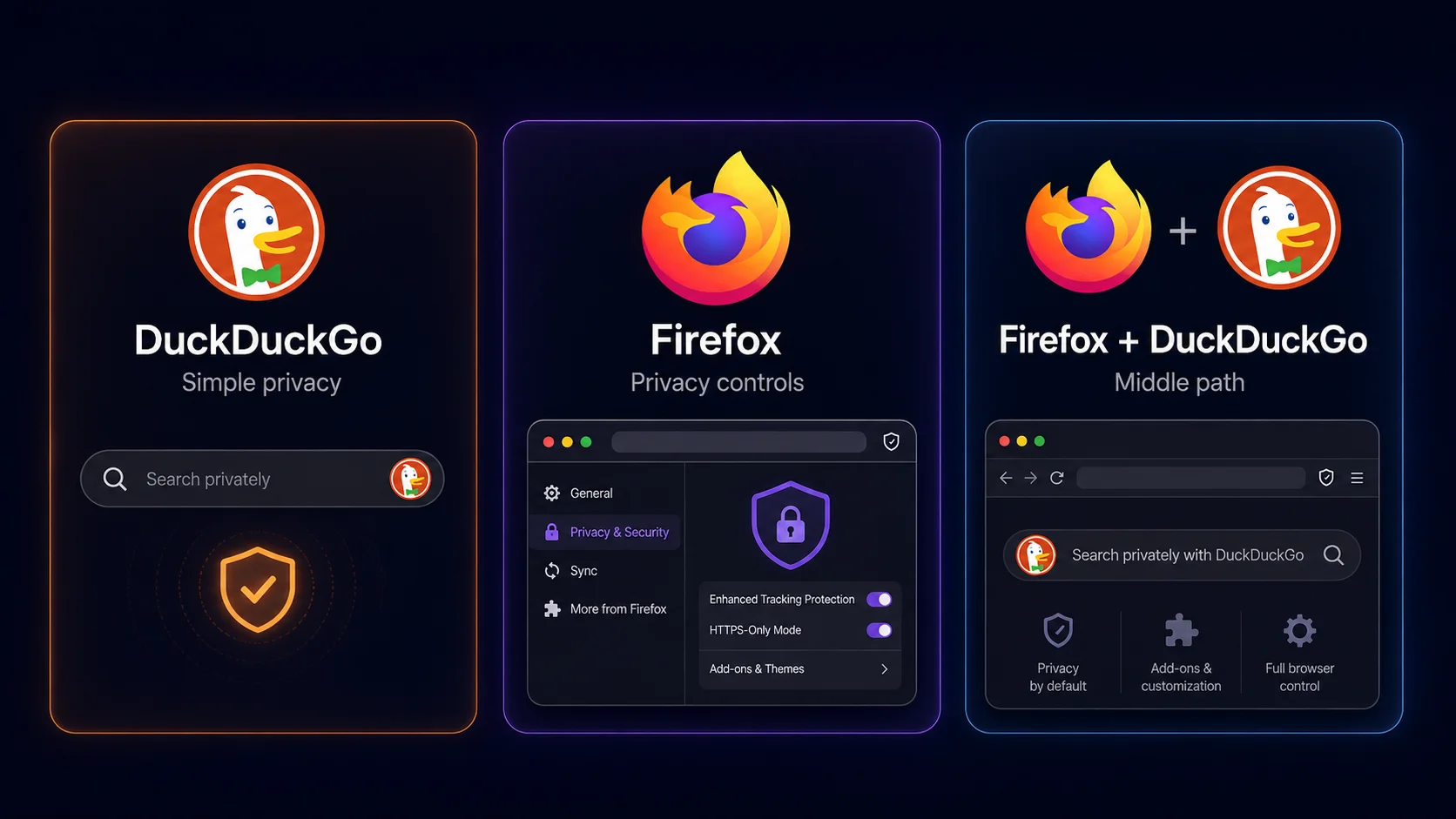
On mobile, DuckDuckGo becomes more competitive because simplicity matters more. A phone browser is often used for quick searches, links from apps, shopping, maps, articles, and one-off browsing sessions. DuckDuckGo’s mobile browser is easy to understand: private search is built in, protections are on, and the experience feels lightweight. That makes DuckDuckGo a strong mobile pick for people who do not want to think much about privacy settings.
Firefox mobile is better if you want your phone browser to connect with your full browser setup. It makes more sense if you use Firefox on desktop and want synced tabs, bookmarks, passwords, history, and a familiar Mozilla account setup. On Android, Firefox also has an add-ons advantage, which matters if you want more than basic private browsing on your phone. On iPhone, browser differences are more limited by iOS rules, so the practical gap between browsers can feel smaller than it does on desktop.
Firefox Focus deserves its own mention because it sits closer to DuckDuckGo’s mobile philosophy. It is not the same as regular Firefox. Focus is more about quick private sessions and less about being a full browser hub. If you are comparing Firefox Focus vs DuckDuckGo, the answer is simpler: DuckDuckGo is usually better as an everyday private mobile browser, while Firefox Focus is better for short, disposable private browsing sessions.
What Reddit gets right about DuckDuckGo vs Firefox
Reddit discussions around DuckDuckGo vs Firefox can look chaotic, but the better comments usually understand the real divide. People are not only arguing about “which is more private.” They are arguing about trust, convenience, control, extensions, search quality, and how much effort privacy should require.
DuckDuckGo fans tend to like how little setup is involved. Install the app, use the search engine, and the product points you toward a more private default. Firefox fans tend to care more about independence, open web values, add-ons, and control. They do not necessarily want one privacy app to make every decision for them. They want a browser they can configure.
That is why the common power-user answer is often Firefox plus DuckDuckGo Search. It is not as neat as picking one winner, but it makes sense. Firefox stays the main browser. DuckDuckGo replaces the search layer. Add-ons handle anything else. If you are reading Reddit threads and feeling more confused afterward, this is the useful takeaway: DuckDuckGo is the easier privacy product; Firefox is the stronger privacy browser platform.
What about Brave, Chrome, and Sigma Browser?
DuckDuckGo and Firefox are not the only browsers in this decision cluster. Brave belongs in the conversation if you want stronger built-in ad blocking and a more complete Chromium-based private browser. That is why our Brave vs DuckDuckGo comparison frames the choice as full private browser power versus simple private browsing. If you are leaving Chrome, our guide to Chrome alternatives may also be useful because the best replacement depends on whether you care most about privacy, extensions, speed, or AI workflows.
Sigma Browser belongs in this article only as a third option, not as the winner of a DuckDuckGo vs Firefox comparison. DuckDuckGo and Firefox are privacy browsers first. If the real job is private AI research, page-aware writing, source comparison, or working with AI inside the browser, then a browser like Sigma makes more sense. Sigma is built around AI Chat, Deep Research, page context, local AI, and browser-based workflows rather than only search privacy or traditional tracking protection.
So the path is pretty clear. Choose DuckDuckGo if you want simple private search and browsing. Choose Firefox if you want a full private browser with more control. Choose Brave if you want a more aggressive Chromium-based privacy browser. Look at AI browsers, agentic browsers, Deep Research, or Sigma AI Chat if your browser work now depends on AI instead of only tabs and search.
Which should you choose?
The choice gets easier once you stop asking which brand is “more private” and start asking what kind of privacy you actually want. DuckDuckGo is best when you want the browser to make privacy simple. Firefox is best when you want a capable browser that lets you keep control.
Final verdict: privacy without homework or privacy with control?
Choose DuckDuckGo if you want privacy without homework. It is the better pick for simple private search, mobile privacy, and users who do not want to manage a full browser setup. DuckDuckGo is especially easy to recommend to someone who says, “I just want Google to stop following everything I search.” The browser and app make privacy feel less like a project.
Choose Firefox if you want privacy with control. It is the better long-term browser if you care about extensions, desktop flexibility, sync, customization, and a browser that can grow with your workflow. Firefox does not make every privacy decision for you, and that is exactly why many people prefer it. It gives you a solid private foundation and then lets you build from there.
For many users, the best answer is Firefox with DuckDuckGo Search. That setup avoids the false choice. Firefox stays your main browser. DuckDuckGo handles search. You get more privacy without giving up the browser power that makes Firefox useful in the first place.
More articles
.webp)
.webp)

Download Sigma Browser
Questions & Answers
reach out to us on X at @Sigma_Browser
Get Sigma on Android


