
9 Best Comet Browser Alternatives for AI Search in 2026
Compare the best Comet Browser alternatives for AI search, research, agents, and private AI browsing.

Comet Browser is best understood as Perplexity turned into a browser. That makes Comet alternatives different from normal browser alternatives. You are not only replacing tabs, bookmarks, and extensions. You may be replacing Perplexity-style AI search, an in-browser assistant, research workflows, email and calendar help, agentic task automation, or the feeling of having an AI coworker living inside the browser.
That is why a useful list of Comet Browser alternatives should not rank tools by hype alone. The right replacement depends on which part of Comet you actually want. Some users want an AI search browser. Others want ChatGPT in the browser. Some want agents that click, type, and complete tasks. Others care most about private AI, local models, prompt-injection risk, or a browser that still feels safe enough to use every day.
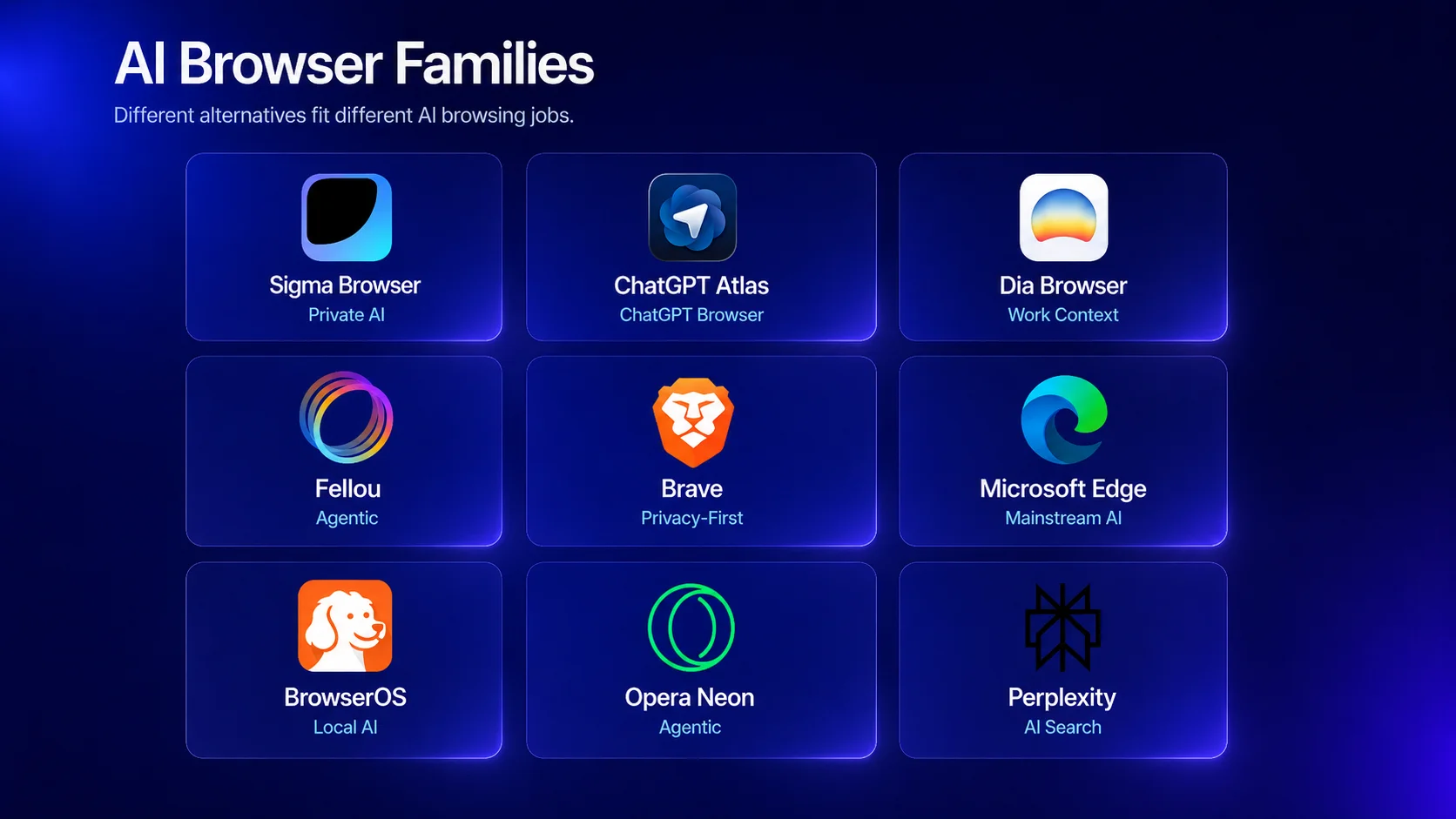
The strongest Comet alternative depends on the job. Sigma Browser is one of the best options if you want private AI research, page-aware browsing, AI Chat, Deep Research, local AI, and browser-based workflows without making the whole experience depend on Perplexity. ChatGPT Atlas is the obvious alternative for people who want ChatGPT built into the browser. Dia is better for work context across tabs and apps. Fellou and Opera Neon are more agentic and experimental. Brave with Leo is the safer choice if privacy matters more than automation. Microsoft Edge with Copilot is the mainstream option, while BrowserOS is interesting for users who want an open-source, local-agent direction. If the only part of Comet you need is Perplexity-style answers, Perplexity Search may be enough without switching browsers. If you are comparing the whole AI-search market, our guide to Perplexity AI alternatives is a useful next read.
What is Comet Browser?
Comet Browser is Perplexity’s AI browser. Perplexity describes Comet as a personal AI assistant that can research the web, automate tasks, organize email, help with browsing, and work across Mac, Windows, iOS, and Android. The important part is not only that Comet has an AI sidebar. It puts Perplexity’s answer engine and assistant behavior at the center of the browsing experience.
The Comet Help Center frames the browser around practical workflows such as research management, tab organization, task automation, email and calendar assistance, and everyday browsing help. That makes Comet closer to an AI work surface than a traditional Chrome alternative. People searching for alternatives to Comet Browser may therefore be looking for very different things: an AI search engine, a browser assistant, a web automation agent, a safer privacy model, or a less Perplexity-dependent way to use AI while browsing.
Best Comet Browser alternatives at a glance
The easiest way to compare Comet alternatives is to separate the job from the product name. Comet is Perplexity in the browser. Atlas is ChatGPT in the browser. Dia is work context in the browser. Sigma is private AI research and page-aware browsing. Fellou, Opera Neon, and BrowserOS push harder toward agents that can act.
1. Sigma Browser — best for private AI research and AI browsing
Sigma Browser is one of the strongest Comet Browser alternatives if you want AI search, research, and page-aware browsing without making the whole experience depend on Perplexity. Comet is Perplexity turned into a browser; Sigma is closer to a private AI browser built around AI Chat, Deep Research, page context, local AI, and browser-based workflows. That makes Sigma a better fit for users who want to summarize pages, compare sources, research topics, write with context, and use AI while browsing instead of only asking an external answer engine. For users who want the browser to act on web tasks, Sigma AI Agent is also relevant because it is built around browser-based agent workflows.
The privacy angle is where Sigma becomes especially relevant. Sigma’s positioning centers on private AI browsing, built-in AI, local AI, and no tracking. For people comparing Comet alternatives after reading about AI-browser privacy or prompt-injection concerns, that matters. A browser assistant becomes more sensitive when it can see pages, reason over context, and help with actions. Users who want AI help but also want a more private browsing environment should put Sigma near the top of the shortlist.
Sigma is not a Perplexity clone, and that is the point. If you specifically want Perplexity’s answer engine as the center of the browser, Comet still has the native advantage. If you want an AI browser for private research, page context, Deep Research, writing, summaries, and everyday browsing workflows, Sigma is one of the best alternatives to start with.
Best fit: users who want a private AI browser for research, page context, writing, summaries, local AI, and AI-assisted browsing.
2. ChatGPT Atlas — best ChatGPT-based Comet alternative
ChatGPT Atlas is the obvious alternative if you want the ChatGPT version of Comet. Comet puts Perplexity at the center of the browser. Atlas puts ChatGPT there instead. OpenAI describes Atlas as a browser with ChatGPT built in, including page help, summaries, and Agent Mode that can interact with sites under user control.
This makes Atlas a strong Comet alternative for people who already use ChatGPT for writing, planning, summarizing, coding, shopping research, learning, or daily work. The assistant does not feel like an add-on; it is the point of the browser. If your existing workflow already starts in ChatGPT, Atlas may feel more natural than Comet because the model, chat history, memories, and agent behavior all live in the same ecosystem.
The trade-off is that Atlas is not Perplexity-native. Users who prefer Perplexity’s search style, source-backed answers, and research flow may still prefer Comet or Perplexity Search. Atlas is better when the main job is ChatGPT-native browsing, not replacing Perplexity’s answer engine.
3. Dia Browser — best for AI workspace and work context
Dia Browser is not trying to be only an AI search browser. Its pitch is closer to an AI work browser that understands context across tabs, Google Workspace, Slack, and other tools. Dia is especially relevant if the part of Comet you want to replace is not search, but context: open tabs, work apps, documents, meetings, and ongoing tasks.
This makes Dia useful for people who live in browser-based work. A Comet user may ask Perplexity to research a topic or complete a task. A Dia user is more likely to ask across the work environment: tabs, docs, Slack threads, calendar context, and related apps. That is a different kind of AI browser. It is less search-engine-first and more workspace-first.
Choose Dia over Comet if you want an AI browser for work context and tab-aware help. Choose Comet if Perplexity-style web answers and AI search are still the main attraction. Choose Sigma if the real priority is private AI research and page-aware browsing rather than a company-workspace layer.
4. Fellou — best for agentic task automation
Fellou is one of the clearest Comet alternatives for users who care about the agentic part of AI browsing. Its site describes a self-driving browser that can browse, automate, and execute multi-step tasks. That puts Fellou closer to the “AI that acts” side of the market than a normal browser with an AI sidebar.
The fit is strongest when the job involves multi-step web actions: collecting information, navigating sites, transferring data, filling out workflows, or running repeated browser tasks. Comet can also automate tasks, but Fellou’s positioning is more explicitly agentic. If your search for Comet alternatives is really about finding a browser agent, Fellou belongs on the list.
The trade-off is trust. The more a browser can do on your behalf, the more careful you need to be about permissions, confirmations, sensitive accounts, and prompt injection. Fellou may be powerful, but power is not the same as safety. For sensitive work, use any agentic browser with human review and avoid giving broad access to banking, health, work, or private accounts unless you understand the risk.
5. Brave with Leo — best privacy-first AI browser alternative
Brave Leo gives Brave users an AI assistant inside a privacy-focused browser. It can summarize pages, answer questions, generate text, translate, and help with web content without turning the whole browser into an autonomous agent. That makes Brave a strong Comet alternative for users who want AI help, but do not want the browser to act too aggressively on their behalf.
Brave is not the closest Comet replacement if you want Perplexity-style search or browser automation. Its advantage is privacy-first browsing with AI as an assistant layer. For people worried about Comet privacy, prompt injection, or giving an AI too much control over logged-in sessions, Brave with Leo may feel calmer and safer than a more agentic browser. For a broader privacy-browser list, see our guide to Brave alternatives.
The limitation is clear: Brave with Leo is less ambitious as an AI browser than Comet, Atlas, Dia, Fellou, or Sigma. It is best for people who want privacy, ad and tracker blocking, page summaries, and AI help inside a browser they can also use as a normal daily default.
6. Microsoft Edge with Copilot — best mainstream AI browser
Microsoft Edge with Copilot is the mainstream AI browser option. Microsoft describes Copilot in Edge as a way to compare, decide, and finish tasks without leaving the browser, with controls for permissions, history, and user experience. Edge also has an enterprise and Microsoft 365 advantage that smaller AI browsers cannot easily copy.
For Windows users, students, office workers, and Microsoft 365 teams, Edge may be the easiest Comet alternative to try because it is already part of the ecosystem. It is not as fresh as Comet, Atlas, Dia, or Fellou, but that is also the point. A mainstream AI browser has fewer adoption barriers.
The trade-off is ecosystem fit. Edge makes more sense if you already use Microsoft accounts, Office, Copilot, OneDrive, Outlook, or Teams. If you want Perplexity-native search, ChatGPT-native browsing, private AI research, or experimental agents, one of the other Comet alternatives will probably feel more focused.
7. Opera Neon — best experimental AI browser
Opera Neon is an agentic AI browser built to understand intent, assist with tasks, and take actions. Opera’s Neon FAQ describes it as an AI-first browser that does not just answer questions, but can understand goals and carry out tasks on a user’s behalf. That puts it in the same broad conversation as Comet, Atlas, and Fellou.
Neon is useful to include because some Comet users are not looking for a safer or more private browser. They want the future-browser feeling: agents, tasks, actions, automation, and AI inside the main browsing surface. For that group, Opera Neon is a relevant alternative.
The trade-off is maturity. Early AI browsers can be powerful, confusing, and inconsistent at the same time. Neon may be interesting for users who want to test agentic browsing, but it is harder to recommend as a stable everyday replacement for Comet unless someone specifically wants the experimental edge.
8. BrowserOS — best open-source local AI browser option
BrowserOS is an open-source agentic browser focused on local AI agents and privacy-first automation. Its positioning is straightforward: built-in AI agents automate web tasks locally on the user’s computer. That makes it a useful Comet alternative for users who specifically search for local AI browser options or want more control than a closed AI-browser ecosystem provides.
BrowserOS is not the easiest replacement for casual users. It is more technical, more open-source, and less mainstream than Atlas, Edge, Brave, or Sigma. But for the segment of users asking for alternatives to Comet’s in-browser assistant that can run locally or provide more control, BrowserOS should be on the radar.
The best fit is someone who cares about local execution, open-source transparency, and agentic browser automation. The weaker fit is someone who simply wants a polished AI search browser that works like Perplexity with a browser attached.
9. Perplexity Search — best if you only need Comet’s AI search
Some people looking for Comet alternatives do not actually need a new browser. They want the Perplexity answer engine, source-backed search, and research flow. In that case, using Perplexity Search in your current browser may be the simplest alternative.
This is especially true if the browser-agent side of Comet feels too sensitive. If you mainly want a cleaner browser workspace instead of an AI agent, compare Arc Browser alternatives or privacy-first browsers instead. You can still use Perplexity for answers and research while keeping your current browser setup, extensions, password manager, privacy tools, and work profiles. That is not as seamless as Comet, but it is lower commitment.
The trade-off is obvious: Perplexity Search is not a browser replacement. It will not organize tabs, act across pages, manage browsing tasks, or integrate the assistant into every page. But if you only wanted the AI search layer, it may solve the real problem without forcing a browser switch.
Comet vs Atlas: Perplexity browser vs ChatGPT browser
The Comet vs Atlas question is really a Perplexity vs ChatGPT question. Comet is better if you want Perplexity-style search and research at the center of the browser. Atlas is better if your work already happens in ChatGPT and you want page summaries, writing help, browsing context, and Agent Mode in the same place.
Neither answer is universal. Researchers who prefer Perplexity’s answer format may still prefer Comet. Writers, analysts, students, and teams already living in ChatGPT may find Atlas easier. Users who want private AI research and page-aware browsing without tying the whole workflow to either Perplexity or ChatGPT should look at Sigma.
Comet vs Dia: AI search assistant vs AI workspace
Comet and Dia overlap, but they are not the same kind of AI browser. Comet starts from Perplexity’s search and assistant identity. Dia starts from work context. Its site emphasizes context across GSuite, Slack, tabs, and other work surfaces, which makes it more useful for people who want the browser to understand what is already open and connected.
Choose Comet if search and research are the center of your browser. Choose Dia if work context, tabs, and app-aware help matter more. Choose Sigma if the main job is private AI research, source comparison, page summaries, writing, and browsing with AI context.
Comet privacy and security: what to check before switching
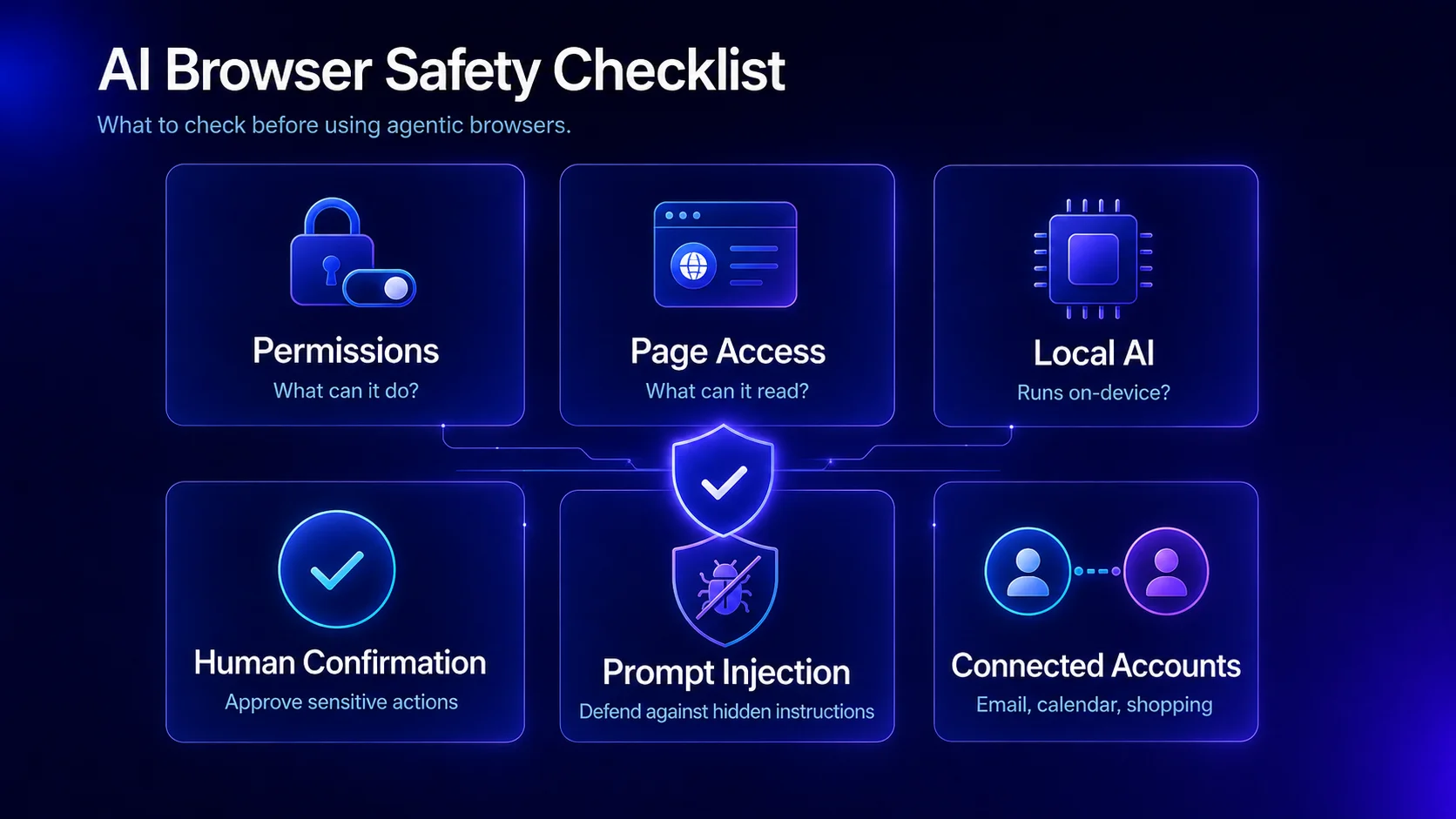
AI browsers introduce a different security question than normal browsers. A traditional browser mostly displays pages and runs site code inside web security boundaries. An agentic AI browser can read page content, interpret instructions, click buttons, fill forms, and act inside logged-in sessions. That changes the risk model.
Security researchers have already focused on this problem. Brave’s research on indirect prompt injection in Perplexity Comet described how malicious page instructions could try to influence an AI browser agent. Brave later wrote about screenshot and hidden-content prompt injections affecting Comet and other AI browsers. LayerX also reported a CometJacking prompt-injection attack vector in which a malicious click could redirect Comet’s behavior and expose users to data theft risk.
This does not mean every AI browser is unsafe or that Comet cannot improve. It means agentic browsing creates a new category of risk. When you compare Comet alternatives, ask whether the assistant can act on your behalf, whether sensitive actions require confirmation, how page content is handled, what data leaves the device, whether local AI is available, and how the browser separates trusted user intent from untrusted website content.
Best Comet alternatives for local or private AI
Local and private AI are important because Comet alternatives are not only competing on convenience. The more an assistant can see and do, the more users care about where prompts, page content, screenshots, and browsing context are processed.
Sigma is the strongest fit in this list for private AI browsing and research because its positioning includes local AI, private browsing, AI Chat, Deep Research, and no tracking. BrowserOS is relevant for users who want an open-source browser with local AI agents. Brave with Leo is a good option for privacy-first users who want AI assistance without fully committing to an agentic browser. Comet, Atlas, Dia, Fellou, and Opera Neon may offer more integrated or agentic experiences, but private/local control should be part of the decision.
The main question is not simply “which browser has AI?” A better question is: where does the AI run, what can it access, what can it do, and how much control does the user keep?
How to choose a Comet alternative by job
The most traffic-worthy way to compare Comet alternatives is also the most useful one: choose by job. A person trying to replace Comet’s Perplexity answers does not need the same browser as someone replacing Comet’s task automation or someone looking for local AI.
Comet Browser alternatives: final verdict
The best Comet alternative is not the browser with the most futuristic demo. It is the browser that replaces the part of Comet you actually use. If Comet is valuable because it turns Perplexity into a browser, Perplexity Search or Comet itself may still be the cleanest fit. If the value is AI research, summaries, source comparison, writing, and private page-aware browsing, Sigma Browser should be one of the first alternatives to try.
ChatGPT Atlas is the strongest choice for people who want ChatGPT as the browser layer. Dia is better for work context and tab-aware help. Fellou and Opera Neon are better for users testing agentic task automation. Brave with Leo is the safer privacy-first option. Edge with Copilot is the mainstream choice, and BrowserOS is interesting for users who want open-source local agents.
Comet is part of a bigger shift: browsers are becoming AI work surfaces. That makes the decision more important than a normal browser switch. Compare the assistant, the agent permissions, the privacy model, the security posture, the research workflow, and the browsing experience. For many users, the best answer will not be one universal Comet replacement, but the alternative that matches their real AI job.
More articles

Download Sigma Browser
Questions & Answers
reach out to us on X at @Sigma_Browser
Get Sigma on Android


