
GPT-5.5 by OpenAI: What’s New and Which GPT Model Should You Use?
A clear guide to GPT-5.5, GPT-5.4, mini, nano, and Codex model use cases.

OpenAI’s GPT models have moved far beyond simple chatbot answers. The newest generation is built for complex work: coding, research, document analysis, reasoning, tool use, data-heavy tasks, and professional workflows that need more than a quick response.
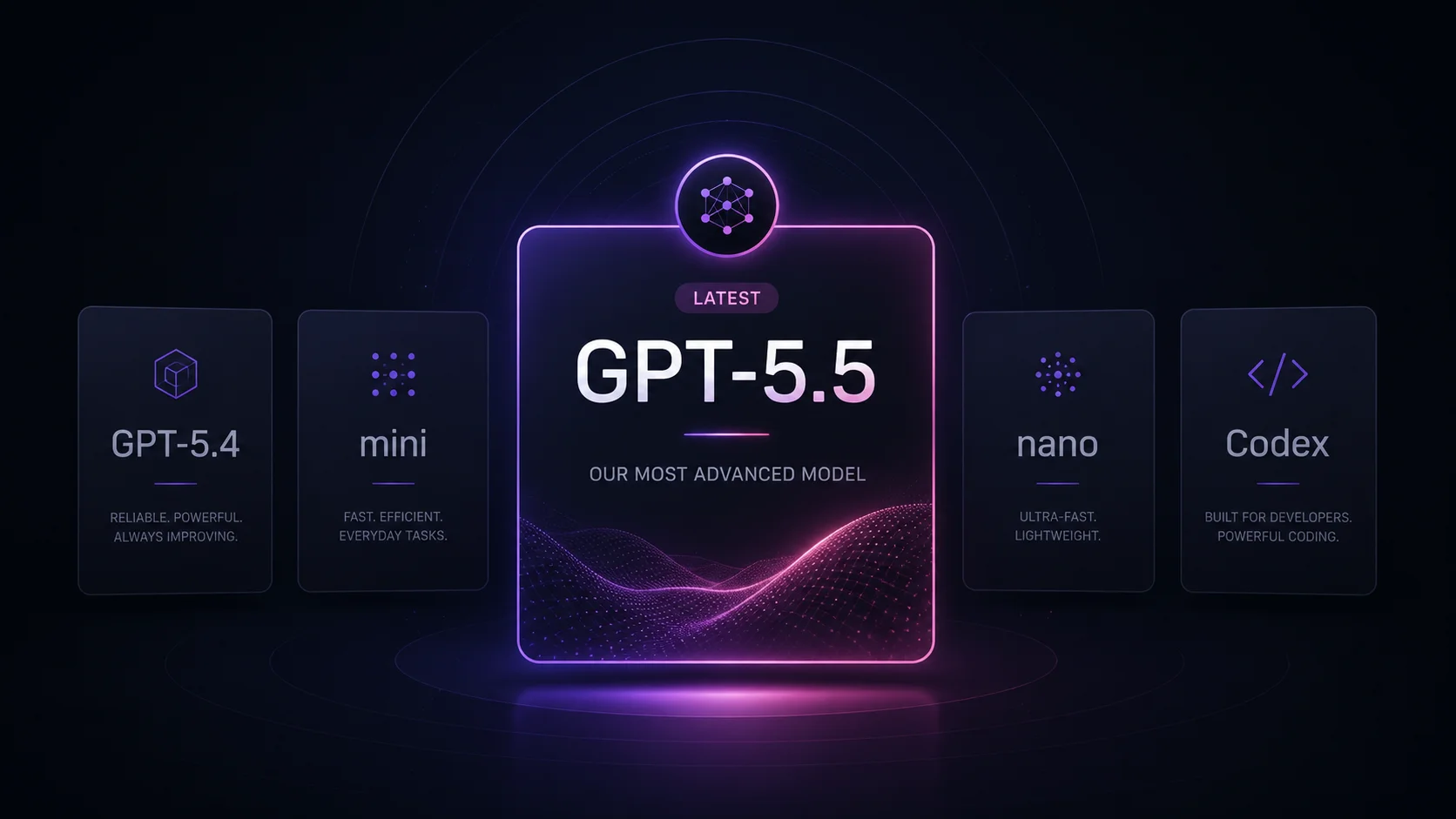
GPT-5.5 is OpenAI’s newest frontier model for complex professional work. It is designed for tasks where the model needs to understand a difficult request, reason through multiple steps, use tools more effectively, and produce stronger results for coding, research, analysis, and document-heavy work. OpenAI also offers related models such as GPT-5.4, GPT-5.4 mini, GPT-5.4 nano, and GPT-5.3-Codex for different balances of quality, speed, and cost.
This guide explains what GPT-5.5 is, what changed compared with earlier GPT models, which current OpenAI model fits different use cases, and how these models connect to AI browsers and productivity workflows.
What Is GPT-5.5?
GPT-5.5 is OpenAI’s latest frontier model for complex reasoning, coding, research, and professional AI work. It is built for users who need stronger answers, better task understanding, and more reliable performance on difficult multi-step workflows.
According to OpenAI, GPT-5.5 is designed for complex real-world work such as writing code, researching online, analyzing information, creating documents and spreadsheets, and moving across tools to complete tasks. Compared with earlier models, it is meant to understand the user’s intent earlier, require less guidance, use tools more effectively, and continue working through complex tasks more reliably.
In the OpenAI API, GPT-5.5 supports a large context window, text input and output, image input, and several reasoning effort levels. This makes it useful for workflows where users need to process large amounts of information, analyze visual material, work with documents, or solve complex problems step by step.
Is GPT-5.5 the Latest OpenAI Model?
Yes. GPT-5.5 is currently OpenAI’s newest frontier model. OpenAI’s model documentation describes it as the newest frontier model for the most complex professional work, while GPT-5.4 is positioned as a more affordable model for coding and professional work.
That means GPT-4.1 should no longer be described as the newest or most advanced OpenAI model. GPT-4.1 was important when it launched, especially because of its long context window and API-focused use cases, but the current OpenAI model lineup has moved forward.
If the goal is to write about the most current OpenAI model, GPT-5.5 is the better focus.
What’s New in GPT-5.5?
GPT-5.5 is not just a small naming update. It represents a newer model generation focused on harder work, stronger reasoning, and professional workflows.
Better reasoning for complex tasks
GPT-5.5 is designed for tasks that require more than a short answer. It can help break down problems, compare options, analyze information, and handle work that involves several steps.
This makes it useful for research, planning, technical explanations, strategy work, legal-style document review, data analysis, and business tasks where the answer needs structure and context.
Stronger coding support
Coding is one of the main areas where GPT-5.5 is positioned as a stronger model. It can help write code, debug issues, review logic, explain errors, generate tests, and work through complex software tasks.
For developers, this matters because coding work often requires context: understanding files, requirements, edge cases, bugs, and the goal of the project. GPT-5.5 is built for more demanding coding and professional tasks than older GPT models.
AI-generated code should still be reviewed, tested, and checked for security issues. GPT-5.5 can speed up software work, but it should not replace engineering judgment.
Better research and information synthesis
GPT-5.5 is also useful for research-heavy tasks. It can help summarize long materials, compare sources, organize findings, extract important details, and turn scattered information into a clearer answer.
For users working with reports, documents, spreadsheets, articles, transcripts, or technical sources, GPT-5.5 can help reduce the time spent organizing information before the real work starts.
Larger context for document-heavy work
GPT-5.5 supports a very large context window in the API, which makes it useful for long documents, long conversations, complex prompts, and workflows that need more background information at once.
A large context window does not mean the model is perfect or that users can paste anything without structure. Clear prompts, good formatting, and specific questions still matter. But a larger context window makes it easier to work with complex materials without cutting them into tiny pieces.
More flexible reasoning effort
GPT-5.5 supports different reasoning effort levels in the API. This gives developers and product teams more control over how much reasoning the model should apply to a task.
For simple tasks, lower effort can help keep responses faster. For harder tasks, higher reasoning effort can help the model spend more time working through the problem.
GPT-5.5 vs GPT-5.4 vs GPT-5.4 Mini vs GPT-5.4 Nano
OpenAI’s current model lineup is not one-size-fits-all. Different models are designed for different needs: strongest quality, lower cost, faster responses, high-volume workloads, or coding agents.
Where GPT-5.3-Codex Fits
GPT-5.3-Codex is different from the general GPT-5.5 and GPT-5.4 models. It is designed for agentic coding tasks, especially in Codex-like environments where the AI needs to work through software tasks over multiple steps.
This makes it useful for coding agents, software development workflows, codebase changes, debugging, and tasks where the AI needs to operate more like a programming assistant than a general chatbot.
For general professional work, GPT-5.5 is the stronger starting point. For coding-agent workflows, GPT-5.3-Codex may be the more specific option.
What About GPT-4.1?
GPT-4.1 is now an older OpenAI model. It was useful for API workflows because it offered a large context window, low latency, tool calling, and strong instruction following. But it should not be described as the newest OpenAI model anymore.
If you are updating an old article about GPT-4.1, the best approach is not to pretend GPT-4.1 is still the latest version. A more accurate update is to explain that GPT-5.5 is now the current frontier model, while GPT-4.1 remains part of the older API model history.
GPT-4.1 can still matter for some legacy workflows, but a current article should focus on GPT-5.5 and the newer GPT-5.4 model family.
Which GPT Model Should You Use?
The best model depends on the task.
Use GPT-5.5 when you need the strongest OpenAI model for complex reasoning, coding, research, analysis, professional writing, and document-heavy workflows.
Use GPT-5.4 when you still need a strong professional model, but want a more affordable option than GPT-5.5.
Use GPT-5.4 mini when you need faster, more efficient performance for high-volume tools, assistants, subagents, or lower-latency product features.
Use GPT-5.4 nano for simple, high-volume tasks where speed and cost matter more than deep reasoning. Examples include classification, extraction, ranking, simple summaries, and lightweight automation.
Use GPT-5.3-Codex for agentic coding workflows where the model needs to work through software tasks in a coding environment.
GPT-5.5 Use Cases
Coding and debugging
GPT-5.5 can help developers write functions, debug errors, explain code, generate tests, review logic, and work through technical problems. It is especially useful when the task requires reasoning across several files, requirements, or constraints.
Research and analysis
GPT-5.5 can help summarize sources, compare information, find patterns, organize notes, and create structured research outputs. It is useful for people working with long documents, reports, market research, technical information, or business materials.
Document-heavy workflows
For users working with long documents, GPT-5.5 can help extract key points, summarize sections, identify inconsistencies, rewrite content, and turn scattered notes into a clear structure.
Professional writing
GPT-5.5 can help write, rewrite, edit, summarize, and structure professional content. This can include reports, briefs, emails, presentations, product documents, articles, and internal documentation.
Data and spreadsheet work
GPT-5.5 can support data-heavy workflows by helping explain tables, structure analysis, generate formulas, summarize findings, and turn raw information into clearer outputs.
Planning and strategy
GPT-5.5 can help compare options, build step-by-step plans, analyze tradeoffs, create frameworks, and turn complex goals into more manageable actions.
GPT-5.5 and AI Browsers
The rise of models like GPT-5.5 shows where AI is going: models are becoming more useful when they are connected to real workflows, tools, documents, pages, and user context.
AI browsers are part of that shift. Instead of using AI in a separate tab, users can work with AI closer to the pages and sources they already use. In Sigma AI Browser, users can work with AI chat, page-aware tools, Deep Research, image generation, and browser-based AI workflows in one place.
This matters because the browser is where much of modern work happens. Research, writing, reading, comparison, planning, communication, and content creation all happen online. When AI is built into that workflow, it becomes easier to use models for real tasks instead of isolated prompts.
Final Thoughts
GPT-5.5 is the current model to understand if you want the most up-to-date view of OpenAI’s GPT lineup. It is built for complex professional work: coding, research, reasoning, analysis, documents, data, and multi-step workflows.
GPT-5.4, GPT-5.4 mini, GPT-5.4 nano, and GPT-5.3-Codex exist for different needs, from lower-cost professional work to high-volume automation and coding-agent tasks. The best model depends on the job: use the strongest model for hard work, and smaller models when speed, scale, or cost matter more.
The old GPT-4.1 article should not stay framed as a “what’s new” update. A modern version should explain the current model lineup, show why GPT-5.5 matters now, and help readers choose the right GPT model for their workflow.
More articles



Download Sigma Browser
Questions & Answers
reach out to us on X at @Sigma_Browser
Get Sigma on Android


