
What Is a CAPTCHA Challenge Response?
The check behind "Verify you are human": how CAPTCHA tokens work and why your browser keeps seeing them.

A CAPTCHA challenge-response is a security mechanism that helps a website distinguish human activity from automated requests. The challenge may require a visible action, such as selecting images, or it may run as a background browser check. The website evaluates the result before accepting the protected request.
Modern CAPTCHA systems usually return a short-lived response token after the check is completed. The browser submits this token with the form or request, and the website verifies it on the server. Tokens expire and are generally single-use, which helps prevent the same successful response from being replayed.
In this article, you'll learn how CAPTCHA challenge responses work and what this technology is used for.
Quick answer
A CAPTCHA challenge response is the result a CAPTCHA system gives a website after checking whether a request appears to come from a human rather than a bot.
In many systems, the browser receives a short-lived token after the check succeeds. It sends that token to the website, and the website verifies it with the CAPTCHA provider before accepting the action—for example, submitting a form or creating an account.
Not every CAPTCHA involves solving a puzzle. Some run in the background and judge signals from the browser or the request itself. Depending on the system, the result may be a simple pass/fail decision or a risk score.
CAPTCHAs are mainly an anti-abuse measure. They can make automated attacks harder or more expensive, but they do not establish a user's identity and should not be treated as a replacement for authentication or other fraud controls.
What Does "CAPTCHA Challenge Response" Mean?
CAPTCHA stands for Completely Automated Public Turing test to tell Computers and Humans Apart. Websites use CAPTCHAs to help distinguish legitimate users from automated traffic.
A CAPTCHA flow usually has three steps:
- Challenge: The CAPTCHA service presents a test or performs a browser check.
- Response: After the check is completed, the CAPTCHA service generates a response, usually a token.
- Verification: The website sends that token to the CAPTCHA provider to confirm that it is valid and was issued for the expected site or action.
So when you see the term "CAPTCHA challenge response," it usually refers to the value produced after the CAPTCHA check. In modern CAPTCHA systems, that value is often a token rather than the user's literal answer to a puzzle.
A valid response tells the website that the CAPTCHA provider accepted the interaction. It is a security signal, not absolute proof that the request came from a human.
How Does a CAPTCHA Challenge Response Work?
A CAPTCHA produces a short-lived token that a website can verify before accepting a protected request.
- The user performs a protected action. For example, they submit a form, create an account, or log in.
- The page loads the CAPTCHA service. The site identifies itself to the provider using a public site key.
- The CAPTCHA checks the interaction. The user may be asked to solve a challenge, or the provider may perform a background risk check.
- The provider issues a token. If the check succeeds, the browser receives a temporary CAPTCHA response token.
- The token is sent with the request. The browser includes it when submitting the protected action to the website.
- The server verifies the token. The website's backend sends the token to the CAPTCHA provider and checks the verification result.
- The website decides whether to continue. A valid response allows the request to proceed if it also meets the site's other requirements.
Server-side verification is essential. A website cannot safely rely on the browser simply claiming that the CAPTCHA was completed. An automated client can bypass the visible page and send requests directly to the server.
For that reason, CAPTCHA systems such as Google reCAPTCHA and Cloudflare Turnstile are designed around backend verification: the browser obtains the token, but the server decides whether to trust it.
What Does a CAPTCHA Response Contain?
A CAPTCHA provider returns verification data after your server submits a CAPTCHA token for validation.
The exact fields vary by provider. A response may contain:
- Whether verification succeeded
- The time the challenge was completed
- The hostname the token was issued for
- The action associated with the token
- An error code
- A risk score, if the provider uses one
For example, reCAPTCHA v3 returns a score from 0.0 to 1.0 and an action value. Your server should check both rather than relying on success alone.
{
  "success": true,
  "score": 0.9,
  "action": "login",
  "challenge_ts": "2026-08-15T12:00:00Z",
  "hostname": "example.com"
}
Cloudflare Turnstile does not use reCAPTCHA's scoring model, but its verification response includes fields such as success, challenge_ts, hostname, action, and cdata.
{
  "success": true,
  "challenge_ts": "2026-08-15T12:00:00Z",
  "hostname": "example.com",
  "action": "login",
  "cdata": "session-123"
}
The important point is that the token itself is not the final verification result. Your backend sends the token to the CAPTCHA provider, receives the verification response, and checks the returned fields before accepting the request.
What Are the Main Types of CAPTCHA Challenges?
Text CAPTCHA
Text CAPTCHAs show distorted letters or numbers that the user must type into a box. They were effective when optical character recognition had trouble separating characters from warped shapes and noisy backgrounds.
Today, recognition software has improved, while making the text harder for software also tends to make it harder for people to read. This is especially problematic for users with low vision, dyslexia, or other perceptual disabilities.

Source: Damian Yerrick via Wikimedia Commons
Image CAPTCHA
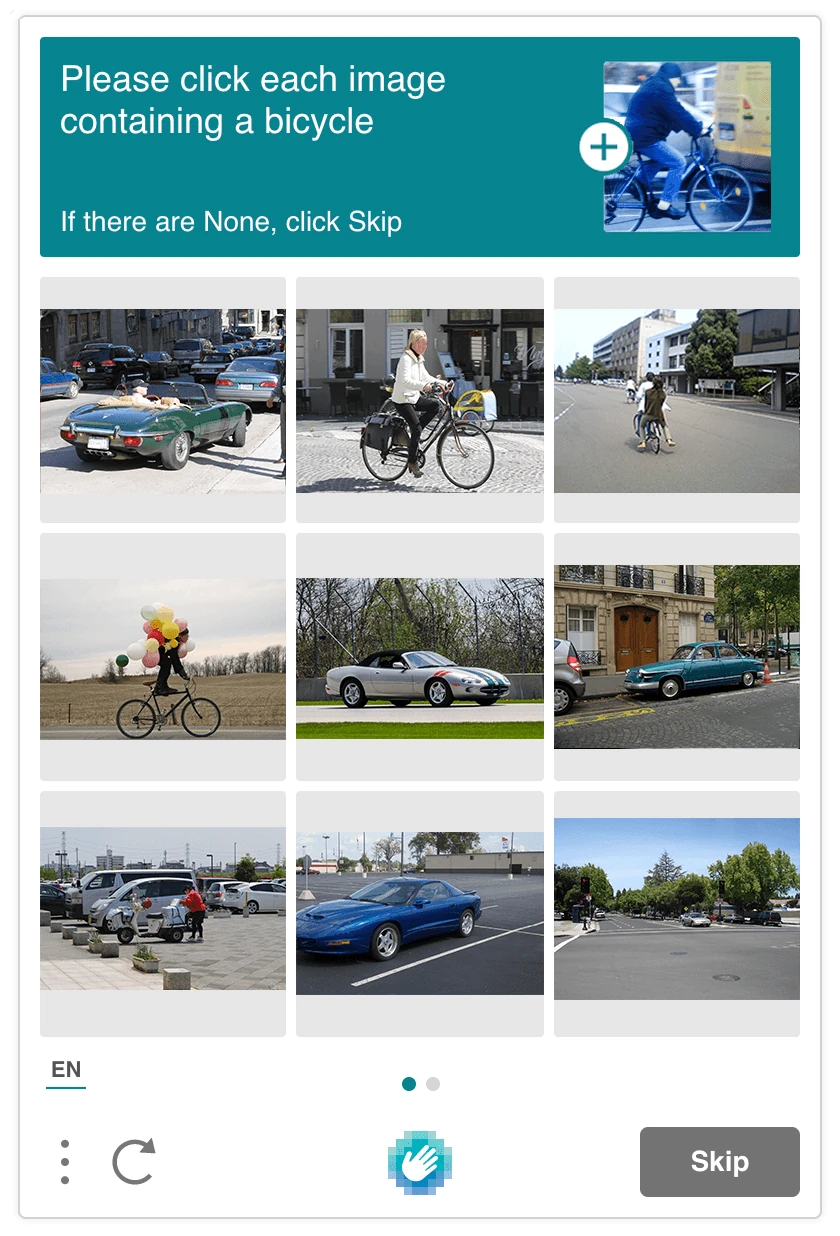
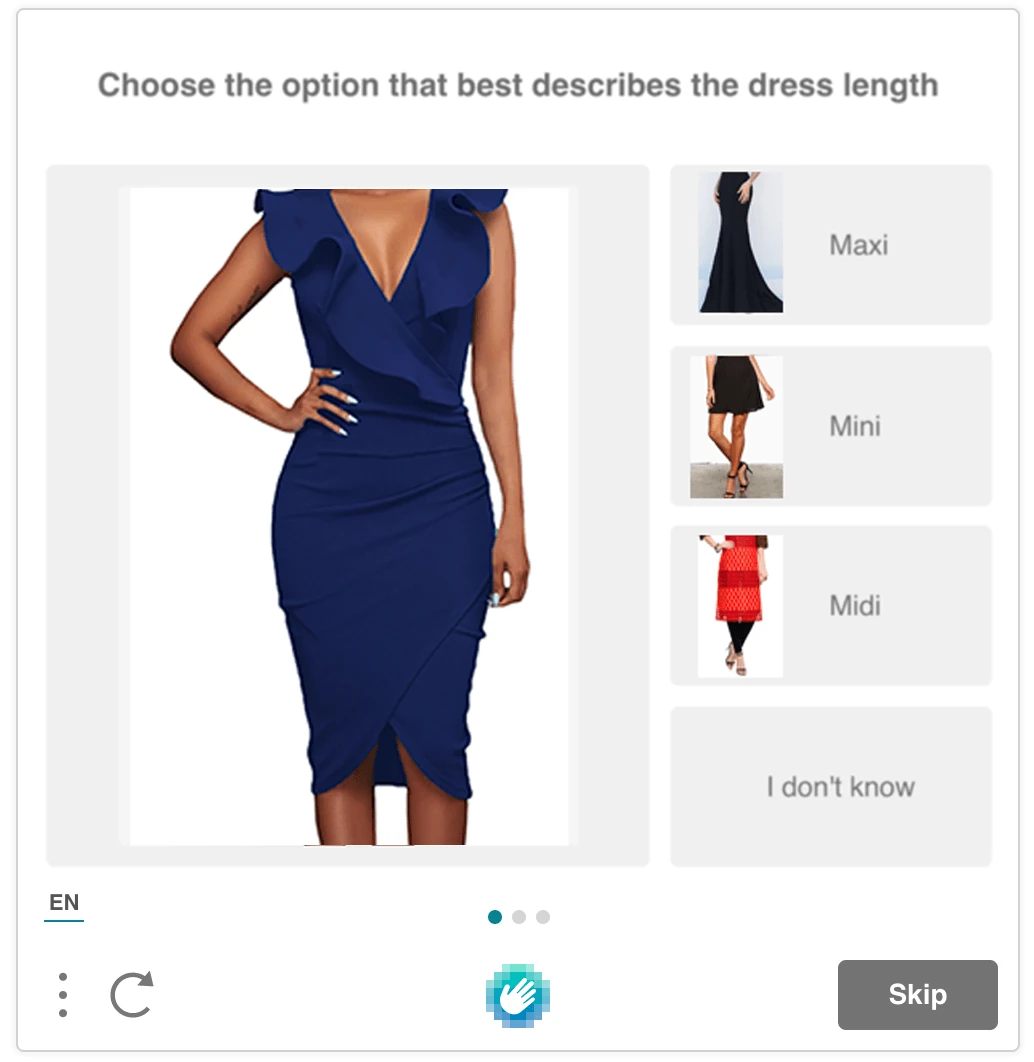
Image CAPTCHAs ask users to select pictures containing a particular object, such as bicycles, buses, or traffic lights.
The difficulty is often less clear-cut than the task suggests. Objects can cross tile boundaries, small details are harder to see on phones, and some users cannot reliably interpret the images. Modern systems may also evaluate the interaction itself rather than relying only on whether the correct tiles were selected.
Source: hCaptcha press kit
Source: hCaptcha press kit
Audio CAPTCHA
Audio CAPTCHAs usually play spoken letters, numbers, or words over background noise and ask the user to transcribe them. They are commonly offered as an alternative to visual challenges.
Checkbox CAPTCHA

This is the familiar I'm not a robot checkbox. Interestingly, it doesn't test if a bot can click a box, but looks at the request structure and browser session and uses the click as one part of that assessment. A request judged to be low risk may pass immediately. If the system is less confident, it can present an additional image or audio challenge.
Source: Google reCAPTCHA documentation.
Invisible and Risk-Based CAPTCHA
Risk-based systems try to decide whether a visitor looks legitimate without presenting a puzzle to everyone. They can evaluate signals from the browser and the interaction, assign a risk score, and ask for additional verification only when something looks suspicious.
This removes much of the friction associated with traditional CAPTCHAs. It also moves more of the process out of sight, which makes questions about what data is collected and how the score is produced more important.
Managed Browser Challenges
Managed challenge systems decide which checks to run for each request. These products are often marketed as alternatives to traditional CAPTCHA puzzles. In practice, they still perform the same basic job: assess the browser or user, generate a token when the check succeeds, and let the website verify that token before accepting the request.

Source: Cloudflare Blog.
Why Do Websites Use CAPTCHA?
Websites use CAPTCHA to stop bots from doing things at machine speed in situations where it is possible to abuse a service through automated repetition. For example, a bot can create thousands of accounts, try stolen passwords against login pages, flood a contact form with spam, or buy limited-stock items before a person has a chance.
CAPTCHA is commonly used on:
- Sign-up pages to slow mass account creation.
- Login and password-reset pages to make automated attacks harder.
- Forms, comments, polls, and reviews to cut down on spam.
- Ticketing, checkout, and reservation pages to discourage automated buying and card testing.
- Actions that cost the site money or computing power, such as sending emails or processing files.
CAPTCHA does not prove that someone is trustworthy. It mainly asks a narrower question: does this request look like it came from a human?
Sites usually combine it with other protections, such as rate limits, login controls, and fraud detection. CAPTCHA is useful when bot traffic is the problem, but it cannot replace those measures.
Why Do I Keep Getting CAPTCHA Challenges?
If a website keeps showing you CAPTCHAs, it usually means something about your connection or browser looks unusual to its anti-abuse system.
Common causes include:
- Making lots of searches, login attempts, signups, or other requests in a short time.
- Using a VPN, proxy, public Wi-Fi network, corporate network, or mobile connection where many people share the same IP address.
- Connecting from an IP address that has recently been associated with spam or automated traffic.
- Blocking JavaScript, cookies, or other resources the CAPTCHA needs to run properly.
- Using browser extensions that alter the page or interfere with verification.
- Waiting too long to submit a form after completing the CAPTCHA, causing the verification token to expire.
- Changing networks, browser settings, or other connection details while the page is open.
Repeated CAPTCHAs do not automatically mean the site has identified you as a bot. They usually mean its automated checks saw enough unusual activity to ask for another verification.
Why Can Privacy Tools Trigger More CAPTCHAs?
Privacy tools can hide or change some of the signals that tell a website that you're human. A VPN, for example, may put thousands of users behind the same public IP address, which looks similar to bot traffic to a website you're visiting. Tracker blocking can also prevent scripts, cookies, or other browser data from being available. None of that means you are a bot, but it can give a site less information to work with.
That is why stronger privacy can sometimes mean seeing more CAPTCHAs. The site is working with fewer familiar signals, so it may ask you to prove you are human more often.
A privacy browser cannot reliably make those checks disappear, and it should not weaken them behind the scenes. Sigma Browser, for example, includes built-in ad blocking and an option to run AI on-device.
In short, more CAPTCHAs can be an annoying side effect of revealing less information online.
Are CAPTCHA Challenges Safe?
CAPTCHAs themselves are usually harmless. The issue is whether you trust the website asking you to complete one. A CAPTCHA can appear on a phishing page, and there are certain phishing schemes that use legitimate CAPTCHAs to build trust, so don't treat it as proof that the page is safe.
Some CAPTCHA systems also collect signals about your browser, network, and how you interact with the page to decide whether you look human. If that matters to you, check the site's privacy policy and the CAPTCHA provider's documentation.
Be especially suspicious if a "verification" page tells you to install software, disable security settings, open a terminal, or paste a command. Those are not normal CAPTCHA requirements. Leave the page and access the service again from an address you know is legitimate.
Can AI and Bots Solve CAPTCHA?
Yes. Some CAPTCHA challenges can already be solved by AI, particularly image- and audio-based ones. Bots have also become better at using real browsers, running JavaScript, and behaving enough like ordinary users to get past simple checks.
And a bot does not always need to solve the CAPTCHA itself. An attacker can send the challenge to a human-solving service, reuse a valid browser session, or skip the protected page entirely if the underlying endpoint is exposed.
That is why CAPTCHA should not be treated as the main security boundary. The server still needs to verify the result, tokens should expire and work only once, and the same protections need to apply to every route that performs the sensitive action.
The goal of modern bot protection is not to invent a puzzle that machines can never solve. It is to make automated abuse harder, more expensive, and easier to detect.
How to Fix a CAPTCHA Response Error
If you completed a CAPTCHA correctly but the site still rejects it, the problem is often with the browser session rather than the puzzle itself.
Try these fixes in order:
- Reload the page and complete the CAPTCHA again. CAPTCHA responses can expire, and many cannot be submitted twice.
- Check the rest of the form before solving it again. If the site rejected your first submission because another field was missing or invalid, you may need a new CAPTCHA before resubmitting.
- Make sure JavaScript and cookies are allowed for the site. CAPTCHA widgets may fail when a browser setting or privacy tool blocks something they need.
- Temporarily disable extensions that modify or block page content. Ad blockers, script blockers, and privacy extensions are common causes. Disable them only for the affected site if possible.
- Try a private window or a fresh browser session. This can rule out stale cookies, cached data, or a broken session without changing your normal browser setup.
- If you use a VPN, try another server or briefly disconnect it. Some sites challenge traffic from heavily shared IP addresses more often.
- Update your browser if the problem keeps happening. An old browser version can cause CAPTCHA widgets to load or submit incorrectly.
- Use another verification option if one is available. For example, choose an audio challenge or contact the site if the CAPTCHA is inaccessible or repeatedly fails.
Avoid CAPTCHA-solving extensions and third-party "bypass" services. They can expose information from the page to another service and may violate the site's rules.
CAPTCHA, reCAPTCHA, hCaptcha, and Turnstile: What's the Difference?
CAPTCHA is the general name for tests used to distinguish legitimate users from automated traffic.
reCAPTCHA, hCaptcha, and Cloudflare Turnstile are specific services that websites use to perform that check.
Name | What it is | What you might see |
|---|---|---|
CAPTCHA | The general category of human-verification systems | Anything from distorted text to image puzzles or invisible checks |
reCAPTCHA | Google's verification service | A checkbox, image or audio challenge, invisible verification, or no visible challenge at all |
hCaptcha | A separate CAPTCHA provider | Usually a checkbox or challenge, although it can also run with little or no interaction |
Cloudflare Turnstile | Cloudflare's alternative to traditional CAPTCHA challenges | Often a brief automatic check or checkbox |
The biggest distinction is that CAPTCHA is a category; reCAPTCHA, hCaptcha, and Turnstile are products.
More articles
.webp)
.webp)

Download Sigma Browser
Questions & Answers
reach out to us on X at @Sigma_Browser
Get Sigma on Android


