
How to Use AI in Code Review: Tools, Workflow, and Best Practices
A practical guide to AI code review tools, benefits, limits, and team workflows.

Code review is one of the most important parts of software development. It helps teams catch bugs, improve readability, share knowledge, and protect the quality of the codebase before changes reach production.
But code review can also slow teams down. Pull requests pile up, reviewers repeat the same comments, and developers wait for feedback on issues that could have been caught earlier. As AI-generated code becomes more common, teams also need a better way to review changes without turning every pull request into a bottleneck.
AI code review tools can help with that. They can scan pull requests, flag common issues, suggest fixes, explain risky changes, and give developers faster feedback before a human reviewer steps in.
The important part is using AI correctly. AI should not replace human code review. It works best as a first layer: useful for routine checks, consistency, and early feedback, while human reviewers stay responsible for architecture, business logic, security decisions, and final approval.
What Is AI Code Review?
AI code review means using artificial intelligence to analyze code changes and suggest improvements during the review process. Instead of waiting for a human reviewer to catch every small issue, teams can use AI to run an early review and surface possible problems faster.
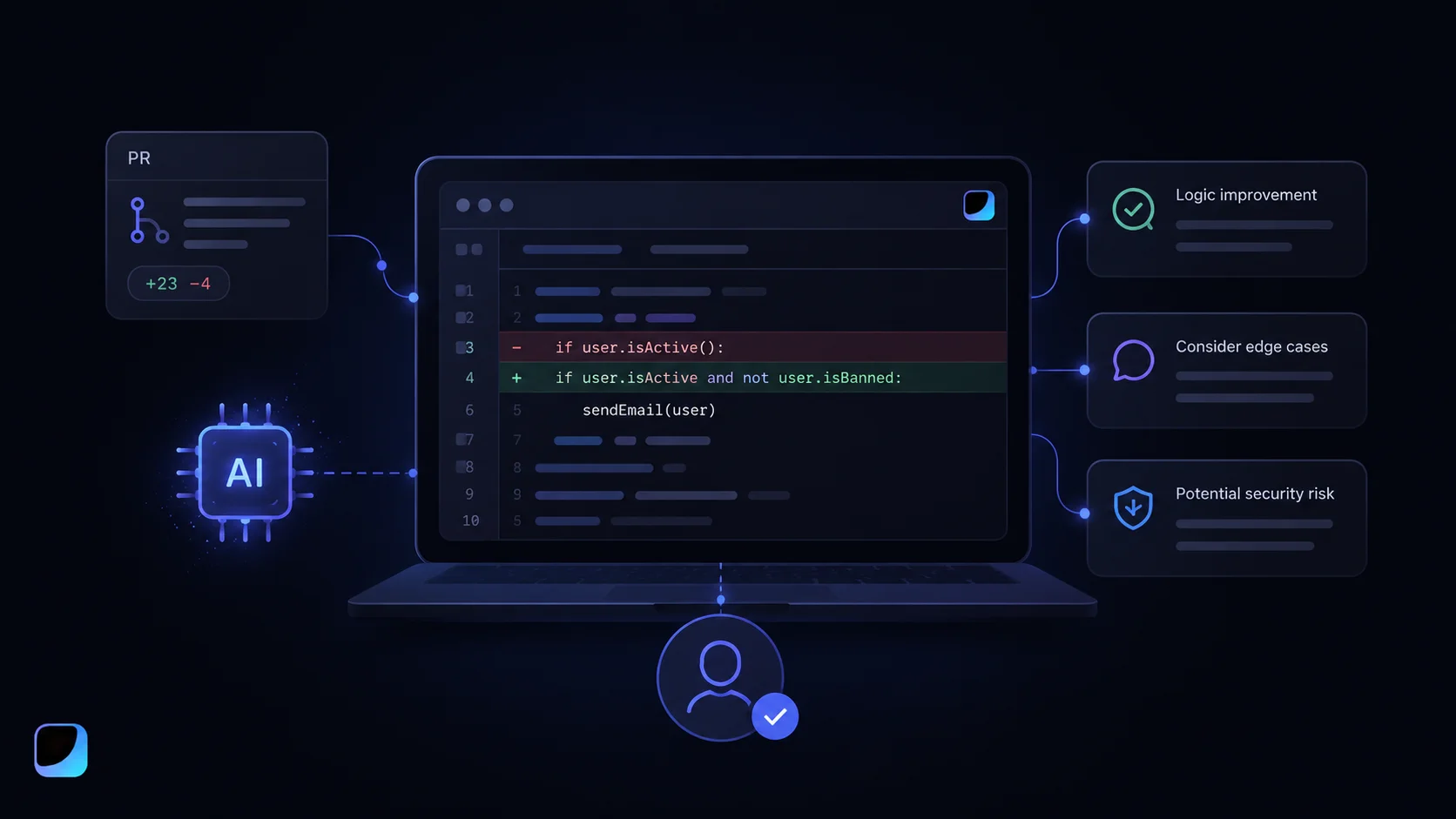
An AI code review tool may look at changed files, pull request descriptions, comments, tests, or repository context. Based on that context, it can suggest cleaner logic, flag possible bugs, recommend tests, explain confusing code, or summarize what changed in the pull request.
The goal is not to let AI approve code on its own. The goal is to make human review more focused. If AI can catch routine issues early, human reviewers can spend more time on the parts that actually need judgment: architecture, edge cases, product requirements, security, and maintainability.
How AI Code Review Works
Most AI code review tools use a mix of static analysis and language model reasoning. Static analysis checks code against known rules, patterns, style issues, and security risks. This is useful because it is predictable and works well in CI/CD pipelines.
Language models add a different layer. They can explain why a piece of code may be risky, summarize a pull request, suggest a possible fix, or help a developer understand unfamiliar logic. This makes AI feedback easier to read and more useful for teams that want review comments written in natural language.
A typical AI-assisted review workflow looks like this:
- A developer opens a pull request.
- The AI tool reviews the changed code.
- The developer accepts, rejects, or discusses the suggestions.
- A human reviewer checks the updated pull request.
- The team approves, requests changes, or continues the review.
This keeps AI in the right role. It becomes a helpful assistant, not the final decision-maker.
How to Use AI in Code Review: Practical Workflow
The best way to use AI in code review is to treat it as an early review layer, not as the final reviewer. AI should help developers clean up obvious issues before a teammate spends time on the pull request.
Start by using AI before the main human review. After opening a pull request, ask the AI tool to summarize the change, identify risky areas, check for missing tests, and point out confusing logic. The developer should review those comments first, fix what makes sense, and ignore suggestions that do not fit the codebase.
AI is especially useful for the first pass because it can quickly check repetitive details: unclear naming, duplicated code, missing edge-case handling, simple security risks, missing tests, and overly complex logic. This makes the pull request easier for a human reviewer to understand.
A practical workflow can look like this:
- Open a pull request.
- Let the AI tool review the changed code.
- Ask AI to summarize the main changes.
- Review AI comments and apply only useful suggestions.
- Run tests after making changes.
- Send the updated pull request to a human reviewer.
- Let the human reviewer make the final decision.
You can also use AI to prepare better review notes. For example, ask it to explain what changed, list possible risks, or turn a long pull request into a short summary for reviewers. This helps human reviewers understand the context faster without replacing their judgment.
Benefits of AI Code Review
AI code review is useful because it gives developers faster feedback. Instead of waiting for another engineer to point out simple issues, developers can get early suggestions soon after opening a pull request. That makes the human review process cleaner and less repetitive.
AI can also make review comments more consistent. Human reviewers have different habits and priorities, so one person may focus on naming while another focuses on test coverage or performance. AI can help apply some standards more evenly across pull requests, especially for routine issues.
For junior developers, AI review can make feedback easier to understand. A good AI comment does not only say what is wrong. It can explain why something may be risky and suggest a better approach. That makes code review feel more educational and less intimidating.
For senior engineers, AI can reduce repetitive work. Instead of spending time on the same comments about missing tests, duplicated logic, unclear names, or simple error handling, they can focus on deeper questions: whether the solution is maintainable, secure, scalable, and aligned with product requirements.
What AI Code Review Is Good At
AI code review is usually strongest when the issue is common, repeated, or pattern-based. It can help with unclear variable names, duplicated logic, missing error handling, overly complex functions, unused code, simple security warnings, missing tests, and confusing pull request summaries.
These checks are valuable because they clean up a pull request before it reaches a human reviewer. Even when AI does not catch everything, it can reduce noise and help developers improve the first version of their code.
AI is also useful for explaining code. If a reviewer opens a large pull request and needs to understand what changed, AI-generated summaries can help them get oriented faster. A summary does not replace reading the code, but it can make the review less overwhelming.
What AI Code Review Cannot Replace
AI still has limits. It can miss important problems when the issue depends on product context, architecture, user behavior, or business logic. It may also suggest changes that look cleaner but break expected behavior.
AI should not be trusted alone for high-risk areas such as authentication, authorization, payment logic, database migrations, production incident fixes, compliance requirements, or security-sensitive changes. These areas need human judgment, testing, and sometimes dedicated security review.
AI can sound confident even when it is wrong. A suggestion may look reasonable, but that does not mean it fits your codebase, your users, or your product requirements. Human reviewers still need to own the final decision.
A good rule is simple: let AI help with the first pass, but keep humans responsible for approval.
Popular AI Code Review Tools
There are many tools for AI-assisted code review and code quality. Some focus on pull requests, some on static analysis, and some support one specific part of the workflow.
You do not need to use every tool at once. Most teams should start with one AI review tool or one code quality tool, test it on a real workflow, and only expand if it actually improves the review process.
How to Add AI Code Review to Your Workflow
The safest way to introduce AI code review is to start small. Do not turn it on across your most sensitive production repositories on day one. Test it first on a smaller project, internal tool, or lower-risk repository so the team can understand how useful the feedback is and how much noise it creates.
Once the tool is active, decide what AI should review. It should not comment on everything. The best starting points are readability, missing tests, duplicated logic, simple bug risks, documentation gaps, basic security patterns, and style consistency.
A simple workflow can look like this:
- Start with one repository.
- Let AI review pull requests before the main human review.
- Ask developers to accept, reject, or respond to AI suggestions.
- Keep human approval required.
- Track whether the comments are actually useful.
The goal is not to add more noise to every pull request. The goal is to make the review process better. If the AI tool creates too many irrelevant comments, tune the settings, narrow the scope, or change how the team uses it.
Where Sigma AI Browser Fits
Sigma AI Browser is not a code review platform, and it should not be presented as one. Its value is different: it can support the work around code review.
Code review often happens across many browser tabs. Developers may need GitHub or GitLab, issue trackers, documentation, API references, product specs, release notes, design files, and internal knowledge bases. That context matters, but it is easy to lose when everything is scattered.
Sigma AI Browser can help developers work with that context more efficiently. With AI chat, page-aware tools, Deep Research, and AI Agent workflows, Sigma can support tasks like summarizing documentation, comparing issue requirements with implementation notes, drafting review comments, researching unfamiliar libraries, and organizing information from multiple tabs.
This is the right place for Sigma in this article. It should not replace GitHub Copilot, SonarQube, or CodeRabbit. Instead, it can help with the surrounding browser workflow: research, documentation, summaries, notes, and context gathering.
For developers and teams that spend a lot of time reviewing PRs, reading docs, and checking requirements across different pages, that kind of browser-based AI support can reduce friction.
Common Mistakes When Using AI Code Review
AI code review can help, but it can also make the review process worse if the team uses it carelessly.
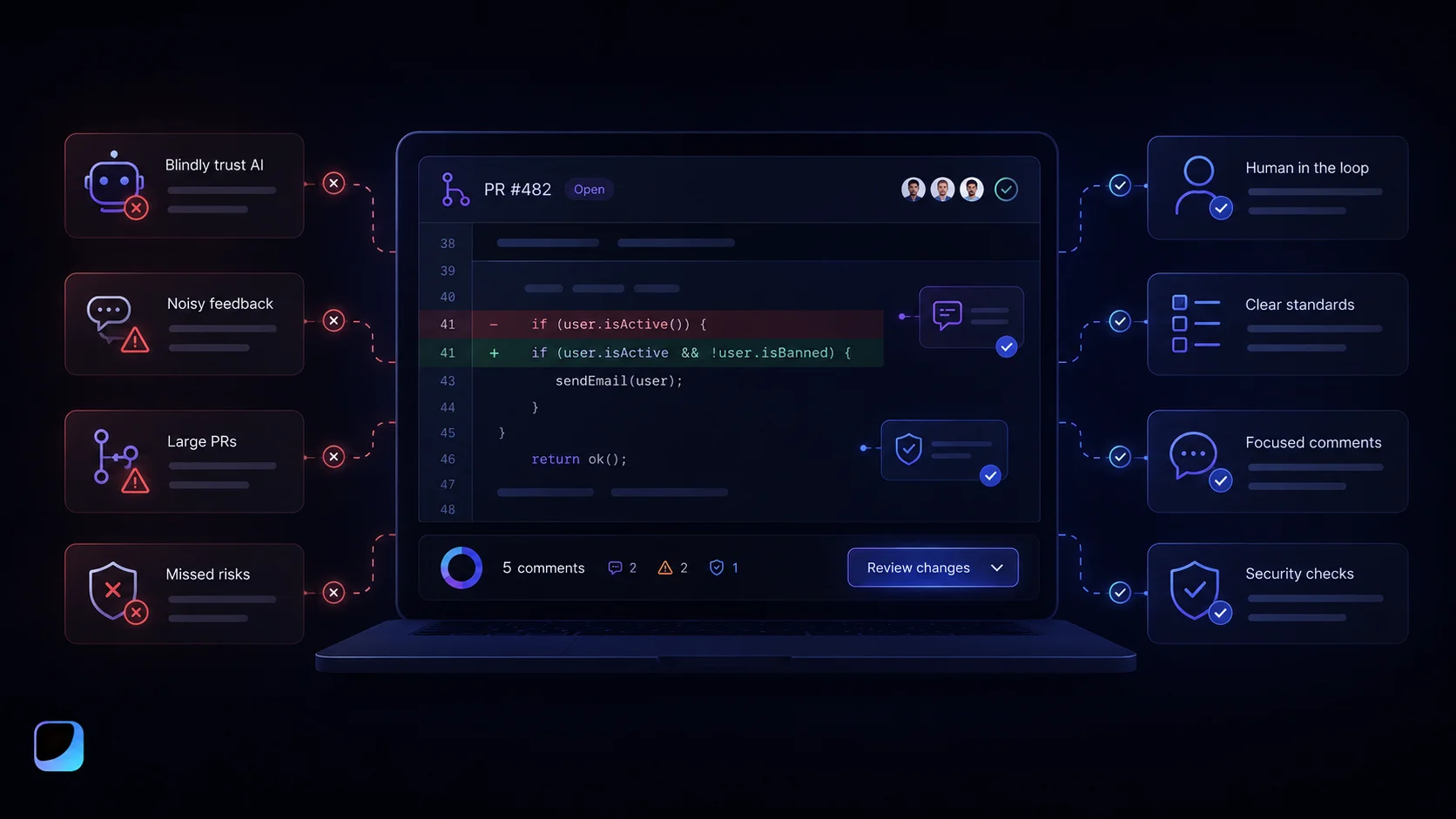
One common mistake is treating AI comments as always correct. AI can misunderstand code or suggest changes that do not fit the product. Every suggestion still needs review.
Another mistake is letting AI replace human review. That may save time in the short term, but it creates risk. AI cannot fully understand your users, roadmap, business rules, or security model.
Teams should also watch for noisy feedback. If AI comments on every tiny issue, developers may stop reading the comments altogether. A useful AI review tool should give high-signal feedback, not flood every pull request.
Large pull requests are another problem. AI does not magically make huge PRs easy to review. Smaller pull requests are still better for humans, AI tools, testing, and long-term maintainability.
Finally, teams should never accept AI-generated fixes blindly. Even a good-looking suggestion can introduce a bug. Developers should read the change, understand it, and run tests before merging.
Best Practices for Teams
AI code review works best when the team already has a clear review process. If review standards are vague, AI will not fix that. Teams should define what reviewers care about: test coverage, naming, error handling, performance, security, maintainability, and product requirements.
AI should usually act as the first pass, not the final gate. Let it catch routine issues early, then let human reviewers focus on deeper decisions.
Security-sensitive code deserves extra care. AI review can be one layer, but it should not replace security testing, threat modeling, manual review, or expert review when the stakes are high.
Teams should also tune their tools over time. If the AI gives irrelevant comments, adjust the configuration. If it misses common issues, update the process. AI code review should evolve with the codebase and the team.
Final Thoughts
AI code review can make development workflows faster and cleaner, but only when teams use it carefully. It is useful for routine checks, early feedback, pull request summaries, suggested fixes, missing tests, and consistency across reviews.
But AI does not understand your product the way your team does. It cannot fully replace human judgment, architecture review, security thinking, or business context. The best results come when AI handles the repetitive first pass and human reviewers stay responsible for the final decision.
Tools like GitHub Copilot Code Review, SonarQube AI CodeFix, Qodana, CodeRabbit, CodeScene, and Diffblue can support different parts of the review workflow. Sigma AI Browser can support the browser-based context around code review: documentation, issue research, review notes, page summaries, and multi-tab workflows.
Used well, AI code review does not make developers less important. It helps them spend less time on repetitive comments and more time on the decisions that actually shape code quality.
More articles

Download Sigma Browser
Questions & Answers
reach out to us on X at @Sigma_Browser
Get Sigma on Android


